297
297 What is keyword cannibalization and why is it a problem for SEO?
If you're seeing different URLs bounce around for the same Google search, but your traffic and leads aren't growing, it's likely keyword cannibalization. This page is for those who are doing effective SEO and want to understand how to identify and address competition between pages within a website. On-Page SEO for your website: structure, content, and internal links. Below is a simple definition, characteristics, and how it differs from normal clustering. It's also helpful to understand what page relevance: It is this signal that suffers when multiple URLs respond to the same intent.
| Situation | What's happening | Why is this important? |
|---|---|---|
| SEO cannibalization | 2+ pages target the same intent/query | Google is 'unsure' which URL to show |
| Normal clustering | Requests are distributed across pages using different intents. | Each page increases Google visibility for its topic. |
Who is it suitable for: owners of online stores, local businesses, startups and everyone who wants to systematically promote their website and grow organic traffic. Who is not suitable: For those looking for "magic buttons" and quick promises, here's a transparent approach to prosuvania and controlled actions.
Definition: What is Keyword Cannibalization?
Keyword cannibalization — this is a situation where multiple pages on a single website are optimized for the same search query or very similar phrases with the same user intent. As a result, the pages compete for the same position in the search results. Simply put, instead of pushing one strong page to the top, you're spreading relevance across two or three URLs. Google may alternate pages in the search results, lower the average position, or show the wrong page because it converts better.
How pages start competing with each other: typical reasons
Most often, SEO cannibalization occurs not due to "Google errors," but rather due to the structure and content of the website. Typical scenarios:
- similar categories and subcategories in an online store with overlapping queries;
- the blog article and the commercial page are optimized for the same query;
- several landing pages for different cities/services, but with the same text and duplicate keywords;
- Tags/filters create additional URLs that replicate the main category.
Important: Cannibalization isn't just about word overlap. It's critical when the intent is the same (for example, "buy," "price," "order") and both pages are trying to answer the same user question.
How is this different from normal clustering and what is the business suffering from?
With proper clustering, you distribute queries across pages so that each one addresses a different intent: one for "buy," another for "review/how to choose," and a third for "delivery/terms." With cannibalization, however, two pages respond to the same intent and interfere with each other.
When a query doesn't have a "main" page, the search engine doesn't boost any of them - it simply doubts them.
What usually drops in numbers:Visibility: a drop or "swing" in positions, a decrease in the share of impressions for important queries. Clicks: lower CTR because a less attractive snippet or the "wrong" URL appears in the search results. To improve your snippet, it's important to understand how Title and Meta Description. Conversions: Traffic is directed to a page that sells less (for example, to an article instead of a category), and inquiries and orders drop. For SEO for business, this directly impacts ROI and digital growth.

Typical causes: duplicate keywords, similar intent, and site structure errors
Why cannibalization occurs: when one query is "shared" by several pages
Keyword cannibalization Almost always starts with a logical but dangerous idea: "Let's create another page for the same query—maybe we'll get more traffic." In practice, Google sees two URLs with the same meaning and doesn't understand which one is the primary one. The result is pages competing with each other, rankings fluctuate, and the potential of a single strong landing page is wasted. Classic scenarios: a commercial category and a blog post are optimized for the same query ("buy...", "price..."); several service landing pages differ by only a few words; a separate "promotions" page draws queries away from the category. This is directly related to On-Page SEO for a website: if semantics, structure, and metadata are not aligned by intent, competition within a domain becomes a systemic problem, not a one-off error.
Cluster intersection and "similar intent": where beginners most often make mistakes
Confusion usually arises at the clustering level: queries are grouped by word matching, not by intent. For example, "iPhone 13 repair" and "iPhone 13 display replacement" may require different landing pages (general service vs. specific service), or they may be part of the same page—it depends on how you structure your offer and how people search in your region (important for Ukraine: demand is often local and highly tied to a city/region). A typical mistake is when queries of different types (informational and commercial) end up in the same cluster, and a separate page is created for each, but they all essentially answer the same question. Then, SEO cannibalization, even if formally the pages are “different”.
Clustering is not about the same words, but about the same intention.
Structure errors and template-based On-Page SEO: identical Title/H1, duplicate categories, filters, and pagination
In e-commerce and catalogs, the main sources of problems are technical and template elements. When several pages have the same Title And H1, and the text differs minimally, you get a clear duplicate keywords and weak relevance signals. Search engines don't see the unique role of URLs in the structure. A separate approach is useful for directories: SEO for an online store Helps separate categories, products, and filters for different search queries. This is especially common due to:
- duplicate categories and subcategories (for example, “Nike Sneakers” as a category and as a selection/landing page);
- filter pages that are indexed and repeat the main category (color/size/brand);
- pagination, where pages 2, 3, 4 receive similar meta tags and begin to compete for common queries;
- template descriptions of categories/services, where only the city or model changes, but the intent is the same;
- "service" pages (tags, archives) that accidentally become more relevant than the target landing page.
For systematic website promotion, it's important to think not in terms of "pages," but in terms of page roles: which URL should be the primary one for a request, which should be supporting ones, and which should cover related intents. This is the practical side of On-Page SEO for a website: proper architecture + unique meta tags + clear meaning in content increase visibility without unnecessary noise and internal competition.
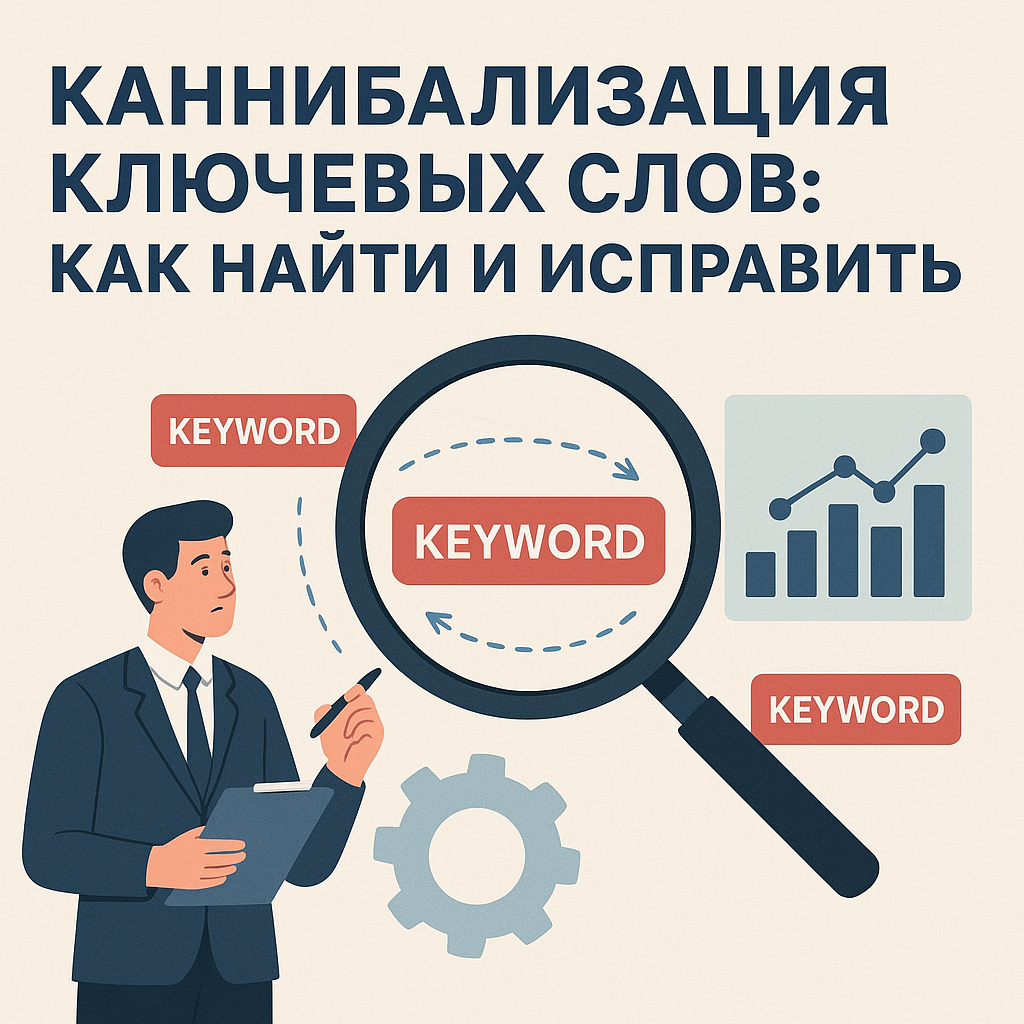
How to spot cannibalization: diagnostics in Google Search Console and manually in search results
Diagnostics in Google Search Console: Queries and Pages reports
The fastest practical way to understand if there is keyword cannibalization— see how Google distributes impressions and clicks between URLs for the same query. To do this, open Google Search Console → "Performance" → "Search Results." Next, work in two directions:1) From request to pages. In the "Queries" tab, select a keyword (or a group of similar keywords). Then switch to the "Pages" tab to see which URLs rank for this keyword. If two or three pages with comparable impressions regularly appear for the same keyword, this is a strong signal of competition.2) From page to queries. In the "Pages" tab, select an important URL (category/service/landing page). Go to "Queries" and check if there are any queries for which another page is also ranking (we'll check this with a separate check for these keywords). Pay attention to the dynamics (select period comparison): this is a typical sign. SEO cannibalization — when the main URL “moves” for the same query, and along with this, the CTR or average position drops.
Signs of a Real Problem: When It's Not "Noise" but Cannibalization
Not every occurrence of two URLs is an error. Sometimes Google tests different pages, and sometimes the query is truly ambiguous. To confirm that the issue is real, use the following criteria:
- two or more pages are shown one intent (for example, both commercial: “buy/price/order”);
- In GSC, comparable impressions are visible for one request across several URLs on a continuous basis (not just 1–2 days);
- there are “swings”: today URL A is ranked, tomorrow URL B, while the total number of clicks does not increase;
- CTR decreases because less relevant/less converting pages are more often included in search results;
- The pages have overlapping key elements of On-Page SEO for the site: similar Title/H1, identical blocks of text, similar structure.
If one URL is informational and the other is commercial, and they rank for different wording/intent, this may be normal clustering, not keyword cannibalization.
Manual search results check: site: operators and intent assessment
To quickly confirm GSC findings, run a manual check in Google. Use the operator:site:yourdomain.ua "keyword"Look at how many pages Google considers relevant and which URLs it ranks higher. Next, ask yourself a simple question about each page: does it address the same user scenario or different ones? If the scenario is the same (for example, "order a service"), and the content and meta tags differ only cosmetically, competition is almost guaranteed.
Until you define one "main" page for the intent, the site's systematic promotion will stall due to internal competition.
How to Confirm Page Competition: A Beginner's Checklist
Confirmation Checklist: Is It Really Cannibalization?
To avoid eliminating "ghosts" and breaking your site's structure, track page competition using a simple checklist. It's suitable for beginners and fits well with the logic of On-Page SEO for a website: we check intent, semantics, meta tags, content, and internal links. Take one problematic query (or a group of very similar queries) and write down all the URLs that appear for it in Google Search Console or through manual verification. Then, go through the following steps:
- Does the intent match? Are both pages trying to sell/get an order, or are both just "explaining"? If the intent is the same, there's a risk. keyword cannibalization high.
- Do the semantics overlap? The same wording is repeated in the text, subheadings, and "FAQ/delivery/prices" sections. This is typical content cannibalization.
- Are Title and H1 similar? If they differ by 1-2 words (city, model, “buy/order”), this is almost always a sign that you have “copied” one page.
- What about the Description and snippet? If Google shows identical fragments of text in the search results, it means it does not see the unique value of the URL.
- How are internal links structured? The menu, footer, articles, and categories all link to different URLs with identical anchors (for example, "buy air conditioner" sometimes links to a category, sometimes to an article). This blurs relevance.
- Are there any duplicates from filters/tags/pagination? Additional indexed URLs can intercept requests from the main category.
If the answer to most of these questions is "yes," this is not an accident, but rather a systemic SEO cannibalization that should be corrected as part of a systematic website promotion.
How to Distinguish Cannibalization from Proper Breakdown: Category vs. Product vs. Blog
A common mistake newbies make is to consider any competition "bad." In fact, a good website architecture requires different types of pages for different purposes.
| Page type | When is this normal? | When is it cannibalism? |
|---|---|---|
| Category | Ranked by general commercial queries ("buy + product") | There is a second "catalog" URL with the same product range and the same intent |
| Product | Ranked by queries with model/article | The product page and category are optimized for one general query without further clarification. |
| Blog | Ranked by informational queries ("how to choose", "review") | The article is tailored to "buy/price/order" and attracts commercial queries. |
The main guideline: proper segmentation improves Google visibility across different intents, while keyword cannibalization forces two pages to compete for the same result. If you notice that one of your pages is "out of place" (for example, a blog page, instead of a category page, is generating impressions for a commercial query), it's time to review your website's On-Page SEO: meta tags, content structure, and internal linking.
A proper structure is when each page knows its role and does not compete with its neighbors for the same request.

How to Fix SEO Cannibalization: Practical Solutions Without "Magic"
Step 1: Choose a "main" page and consolidate the meaning (not just the texts)
Correction keyword cannibalization It starts with deciding which URL should rank for the main intent and drive conversions. In business SEO, the "main" page is usually the one that best addresses the commercial query and already has potential (links, behavioral data, indexing history). From there, the most reliable path is content aggregationMove the best sections from the secondary page to the main one, strengthening its structure (selection blocks, features, benefits, FAQs, delivery/payment terms, elements unique to Ukraine—cities, payment methods, deadlines). It's important to combine not just "letters," but rather the overall intent: so that a single page can fully address the customer's needs. After combining, use technical reinforcement:
- 301 redirect from a weak/duplicate page to the main one if it is no longer needed as a separate entity.
- rel='canonical', if the page needs to exist (such as sorting options), but you want to give priority to the main URL.
- noindex for service pages (filters, tags, internal search), if their value for organic traffic is minimal and they create competition.
Step 2: Re-marking semantics and On-Page SEO for the website (Title/H1, structure, intents)
Once the "main" page is defined, align everything else. SEO cannibalization often stems from identical Title/H1 tags and semantic overlap. Your task is to organize pages by role: category, subcategory, product, service, blog, hub. Practical On-Page SEO steps for a website:1) Separate Title and H1 by intent. Commercial pages focus on purchasing/ordering/pricing and the unique selling proposition, while informational pages focus on selection/review/instructions. Avoid having two pages "shouting" the same message.2) Reassemble the clusters. Reassign keywords so that one query (and its related variants) are assigned to a single URL. Redirect other pages to related queries or supporting topics.3) Create a hub page if the topic is broad. The hub helps collect common queries on one URL and distribute internal links to child materials/categories without competition.
Step 3: Internal linking and anchors – so Google doesn’t get confused
Even with perfect meta tags internal linking Cannibalization can occur if it sends conflicting signals. Check your menu, breadcrumbs, related blocks, blog posts, and footer: the same anchor should lead to the same target URL. Rule for system promotion of a site: home page on request We strengthen internal links (more incoming, closer to the main page, relevant anchors), and we transfer secondary ones to a supporting role (neutral anchors, “learn more” and “more details” links).
Interlinking is your way to assign "the main thing" without any extra guesswork on the part of the search engine.
Choose a solution based on how it impacts organic traffic growth and conversion: if a page isn't needed by your business, go ahead and use 301/noindex; if it is, separate intents, strengthen the hub, and build a transparent structure where each URL contributes to the result.
How to Prevent Duplication: Process and Rules for the Team
Request Map → URL: A Basic "Shield" Against Cannibalization
To keyword cannibalization If it hasn't been returned, it needs to be addressed not with one-time edits, but through a process. The most practical basis is a "query/cluster → target URL" mapping. This is a simple document (table) understood by the SEO specialist, content manager, and developer. The mapping records the main intent, the priority page, supporting pages (if needed), and internal linking rules. This approach provides a transparent approach to promotion: everyone on the team sees why a new page is being created and what role it should play in search results.
| Cluster/intent | Main URL | Support | Prohibitions |
|---|---|---|---|
| Commercial (buy/price) | /category/ | How to choose articles, FAQ | Do not create a second "directory" with the same intent |
| Informational ("how to choose") | /blog/guide/ | Category links | Don't optimize Title/H1 for "buy" |
Rules for creating new pages: intent, clusters, content plan
Before adding any new category, landing page, or article, enter a short pre-publication check. This serves as a quality control measure for on-page SEO for your website and prevents unintentional duplicates.
- Checking existing URLs: Search the site and GSC/search results to see if there's a page with the same intent.
- Clustering by intent: Queries are grouped not by matching words, but by the user's task (buy/compare/learn/find a service nearby).
- Content plan from URL map: Articles and hubs are planned as support for commercial pages, not as competitors.
- Unique role of the page: "Why does a business need it?" - what conversions or funnel steps does it enhance?
For the Ukrainian market, this is especially important in local niches: if you're creating pages for cities/districts, you need to decide in advance where unique demand and content are justified, and where it's better to strengthen one page and properly configure local signals.
Regular monitoring: On-Page SEO audit, filters/parameters and meta tag templates
Technical sources of duplicates often emerge unnoticed: filters, sorting parameters, pagination, tags, internal search. Therefore, it's a good idea to include a monthly mini-audit in your team's workflow: what new URLs have appeared in the index, whether pages with similar Title/H1 tags have multiplied, and whether the directory structure has changed. Mandatory controls:1) Templates Title/Description/H1. They should take into account the page type and intent so that meta tags do not become the same as the product range expands.2) Indexing management. For service pages, there are clear rules: where to use canonical, where to use noindex, and where to close parameters in the site settings. This directly impacts Google visibility: the search engine sees fewer "junk" competitors and more quickly reinforces the necessary URLs. The end result is systematic site promotion: the URL map establishes order, the content plan provides meaning, and On-Page SEO and technical control ensure stability without repeated duplication.
FAQ: Frequently Asked Questions about Keyword Cannibalization
Questions about cannibalism: when is it a problem and when is it normal?
Is keyword cannibalization always harmful? No, not always. It may be normal for two URLs to appear for the same query if the query is ambiguous and Google is testing different answers, or if the pages address different intents (for example, an article on "how to choose" and a category on "buy"). The problem arises when pages compete with each other for the same intent, resulting in drops in clicks, CTR, or rankings, and URLs jumping around in search results. This is SEO cannibalization, and it should be addressed through On-Page SEO for the website and its structure.How many pages can rank for one query? Technically, there are several. In Google Search Console, you'll often see 2-5 URLs that received impressions for the same query on different days. But for business results, it's almost always more beneficial to have one "leader" for a key intent: this way, relevance, internal links, and behavioral signals are concentrated on a single page, which helps improve Google visibility and stability.
Canonical vs. 301: Which to Choose and How Quickly Will the Effect Be Visible?
Which is better - canonical or 301? These are different tools. A 301 redirect is a hard solution: you remove the duplicate and permanently redirect users and search engines to the main URL. Canonical — a soft signal: the page remains accessible, but you're asking Google to consider a different URL as the primary one. A 301 is typically appropriate when a duplicate page is unnecessary (an outdated category, merged pages, or an extra landing page). Canonical is more often used for variations (sorting parameters, similar pages that need to exist for business reasons) — but it's important to understand that this is a recommendation, not a 100% "command."When will I see the results after the correction? On average, changes are noticeable within 2-6 weeks, but the range is wider: it all depends on the frequency of site crawls, the scale of the edits, and how clearly you've secured the "main" page (content, meta tags, internal linking). GSC typically stabilizes the URL for a query first, then improves CTR and rankings. If you've performed a 301, the effect may be seen more quickly, but for a large site, reindexing still takes time.
The main indicator of success is when the URL for a key query stops jumping and the total traffic to the selected page increases.
How cannibalization affects online shopping and local searches in Ukraine
Why do online stores suffer more often? Due to the structure: categories, subcategories, filters, tags and pagination easily create dozens of similar URLs with overlapping semantics and duplication of keywordsAs a result, some impressions are directed to "service" pages rather than to the category that should sell. For business SEO, this translates into direct losses in conversion: the user is not directed to the best path to purchase.What about local queries in Ukraine? Local specificity increases the risk: businesses create pages for cities/districts, but keep the same text and Title/H1 tags, changing only "Kyiv/Lviv/Dnipro," etc. Google begins to mix these URLs because the intent is the same, but there's little uniqueness. The correct approach is to either create truly distinct local pages (with a unique offer, address, terms, and proof of presence), or avoid duplicating URLs and strengthen a single page with local signals. This is part of systematic website promotion: fewer duplicates means better manageability and more stable organic traffic growth.
Conclusion
Keyword cannibalization This isn't an "SEO horror story," but a measurable situation where multiple website pages attempt to rank for the same intent and end up interfering with each other. This typically manifests as URL changes in search results for the same query, a drop in CTR, unstable rankings, and traffic diverted to a less-converting page. For business SEO, this translates into direct losses in leads and sales, especially for online stores and local promotion in Ukraine, where it's easy to replicate similar pages based on cities or filters. The easiest way to identify the problem is through Google Search Console: take a query, look at the "Pages" tab, and track how many URLs are actually "sharing" impressions. Then, manually confirm the results and check for matching intent: if pages compete for the same user response, this is SEO cannibalization, not proper clustering. Correction always begins with selecting the "main" page and strengthening its role through On-Page SEO for the site: separating Title/H1, re-marking semantics, improving content for intent, and ensuring proper internal linking and anchors. Technically, you reinforce the solution with a tool that aligns with business logic: 301 for duplicate removal, canonical for variations, noindex for service pages (filters, parameters, tags), and, for broader topics, through hub pages.
- Find competing URLs in GSC and search results.
- Confirm the match of intent and the intersection of semantics.
- Choose one priority URL and “collect” relevance for it.
- Secure the signal with a redirect/canonical/noindex and interlinking.
Next, discipline is key: a "request → URL" map, rules for creating new pages, monitoring filters and meta tag templates, and regular audits. This systematic approach provides a clear approach to promotion, a stable increase in Google visibility, and predictable, systematic website promotion—without chaos or unnecessary "magical" expectations.