322
322 SEO for WordPress It's not just installing a single plugin, but rather a comprehensive approach to technical settings, website structure, loading speed, content, internal linking, and indexing. WordPress is convenient for promotion, but without proper configuration, the CMS can create duplicate pages, load slowly, and incorrectly return important data to search engines.
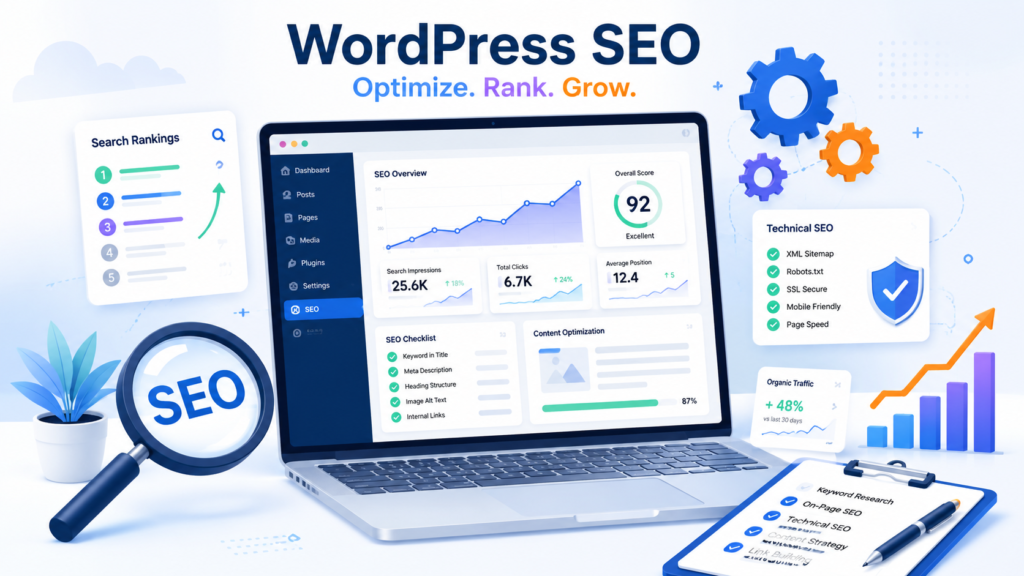
In this article we will look at how it is done WordPress optimization Google: which settings to check first, which SEO plugins to use, how to set up sitemap.xml, robots.txt, Title, Description, Schema.org, Core Web Vitals, and how to prepare your site not only for classic search but also for AI responses.
What is WordPress SEO?
SEO for WordPress — is a set of settings and work that helps search engines to properly scan, index and rank WordPress website.
SEO involves more than just keywords. For WordPress, technical optimization, loading speed, proper URL structure, meta tag configuration, microdata, content quality, internal linking, analytics, and regular page updates are all important.
WordPress is a flexible CMS. It can be used to create a blog, a service website, a corporate site, a media project, a landing page, or an online store powered by WooCommerce. But flexibility has its downside: the wrong theme, unnecessary plugins, chaotic categories, open tags, and a weak structure can hinder promotion.
Proper WordPress SEO optimization solves several problems:
- helps Google find and crawl important pages;
- removes technical errors and duplicates;
- makes URLs understandable for users and search engines;
- speeds up website loading;
- improves snippets in search results;
- helps distribute weight between pages through internal links;
- makes content convenient for people, Google, and AI systems.
Is WordPress Good for SEO?
WordPress is great for SEO because the CMS allows you to quickly manage content, create pages, edit URLs, add meta tags, enable sitemaps, schema markup, and analytics. However, Google doesn't rank a website just because it's built on WordPress.
Search engines evaluate not the CMS, but the overall quality of the website: how useful it is, how quickly it loads, how user-friendly its structure is, whether it contains expert content, and whether there are technical errors or duplicate pages.
WordPress's SEO strengths:
- convenient work with articles, pages, categories and media files;
- many SEO plugins for Title, Description, sitemap and Schema;
- flexible URL structure customization;
- the ability to quickly build thematic clusters;
- WooCommerce support for online stores;
- A wide range of solutions for caching, image compression, and website acceleration.
Weaknesses of WordPress:
- Themes and builders can create heavy code;
- a large number of plugins slows down the site;
- Tags, archives and pagination can create duplicates;
- When changing the URL, people often forget to set up 301 redirect;
- Many website owners limit themselves to installing Yoast SEO or Rank Math and do not perform full optimization.
Basic WordPress SEO Setup: What to Do First
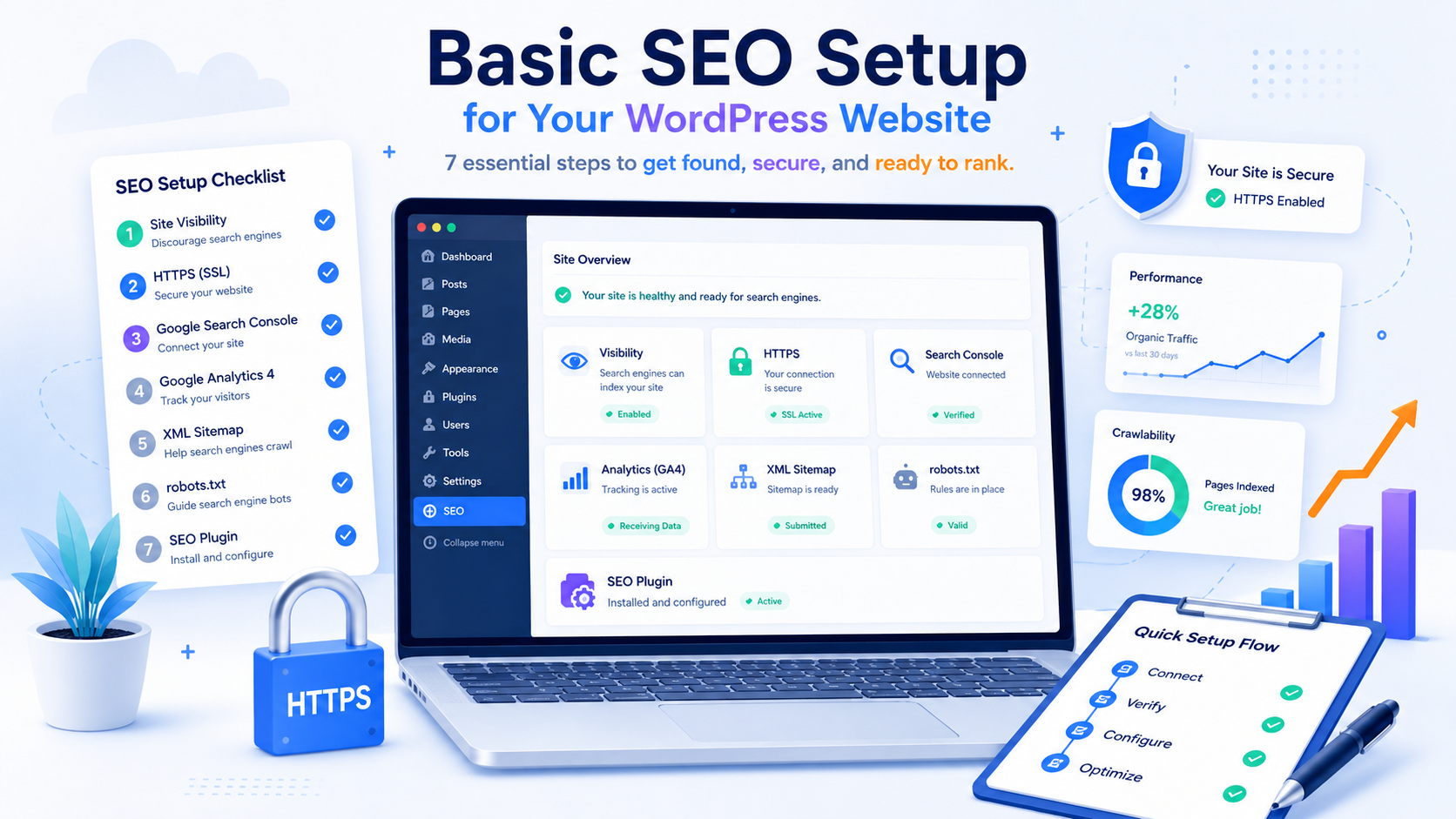
Before working with content, you need to check basic technical settings. If a site is blocked from indexing, has incorrect friendly URLs, or doesn't submit a sitemap to Google Search Console, good texts won't yield maximum results.
- Check the website's visibility for search engines. WordPress has a setting that can prevent indexing. This should be checked after launching your site.
- Set up CNC. URLs should be short, clear and persistent.
- Connect HTTPS. The site must be opened via a secure protocol with a valid SSL certificate.
- Select the primary domain. You need to define one version of the site: with www or without www.
- Connect Google Search Console. This is the main tool for checking indexing, crawl errors and search queries.
- Connect Google Analytics 4. GA4 helps analyze user behavior and page performance.
- Create sitemap.xml. A sitemap helps search engines find important URLs faster.
- Check robots.txt. The file should not block important pages, CSS, JS and images.
- Install one main SEO plugin. There is no need to install multiple plugins with the same functions.
- Check indexing of important pages. Home, services, categories, articles and commercial pages must be crawlable.
Setting up friendly URLs and URL structure in WordPress
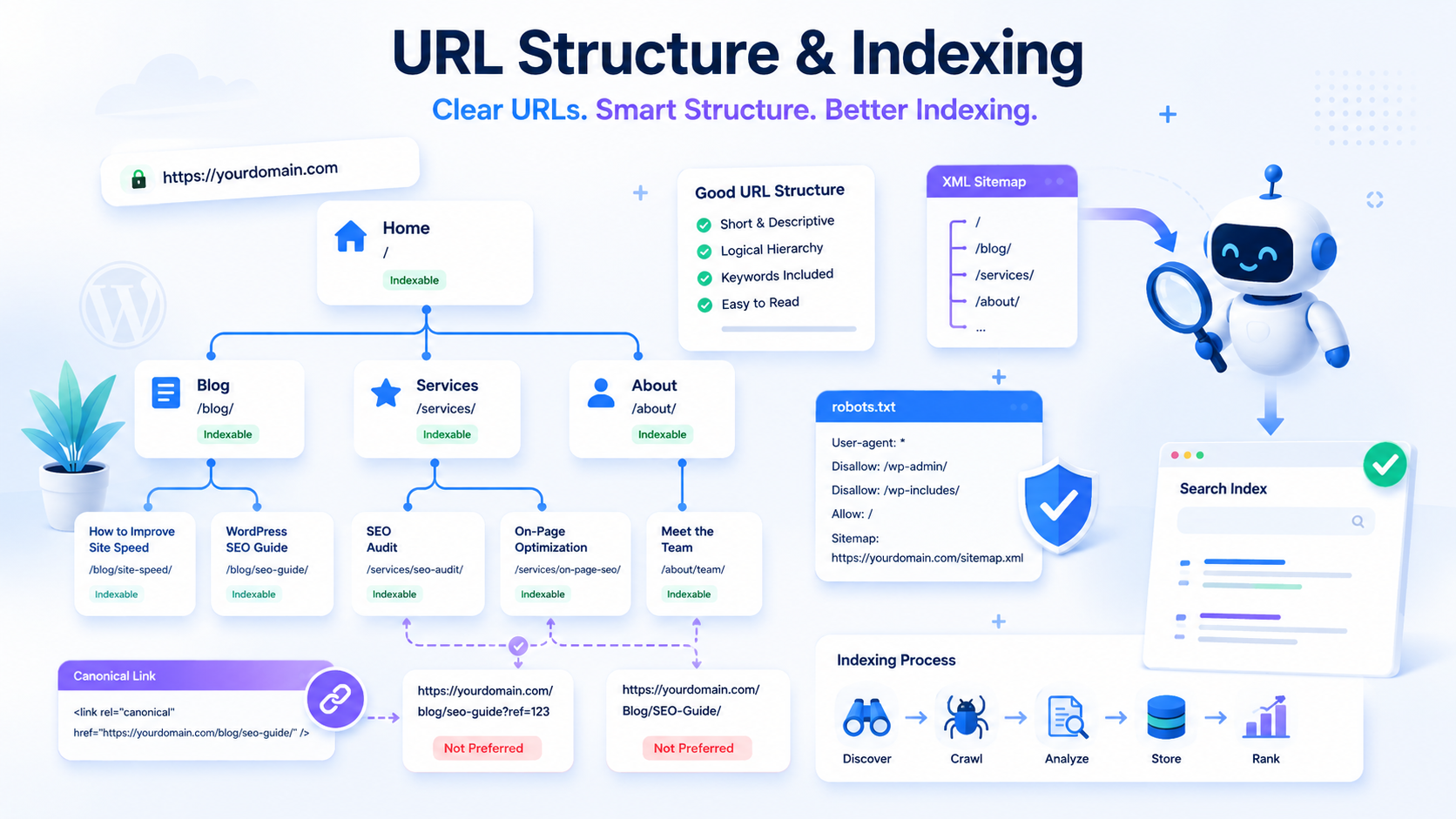
Friendly URLs are human-readable URLs. They help users and search engines understand what a page is about even before they open the site.
Bad URL:
/?p=123Good URL:
/wordpress-seo/For WordPress, it's best to use short Latin slugs. Avoid making URLs too long, adding unnecessary dates, or changing the URL after publishing unless necessary. If the URL is already indexed and receiving traffic, you should set up a 301 redirect from the old address to the new one when changing it.
| Page type | URL example | Comment |
|---|---|---|
| Service page | /seo-prodvizhenie/ | Short address for commercial inquiries. |
| Blog article | /wordpress-seo/ | Slug reflects the main topic of the article. |
| Blog category | /blog/seo/ | Suitable for grouping articles by topic. |
| WooCommerce Category | /shop/wordpress-plugins/ | Product categories must be optimized to meet demand. |
| Product card | /product/rank-math-pro/ | The URL should be clear and not contain unnecessary parameters. |
WordPress Indexing: Sitemap, Robots.txt, Noindex, and Canonical
Indexing is the process of adding website pages to search engine indexes. If Google can't crawl important URLs or sees many duplicates, your website will be less successful.
Sitemap.xml
Sitemap.xml A sitemap is a sitemap listing important URLs. It can be created using Rank Math, Yoast SEO, All in One SEO, or another SEO plugin. Once created, the sitemap must be submitted to Google Search Console.
Robots.txt
Robots.txt This file tells search robots which sections can and cannot be crawled. An error in this file can prevent important pages, images, styles, or scripts from being crawled.
No index
No index — this is an instruction not to add a page to the index. It's used for service pages, weak archives, junk tags, internal search results, and other pages that shouldn't be included in search results.
Canonical
Canonical Specifies the primary version of a page if similar content is available at multiple URLs. This is especially important for pagination, filters, URL parameters, and WooCommerce-based online stores.
What typically needs to be indexed
- home page;
- service pages;
- important commercial landing pages;
- quality blog articles;
- useful categories;
- Important WooCommerce pages;
- pages that have search intent and can generate traffic.
What is often better to close from indexing?
- internal search pages;
- technical pages;
- empty or weak tags;
- duplicate archives;
- URL service parameters;
- cart, personal account and checkout in WooCommerce;
- pages with thin content and no search value.
Indexing Checklist
- The site is not blocked from search engines in the WordPress settings.
- Sitemap.xml opens and contains only important URLs.
- The sitemap has been submitted to Google Search Console.
- Robots.txt does not block important pages.
- Meta robots on important pages has index value.
- Service pages are closed via noindex.
- Canonical points to the correct primary page.
- There are no mass crawl errors in Google Search Console.
SEO Plugins for WordPress: Which One to Choose?
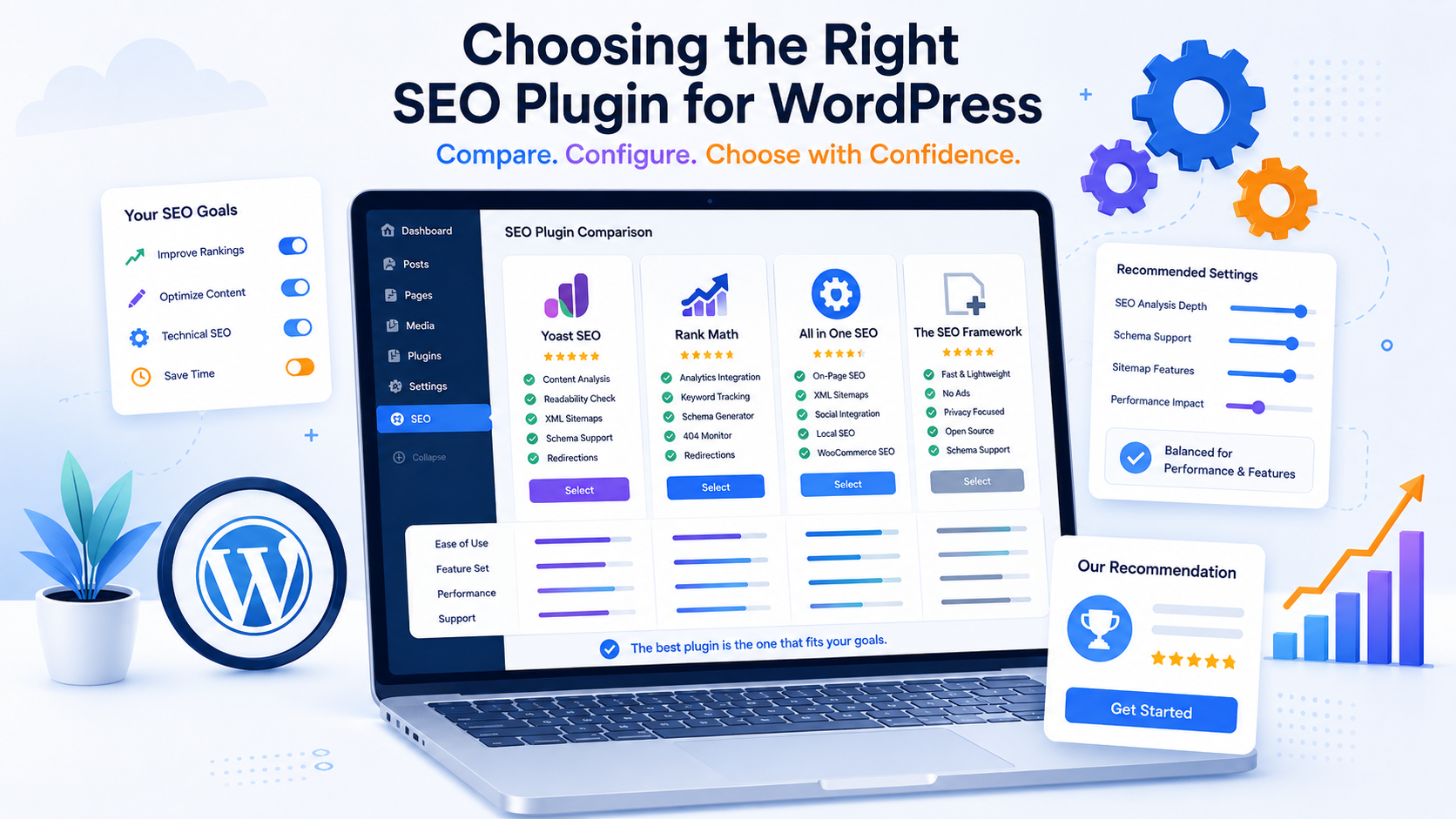
An SEO plugin is needed to manage meta tags, sitemap.xml, canonical tags, robots meta tags, breadcrumbs, and microdata. But it's important to understand: the plugin itself doesn't promote the website. It only provides configuration tools.
Avoid installing multiple SEO plugins simultaneously if they duplicate Title, Description, Sitemap, and Schema functions. This can lead to conflicts and errors in the page code.
| Plugin | Who is it suitable for? | Strengths | Restrictions |
|---|---|---|---|
| Yoast SEO | For beginners, blogs, client sites | Clear interface, basic SEO settings, sitemap, meta tags | Some features are only available in the paid version. |
| Rank Math | For sites that require more flexible settings | Lots of features, Schema, redirects, easy work with meta tags | Due to the large number of functions, it is possible to configure the site incorrectly |
| All in One SEO | Corporate websites, blogs, WooCommerce | A comprehensive set of SEO tools | The interface may be less user-friendly for beginners. |
| The SEO Framework | Projects that require a lightweight, minimalist plugin | Fast work, fewer unnecessary functions, neat automation | Fewer visual cues and marketing tools |
For most websites, one core SEO plugin is sufficient. The choice depends on your needs: Yoast SEO is easier for beginners, Rank Math is convenient for advanced settings, All in One SEO is a versatile solution, and The SEO Framework is for those who prefer simplicity and minimalism.
Title, Description and H1 in WordPress
Title, Description, and H1 are the basic elements of on-page SEO optimization. They are often confused, but each element has its own purpose.
- Title — page title for search results and browser tab.
- Description — a short description of the page that can be used in a Google snippet.
- H1 — the main heading inside the page.
The title should contain the main query and explain the value of the page. The description should enhance clickability and briefly explain what the user will get after clicking. The H1 should accurately reflect the page topic and not conflict with the title.
Title Examples
- SEO for WordPress: Website Setup and Optimization
- WordPress SEO – A Complete Guide to Optimization
- Optimizing WordPress for Google: checklist and settings
- WordPress SEO: Plugins, Speed, Indexing, and Schema
- SEO for WordPress: How to Set Up Promotion
Description examples
- We'll break down SEO for WordPress: friendly URLs, sitemap, robots.txt, title, description, speed, schema, plugins, and internal linking.
- Full WordPress optimization for Google: technical settings, indexing, Core Web Vitals, SEO plugins, content, and FAQ.
- How to set up WordPress SEO: a checklist for your website, blog, services, and WooCommerce. Errors, plugins, and recommendations.
Typical mistakes
- the same Title on different pages;
- multiple H1 on one page;
- keyword spamming;
- too long titles;
- Description does not explain the benefit of the page;
- The title is written without taking into account the user's intent;
- There is no structure or logic in the headings.
H2-H3 Heading Structure and Content Optimization
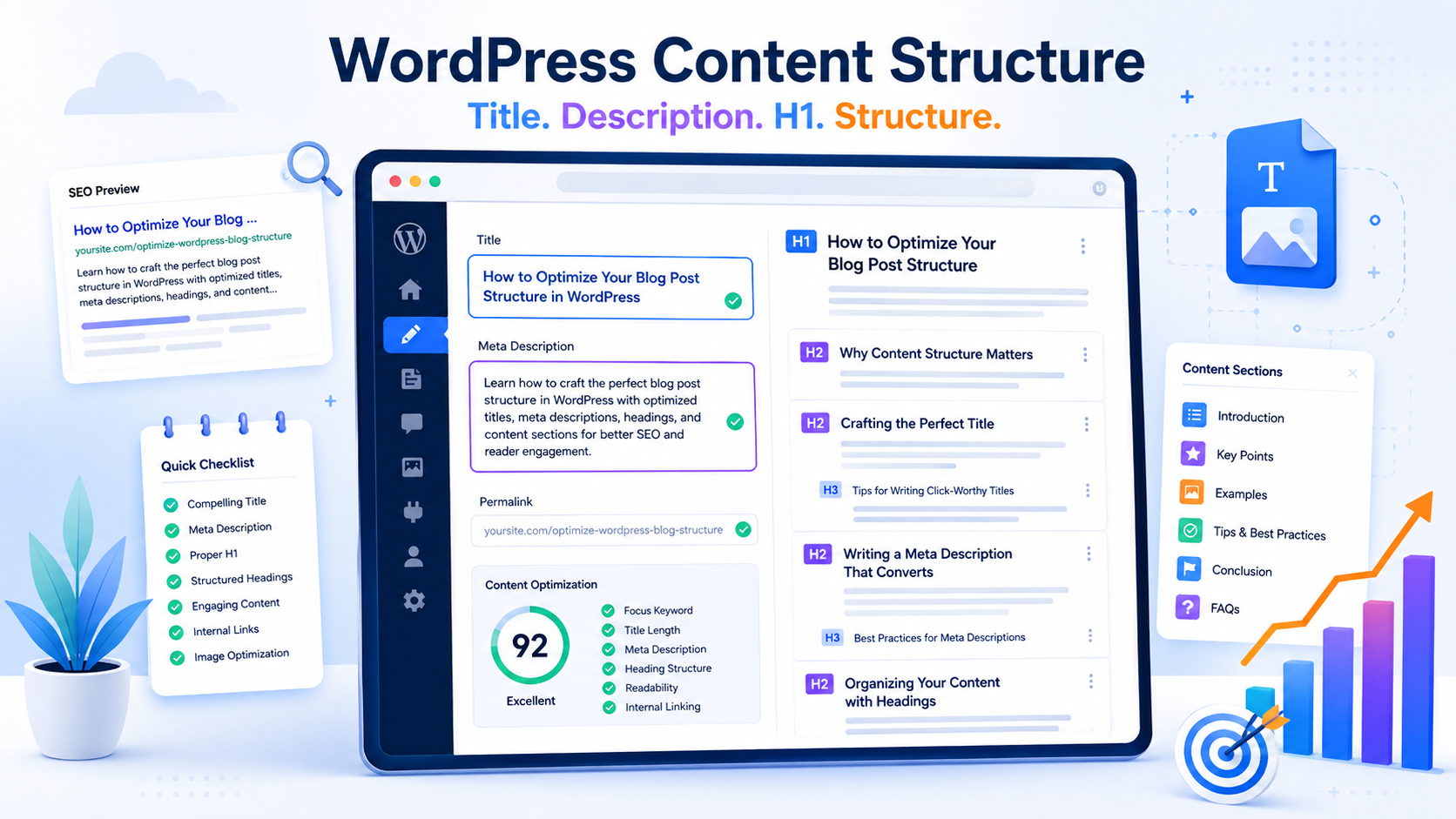
Search engines and AI systems find it easier to understand a page if it has a logical structure. H1 tags denote the main topic, H2 tags expand on key sections, and H3 tags help expand on specific topics.
For an article or service page on WordPress, it is advisable to use:
- one H1;
- several H2 on the main subtopics;
- H3 for clarifications within sections;
- comparison tables;
- lists for step-by-step instructions;
- FAQ for frequently asked questions;
- short paragraphs without fluff.
Content should address the user's intent. If someone searches for "SEO for WordPress," it's not enough for them to read that they need to install a plugin. They want to understand which settings are important, which errors are hindering growth, and what to do about indexing, speed, categories, tags, schema markup, and internal links.
Technical SEO for WordPress
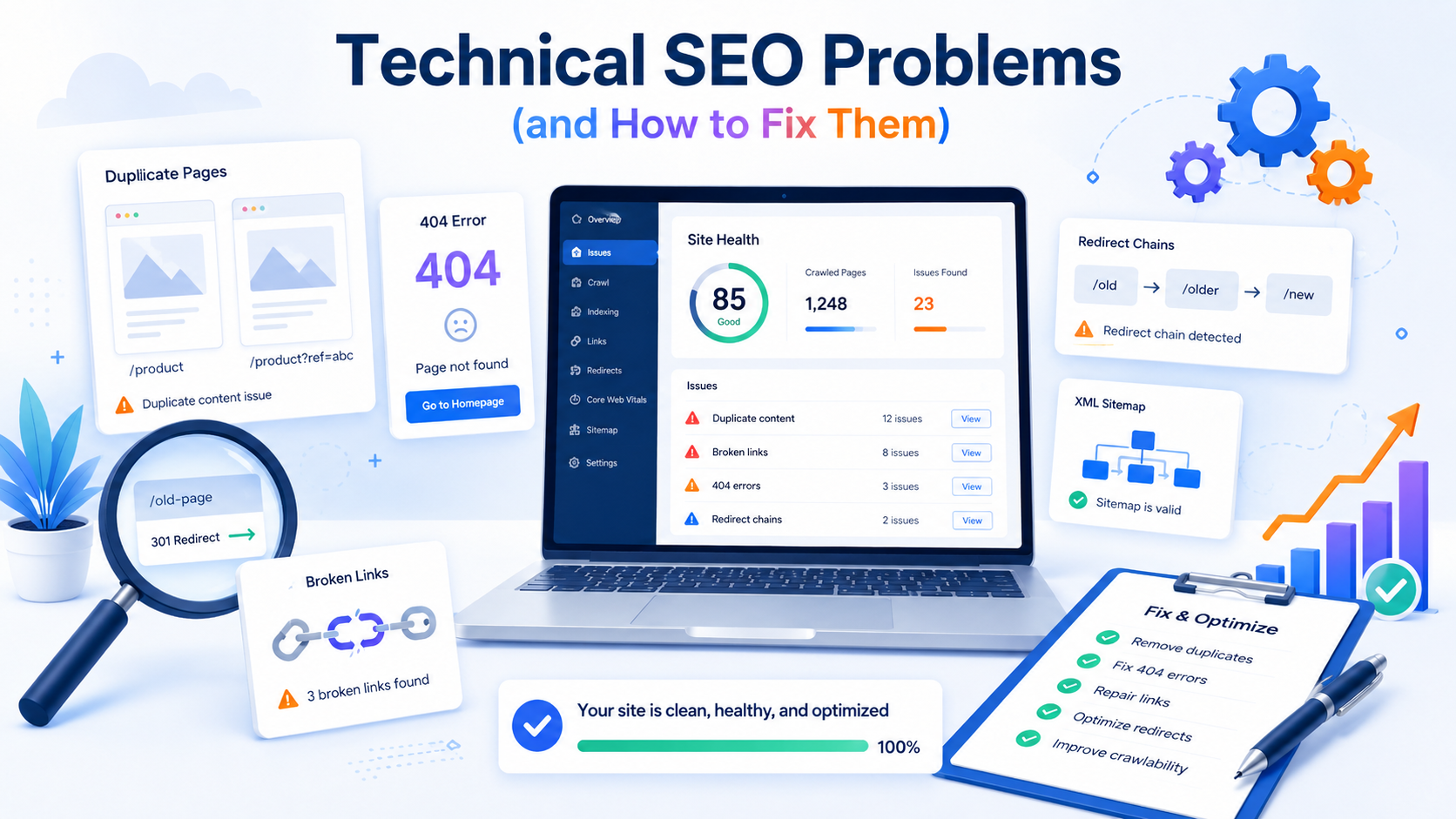
Technical SEO ensures that a website is crawlable, loads quickly, avoids unnecessary duplicates, and accurately signals important pages to search engines.
| Problem | What is dangerous? | How to fix |
|---|---|---|
| Duplicate pages | Google sees several similar URLs and doesn't understand which one is the main one. | Set up canonical, noindex for junk pages, and remove unnecessary archives. |
| Tag indexing | Weak tag pages can dilute the quality of a site. | Index only useful tags or close them with noindex |
| 404 errors | The user and the robot are directed to non-existent pages | Check for errors in Search Console and set up a 301 redirect |
| Broken links | They worsen user experience and internal linking | Use link checking and fix broken URLs |
| Slow theme | Degrades Core Web Vitals and user behavior | Choose a lightweight theme, optimize CSS, JS, and images |
| Plugin conflict | Duplicate meta tags, sitemap and Schema errors may appear. | Keep one main SEO plugin and disable duplicate functions |
| URL parameters | Filters and sorts can create thousands of duplicates | Configure canonical, noindex, or parameter handling rules |
WordPress Speed and Core Web Vitals
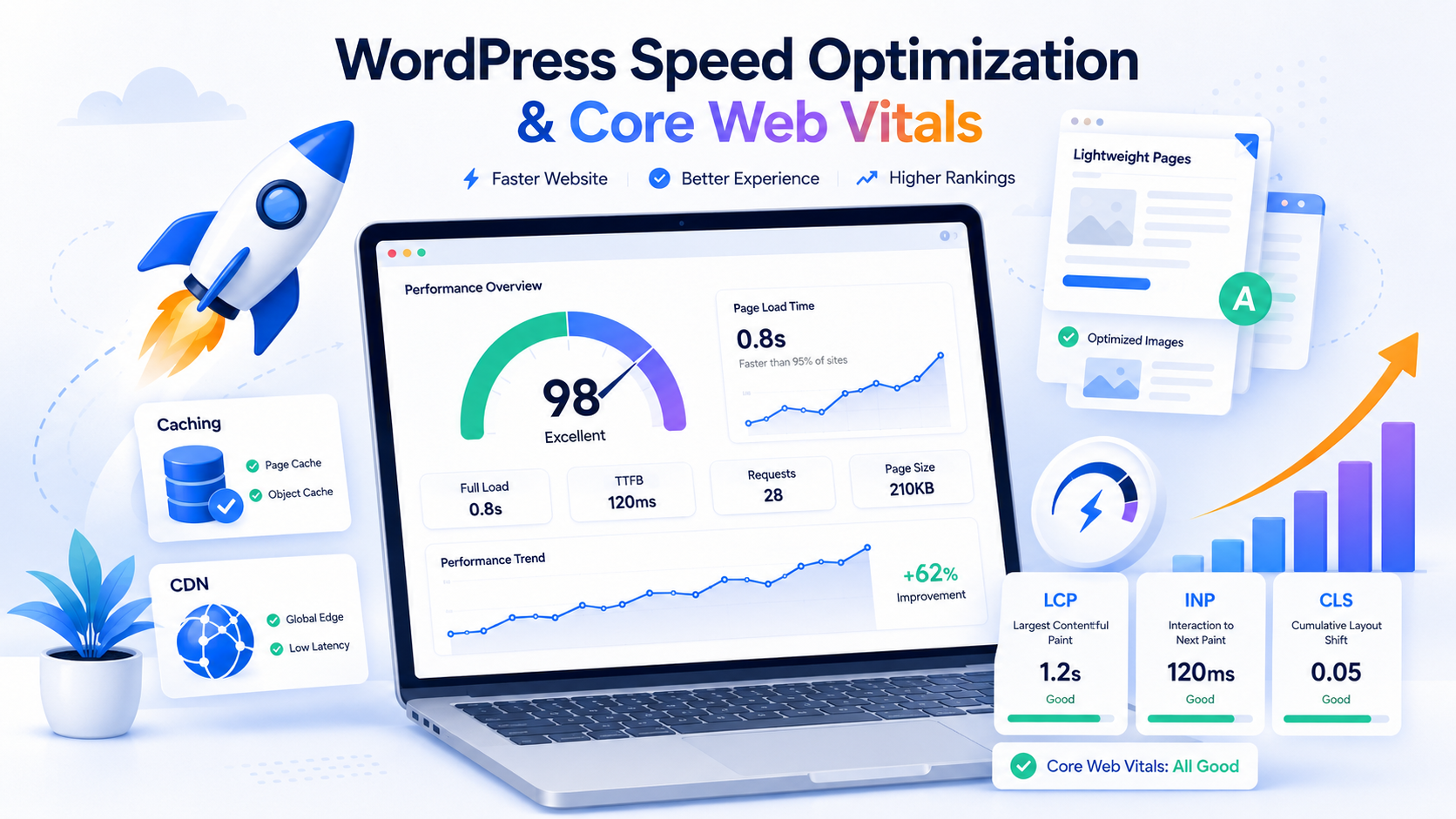
Loading speed impacts user experience and can affect SEO effectiveness. A slow website reduces user retention, reduces conversion, and makes crawling large numbers of pages difficult.
To test speed, use PageSpeed Insights, Lighthouse, and Google Search Console data. Pay special attention to Core Web Vitals:
- LCP — the loading time of the main visible content.
- INP — the speed of the page's response to user actions.
- CLS - layout stability during loading.
How to speed up WordPress
- Use quality hosting.
- Enable caching via LiteSpeed Cache, WP Rocket, or another reliable tool.
- Compress images and use WebP or AVIF.
- Enable lazy loading for images.
- Remove unnecessary plugins.
- Minify CSS and JS if it doesn't break the layout.
- Connect a CDN, such as Cloudflare.
- Check heavy Elementor blocks, sliders, fonts, and third-party scripts.
- Do not upload 4000px images if the design uses 800px.
- Check the mobile version separately from the desktop one.
Speed optimization must be done carefully. Aggressive minification, file merging, and lazy loading of scripts can break menus, forms, the WooCommerce cart, or interactive elements.
Optimizing Images in WordPress
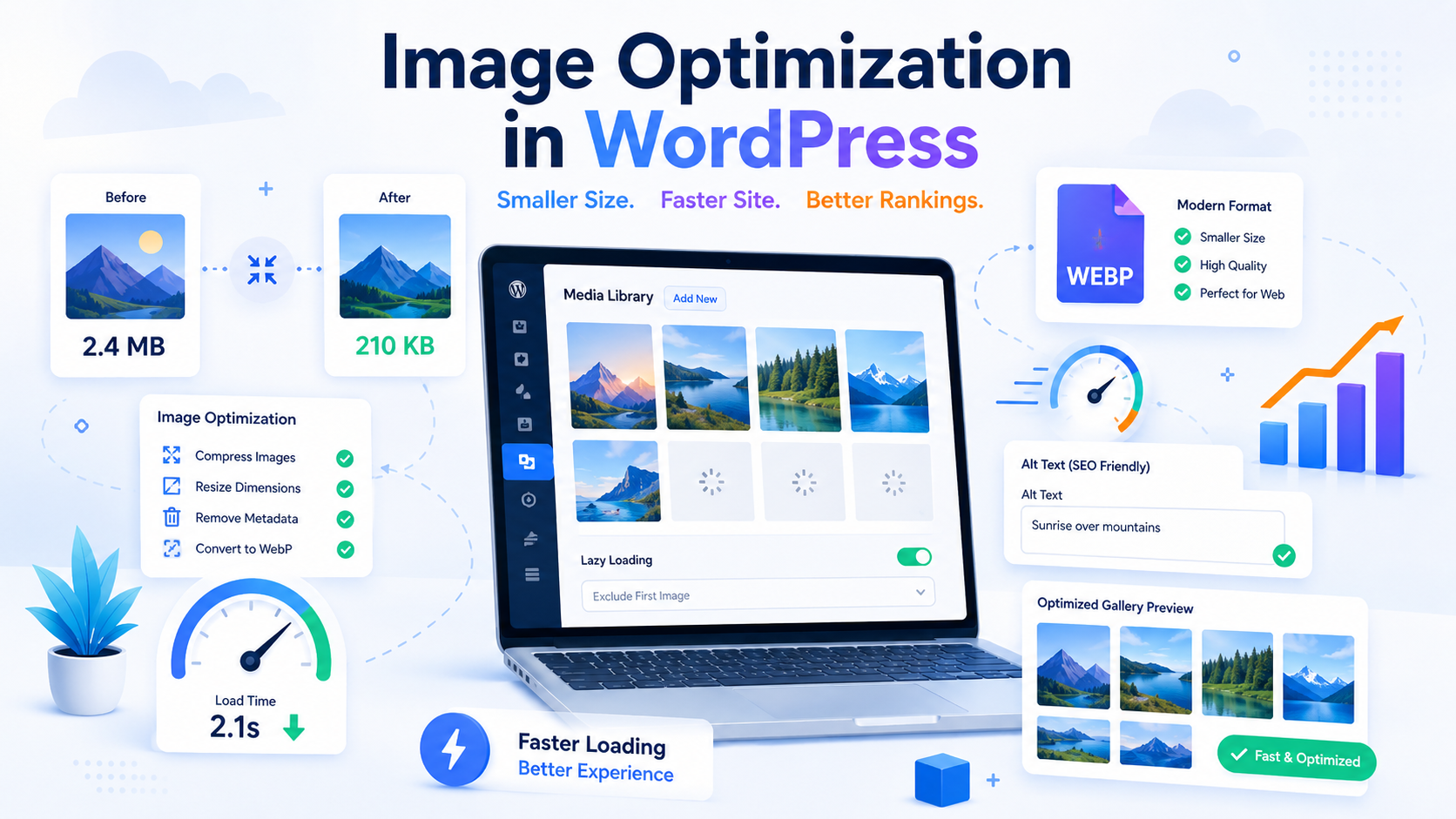
Images are often one of the main causes of slow WordPress loading times. This is especially noticeable on blogs, portfolios, media sites, and WooCommerce online stores.
What you need to do:
- upload images in the appropriate size;
- use clear file names in Latin;
- fill in alt where the image helps to understand the topic;
- compress images without significant loss of quality;
- use WebP or AVIF;
- enable lazy loading;
- do not use heavy background images unless necessary;
- delete unused media files.
Alt text doesn't need to be a bunch of keywords. A good alt text should briefly describe the image. For example: "Setting up a sitemap in WordPress using an SEO plugin."
Schema.org microdata for WordPress
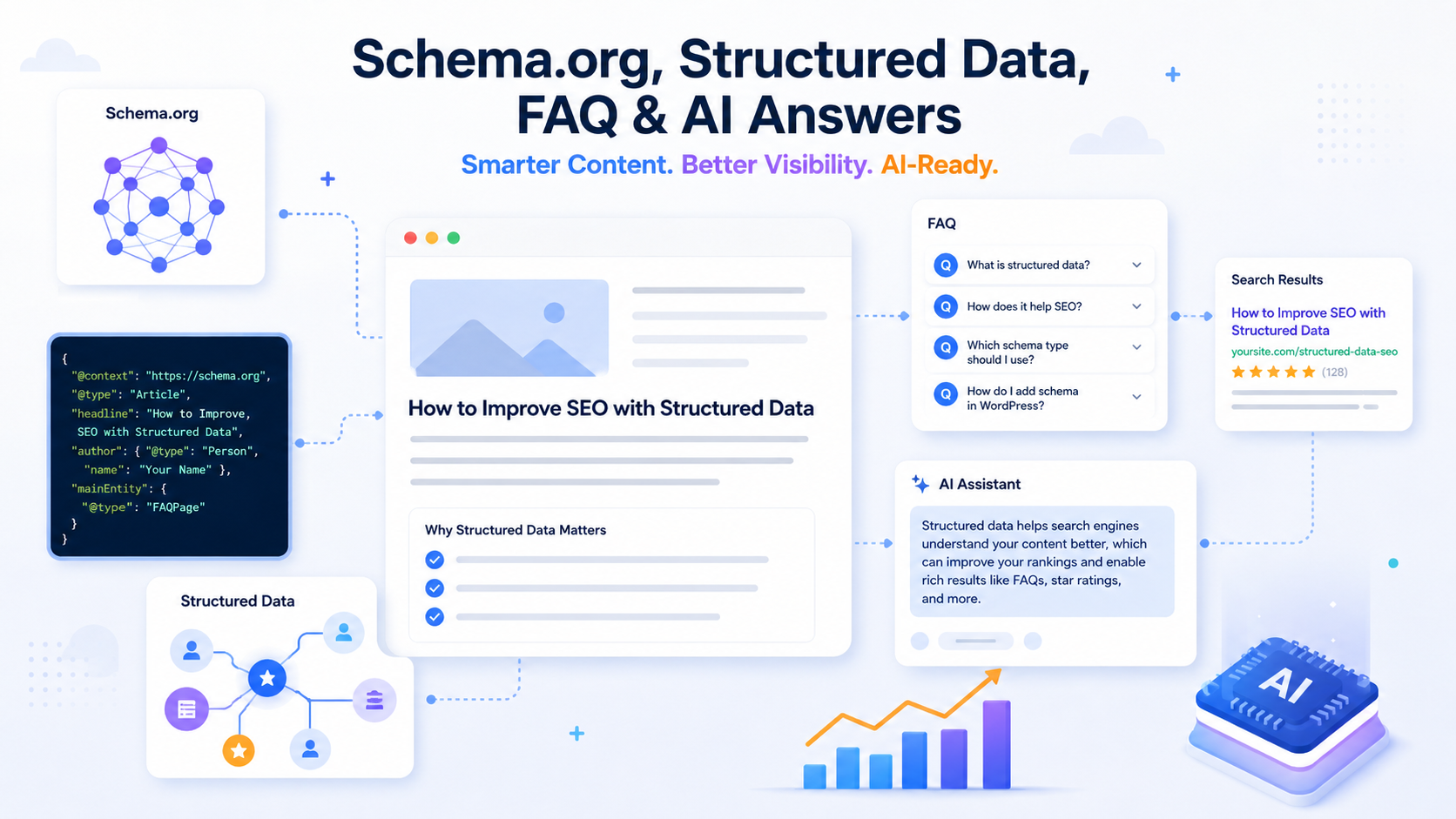
Microdata helps search engines better understand page types, authors, organizations, breadcrumbs, FAQs, products, and other entities. The most commonly used format for WordPress is JSON-LD.
For an article about SEO for WordPress, the following Schema.org types are suitable:
- Article — for the main article;
- BreadcrumbList - for bread crumbs;
- FAQ Page — for the frequently asked questions block;
- Organization — for the Web-Raketa company;
- LocalBusiness — if the page is linked to a local service;
- Product — for WooCommerce products;
- Review — only if there are real reviews on the page.
Schema doesn't guarantee a rich snippet, but it helps Google and AI systems interpret the page more accurately. The main rule: mark up only what's actually on the page. Don't add FAQPage if the page doesn't have a visible FAQ, or Review if there are no real reviews.
Internal Linking in WordPress
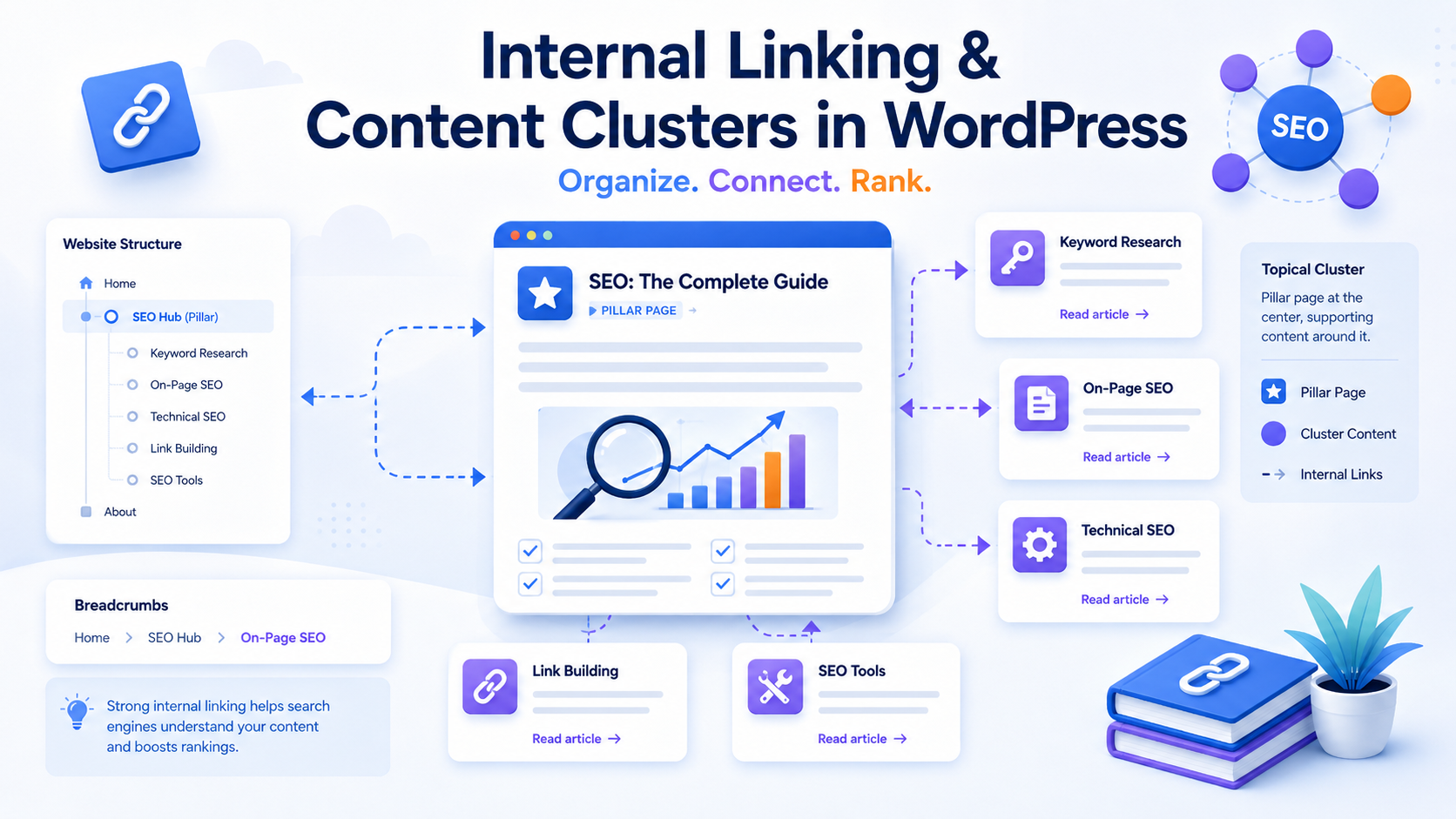
Internal linking helps distribute page weight, improves navigation, and highlights connections between topics to search engines. This is especially important for WordPress, as a blog can quickly grow to hundreds of articles.
Good interlinking isn't built haphazardly, but rather by thematic clusters. For example, the main article "SEO for WordPress" could link to pages on technical SEO, SEO audits, and website promotion. creating a website on WordPress and WooCommerce optimization.
Examples of internal anchors
- SEO website audit
- technical website optimization
- SEO website promotion
- SEO for WooCommerce
- creating a website on WordPress
- website speed optimization
- collection of the semantic core
Don't use "read also" blocks without logic. The link should help the user move on to the next useful step.
SEO for a WordPress blog
A WordPress blog can be a powerful source of organic traffic if articles are written not randomly, but according to the semantic core and cluster structure.
What is important for a blog:
- collect a semantic core;
- divide requests into clusters;
- define pillar articles and supporting articles;
- do not create multiple identical materials for one intent;
- update old articles regularly;
- add expertise, author, examples and specifics;
- use tables, FAQs, instructions and checklists;
- interlink articles with each other and with commercial pages.
A typical mistake is to publish multiple articles without a structure. For example, writing “SEO” separately WordPress"," "WordPress SEO," "WordPress optimization," "WordPress SEO optimization," even though all of these queries may refer to the same large piece of content. This leads to cannibalization, where multiple pages compete with each other.
SEO for WordPress Commercial Pages
Commercial pages should not only answer queries but also help users make decisions. A service page shouldn't look like a dry informational article. It should explain who the service is suitable for, what the work involves, how the process works, and why they should choose you.
Structure of the SEO service page
- first screen with a clear offer;
- a short explanation of the service;
- who is this service suitable for;
- what is included in the work;
- stages of implementation;
- prices or factors that affect cost;
- examples of work, cases or results;
- FAQ;
- trust block: experience, approach, author, contacts;
- call to action.
For Web-Raketa, a commercial section can be integrated naturally: if the site owner doesn't have time to deal with indexing, semantics, technical errors, speed, and content, they can order WordPress SEO from specialists.
SEO for WooCommerce
WooCommerce adds product pages, categories, filters, a shopping cart, checkout, and a user account to WordPress. This expands the site's capabilities, but creates additional SEO risks.
In WooCommerce you need to separately control:
- indexation of product categories;
- unique Title and Description for categories;
- product descriptions;
- URL filters and parameters;
- canonical for similar pages;
- Product Schema;
- speed of cards and categories;
- bread crumbs;
- internal linking between categories, products and articles.
For an online store, optimizing categories is often more important than individual products. Categories attract mid-frequency search queries, while product pages attract low-frequency traffic for specific models, features, and brands.
Common WordPress SEO Mistakes
Many WordPress issues are recurring across sites. Below is a list of errors to check first.
- The site is closed from indexing in WordPress settings.
- Sitemap.xml is missing or contains junk URLs.
- Robots.txt blocks important pages, styles, or scripts.
- The Titles are the same on different pages.
- There are several H1 on the page.
- The topic is too heavy and does not pass Core Web Vitals well.
- Too many plugins installed.
- Two SEO plugins manage meta tags simultaneously.
- Weak tags and archives are indexed.
- Canonical is not configured.
- There are broken links.
- After changing the URL, 301 redirects are not configured.
- Categories are empty or contain only a list of entries without a description.
- Articles are written without taking into account the user's intent.
- There is no internal linking between important pages.
- Images without alt and too large.
- There is no Schema.org or the microdata contains errors.
- Google Search Console is not connected.
- Old articles are not updated.
- Several pages compete for the same query.
How to Optimize WordPress for AI-Powered Responses
AI systems extract information better from pages with a clear structure, straightforward definitions, tables, lists, FAQs, and logical sections. Therefore, WordPress optimization today must consider not only classic Google search but also responses from AI Overviews, ChatGPT, Perplexity, Gemini, and other systems.
To make a page suitable for AI responses, it's important to write a page so that each section of text can stand alone as a standalone answer. It's best to begin important sections with a short definition, then expand on the topic with a list, table, or step-by-step instructions.
What increases the chance of getting into AI answers?
- clear definition of the topic in the first paragraphs;
- direct answer to the user's question;
- H2-H3 structure without chaos;
- comparison tables;
- checklists;
- FAQ at the end of the page;
- related entities: WordPress, Google Search Console, sitemap.xml, robots.txt, Core Web Vitals, Schema.org;
- relevance of information;
- authorship and expertise;
- JSON-LD structured data;
- clear language without unnecessary fluff.
For this page, it is useful to add the “Briefly”, “Checklist”, “FAQ” blocks, a comparison table of SEO plugins and the Schema markup Article, BreadcrumbList, FAQPage and Organization.
WordPress SEO Checklist
Use this checklist to perform a basic check of your WordPress site before promoting it.
- Site indexing is enabled.
- The sitemap.xml is working and submitted to Google Search Console.
- Robots.txt does not block important pages.
- CNC is configured.
- HTTPS is working correctly.
- One major version of the domain is selected.
- One main SEO plugin is installed.
- Title and Description are unique for important pages.
- There is one H1 on each page.
- Images are compressed and have clear alt tags.
- Core Web Vitals verified.
- Caching is enabled.
- Unnecessary plugins have been removed.
- Added Schema.org markup.
- Weak duplicates are closed via noindex or canonical.
- 404 errors checked and fixed.
- 301 redirects have been configured after changing the URL.
- There is internal linking between articles and commercial pages.
- Content obscures search intent.
- FAQ added to important pages.
- Old articles are updated regularly.
How much does WordPress SEO cost?
The cost of WordPress SEO depends not on the CMS itself, but on the site's condition and promotion goals. Two WordPress sites may require completely different amounts of work: one requires only basic setup, while the other requires a full technical audit, restructuring, duplicate content removal, speedup, and content strategy development.
The price is influenced by:
- site size;
- number of pages;
- number of technical errors;
- competition in the niche;
- promotion region;
- availability of WooCommerce;
- the need to collect a semantic core;
- number of texts and landing pages;
- need for link promotion;
- Current speed status and Core Web Vitals.
Need WordPress SEO optimization?
If you need more than just a one-time plugin installation, but rather systemic WordPress site optimization, Web-Raketa can conduct an SEO audit, correct technical errors, collect semantics, improve structure, prepare content, and configure your site to increase organic traffic.
Order SEO for WordPressIf you want more than just admin settings, but a clear plan for promoting your website to Google and AI-powered responses.
WordPress SEO FAQ
Is WordPress Good for SEO?
Yes, WordPress is great for SEO. The CMS allows you to manage pages, articles, URLs, meta tags, sitemaps, microdata, and internal linking. But the results depend not on the CMS itself, but on the quality of the settings, structure, speed, and content.
Which WordPress SEO plugin is best?
There's no single best SEO plugin for all websites. Yoast SEO is beginner-friendly, Rank Math offers many flexible features, All in One SEO is a versatile option, and The SEO Framework is a lightweight, minimalist solution.
Is it possible to promote WordPress without an SEO plugin?
Technically, it's possible if you manually configure the Title, Description, Sitemap, Canonical, Robots Meta, and Schema. In practice, an SEO plugin simplifies the process and reduces the risk of errors.
What's More Important: Yoast SEO or Rank Math?
What's more important isn't the plugin name, but proper website setup. Both plugins can be useful. If you need simple, basic features, Yoast SEO is a good choice. If you need more advanced settings, Rank Math is often chosen.
How to speed up WordPress for SEO?
You need to choose a decent hosting, enable caching, compress images, use WebP or AVIF, remove unnecessary plugins, optimize CSS and JS, check heavy theme blocks, and connect a CDN if necessary.
Should WordPress tags be closed from indexing?
If tags create weak duplicates and have no independent search value, it's best to close them from indexing. If a tag is designed as a fully-fledged, useful page with unique content, it can be left in the index.
How to set up sitemap.xml in WordPress?
An XML sitemap can be created using an SEO plugin: Rank Math, Yoast SEO, All in One SEO, or The SEO Framework. Once created, the sitemap should be verified and submitted to Google Search Console.
Do I need to add Schema.org?
Yes, Schema.org helps search engines better understand a page. For articles, the following are suitable: Article, BreadcrumbList, FAQPage, and Organization. For WooCommerce, Product Schema is important.
How is WordPress SEO different from WooCommerce SEO?
SEO for WooCommerce also includes optimization of product categories, product cards, filters, URL parameters, Product Schema, prices, availability, features, and reviews.
How do you know if a WordPress site is poorly optimized?
Signs of poor optimization: slow loading, duplicate pages, identical Titles, Search Console errors, missing sitemap, weak structure, junk tags in the index, no internal linking or FAQ.
How long does WordPress SEO take?
Basic setup can take a few hours, but full optimization, including an audit, structure, content, speed, and error fixes, usually takes longer. It all depends on the site's size and the number of issues.
Is it possible to get into AI Answers with a WordPress site?
Yes, if the page is well structured, contains straightforward answers, FAQs, tables, clear definitions, expert content, and proper microdata. WordPress doesn't prevent you from being included in AI answers if the site is well-optimized.
Conclusion
SEO for WordPress is a system, not a single plugin. To ensure stable website performance in search, you need to configure indexing, friendly URLs, sitemap.xml, robots.txt, canonical, title, description, speed, Core Web Vitals, Schema.org, internal linking, and content structure.
WordPress provides a convenient foundation for promotion, but the results depend on the quality of its setup and strategy. If a website is technically clean, loads quickly, meets user intent, and has a clear structure, it has a better chance of receiving organic traffic from Google and being included in AI search results.
{ “@context”: “https://schema.org”, “@graph”: [ { “@type”: “Article”, “@id”: “https://web-raketa.com/wordpress-seo/#article”, “headline”: “SEO for WordPress: full website optimization on WordPress”, “description”: “SEO for WordPress: how to set up indexing, friendly URLs, sitemap, robots.txt, speed, meta tags, Schema and internal linking.”, “inLanguage”: “ru”, “author”: { “@type”: “Organization”, “name”: “Web-Raketa” }, “publisher”: { “@type”: “Organization”, “name”: “Web-Raketa”, “url”: “https://web-raketa.com/” }, “mainEntityOfPage”: { “@type”: “WebPage”, “@id”: “https://web-raketa.com/wordpress-seo/” }, “about”: [ “SEO for WordPress”, “WordPress optimization”, “technical SEO”, “WordPress SEO”, “Core Web Vitals”, “Schema.org”, “Google Search Console” ] }, { “@type”: “BreadcrumbList”, “@id”: “https://web-raketa.com/wordpress-seo/#breadcrumbs”, “itemListElement”: [ { “@type”: “ListItem”, “position”: 1, “name”: “Home”, “item”: “https://web-raketa.com/” }, { “@type”: “ListItem”, “position”: 2, “name”: “SEO for WordPress”, “item”: “https://web-raketa.com/wordpress-seo/” } ] }, { “@type”: “FAQPage”, “@id”: “https://web-raketa.com/wordpress-seo/#faq”, “mainEntity”: [ { “@type”: “Question”, “name”: “Is WordPress good for SEO?”, “acceptedAnswer”: { “@type”: “Answer”, “text”: “Yes, WordPress is good for SEO. The CMS allows you to manage pages, articles, URLs, meta tags, sitemap, microdata, and internal linking. But the result depends not on the CMS, but on the quality of settings, structure, speed, and content.” } }, { “@type”: “Question”, “name”: “Which SEO plugin is best for WordPress?”, “acceptedAnswer”: { “@type”: “Answer”, “text”: “There is no single best SEO plugin for all websites. Yoast SEO is convenient for beginners, Rank Math offers many flexible features, All in One SEO is a suitable universal option, and The SEO Framework is a lightweight, minimalistic solution.” } }, { “@type”: “Question”, “name”: “Is it possible to promote WordPress without an SEO plugin?”, “acceptedAnswer”: { “@type”: “Answer”, “text”: “Technically, it is possible if you manually configure the Title, Description, sitemap, canonical, robots meta, and Schema. In practice, an SEO plugin simplifies the work and reduces the risk of errors.” } }, { “@type”: “Question”, “name”: “How to speed up WordPress for SEO?”, “acceptedAnswer”: { “@type”: “Answer”, “text”: “You need to choose a decent hosting, enable caching, compress images, use WebP or AVIF, remove unnecessary plugins, optimize CSS and JS, check heavy theme blocks and connect a CDN if necessary.” } }, { “@type”: “Question”, “name”: “Is it possible to get into AI Answers with a WordPress site?”, “acceptedAnswer”: { “@type”: “Answer”, “text”: “Yes, if the page is well structured, contains direct answers, FAQs, tables, clear definitions, expert content and correct microdata. WordPress does not interfere with getting into AI Answers if the site is well optimized.” } } ] }, { “@type”: “Organization”, “@id”: “https://web-raketa.com/#organization”, “name”: “Web-Raketa”, “url”: “https://web-raketa.com/” } ] }