184
184 What a cleaning client really looks for on a website (and why "simple landing pages" often fail)
A website for a cleaning company is not needed “for beauty”, but to quickly alleviate the client’s concerns and lead him to the application: to understand, what kind of cleaning What suits him, how much does it cost, who will be coming, what will happen to the things, and how will you resolve force majeure? Next, we'll look at what questions the client is really looking for. cleaning website — and why “simple landing pages” often lose out in conversion rates.
| What the client is looking for | How to display this on the website | What happens if you don't show it? |
|---|---|---|
| Price and what's included | Rates + calculator/packages + work checklist | Leaves to compare with competitors |
| Trust and security | Reviews, «before/after", warranty, contract/receipt | He doubts and “thinks” |
| Timing and process | Stages of work, timing, "what to prepare" | Fears chaos and cancels |
Fits: Cleaning services in Ukraine (Kyiv/Lviv/Odesa/Dnipro and locally), who want to systematically receive applications from Google and advertising, rather than rely on recommendations.
Not suitableIf you're not willing to provide price targets, aren't prepared to show real-world examples, and want a one-click sale, that's not how it works: cleaning clients are buying peace of mind.
The client isn't "for cleaning" - they're looking for control and predictability
In the cleaning business, decisions are made emotionally, but they're backed by facts. In our projects, it's not the websites with "bad design" that most often fail, but those that leave users with too many unknowns. And in household services, uncertainty is interpreted as risk: "What if it breaks," "What if they come with no experience," "What if there's extra payment on the spot?"
That's why website for a cleaning company It should answer not just "what you're doing," but "how exactly and how will this end for me?" And yes, this affects the structure: there's a need for blocks about the process, standards, guarantees, and standard objects, not just a hero with an "Order" button.
Top fears a client brings to a website (and expects you to address them)
I've seen dozens of "cleaning landing pages" where everything boils down to "fast/high-quality/affordable." These are buzzwords. The client, however, is looking for specifics. Usually, the list of concerns repeats itself:
- Prices: “How much will my apartment/office cost and what is included in it? tariffs?
- Honesty: “Won’t it turn out that ‘this is not included’ and the extra charge will appear on the spot?”
- Safety: “Who are these people, can they be trusted, what’s wrong with the things?”
- Result: "Will it really be clean? Show me before/after."
- Deadlines: "When will you arrive and how long will the cleaning take?"
That's why a "cleaning services website" shouldn't be a showcase, but a tool for overcoming objections—otherwise, there's traffic but no applications (a classic example).
Why "Just a Landing Page" Often Fails and What to Do Instead
A landing page works when the service is simple and the same for everyone. Cleaning almost always involves variability: different areas, different tasks, different expectations. If the page doesn't have clear tariffs, examples of work, explanation of the process and normal application forms (not 12 fields, thank you), the person doesn’t understand what will happen next – and doesn’t press the button.
A cleaning client pays not for the "cleaning," but for the assurance that the home will be clean, things will be safe, and the price will not change at the door.
A practical combination that consistently increases conversion: services → plans/packages → before/after examples → reviews → short application form + promise of transparent pricing. This is strategy, not chaos: traffic that converts appears where people feel comfortable.

Cleaning services on the website: how to package "cleaning" so it's clear and sells
Cleaning catalog: not "what we do," but "what the client will receive and under what conditions."
When we assemble the structure website for a cleaning company, I almost always start with a simple rule: the client should understand in 10-15 seconds, what kind of cleaning He needs it, for what object, and what the result will be. A "cleaning services website" is often turned into a 20-item list with no logic—and this kills conversion just as surely as cleaning without a vacuum cleaner.
The catalog's operating logic is based on real-world filters, not marketer's fantasies. Typically, four axes are sufficient:
- Object type: apartment / house / office / commercial (salons, shops, clinics).
- Cleaning type: maintenance / general / after renovation / after rent.
- Additional services: windows, balcony, refrigerator/oven, furniture/carpet dry cleaning, disinfection.
- Geography: city + districts/suburbs + departure conditions.
Ideally, each combination leads not to a "general page about everything," but to a landing page with specifics: "Apartment general cleaning in Kyiv" or "Office post-renovation cleaning in Lviv." This increases visibility in Google and makes the application easier to complete, because the user sees themselves in the scenario.
Also useful: Website for a construction company: portfolio, services, and applications
This principle is a great sobering factor for texts. Instead of “quality” cleaning"We write: "We'll remove plaque from the bathroom, degrease kitchen surfaces, wipe down baseboards and light switches" - and it's immediately clear what you're paying for.
How to Write Service Descriptions Without Waffling: Results, Checklist, and Limitations
Text of the service on cleaning website It should answer three questions: what are we doing, what will the client receive, and what are the boundaries? In our projects, pages with a mini-checklist, clear timelines, and fair exceptions work best. Because trust is built not on promises, but on predictability.
| Block on the service page | What to write | For what |
|---|---|---|
| Result | "A kitchen without grease, a bathroom without plaque, and glass without streaks." | Clear value |
| What's included | Checklist by zones (kitchen/bathroom/rooms) | Removes the fear of additional payments |
| Restrictions | What we don't do or do for an extra fee (high-altitude work, heavy pollution) | Less conflicts |
| Preparation | "Clear access to surfaces, warn about fragile items" | Best result and speed |
Restrictions aren't a "minus" to the sale, but a plus to trust. Clients feel more at ease when you discuss the terms upfront: for example, "after renovation, the price depends on the amount of construction dust and the presence of protective film" or "dry cleaning a sofa requires 6-12 hours of drying time."
Extras and geography: how to avoid turning a cleaning website into a 12-page menu
Additional services and outreach services are a common source of chaos. The solution is simple: group the extras into 5-7 clear categories (windows, appliances, furniture, textiles, specialty work) and display relevant upsells for each service: "oven and windows are often added to general cleaning." It's best to carefully manage geography: one main page for the city + a separate page for "outreach services" with clear terms (minimum bill, suburban surcharge, available slots).
This way, a cleaning company's website remains user-friendly and structured for SEO: systematic website promotion appreciates a clear hierarchy, and clients appreciate not having to "guess where to click" to order a cleaning.

Tariffs and pricing: how to make pricing transparent and avoid losing margins
Transparent tariffs don't mean "cheaper," they mean fewer questions and more applications.
Cleaning pricing is a sensitive issue: clients want to understand the final price, while business owners are afraid to "bait" them with price and then drown in unprofitable orders. In practice, the winner is the one who explains the price on their cleaning company's website as a formula, not a magic number. This is a transparent approach: honest expectations upfront, fewer conflicts down the line.
From project experience: when a website has pricing plans and clear surcharges, conversion increases not because it's "cheap," but because people stop being afraid of surprises. And if they're afraid, they won't submit an application, even if you're truly amazing.
“The client is willing to pay more if he understands what exactly he is paying for.”
This logic is especially effective in Ukraine, where the market is competitive and “we’ll come to an agreement on the spot” is already perceived as a risk.
The structure of the "tariffs" block: packages, surcharges, minimum check, conditions
A strong price list isn't a sheet of numbers, but a selection scenario. I recommend creating 3-4 basic packages (based on the type of property/cleaning) plus clear add-ons. For example: "Maintenance," "General," "Post-Renovation," "Office." Each package should briefly explain what's included, what area/conditions it's suitable for, and the estimated time frame.
Mandatory elements that should be included next to the price:
- Minimum check: Honestly and on a large scale (otherwise you'll get a stream of "can I get it for 300 UAH?" and minus the manager's nerves).
- Additional payments: windows, oven/refrigerator, heavy soiling, height/stepladder, out of town travel, urgency.
- Conditions: your inventory/chemicals, access to water/electricity, parking, time restrictions (e.g. evening slots).
- What influences the price: area, number of bathrooms, presence of animals, type of covering, "after renovation" vs. "after rent".
To avoid losing margin, frame surcharges as "options" rather than "penalties." And be sure to clearly show what's included in the base fee: this reduces the feeling that you're "taxing on every little thing."
Calculator vs. Price List: What to Choose and How to Avoid Backing Yourself into a Corner
Calculator on cleaning site It can be a powerful tool, but only if it takes reality into account. Otherwise, it becomes a source of disappointment: the client receives one figure, and after further clarification, another. Therefore, I share a common approach:
Price — is essential as a reference point and a point of trust. Calculator — optional if you have standardized parameters and are ready to service the lead flow.
If you're making a calculator, include some "safety" statements: "estimated cost," "final price after clarification," and short calculation examples. Examples work better than any promises because they demonstrate the mechanics:
| Scenario | What's included | How the price is formed |
|---|---|---|
| General cleaning of a 1-room apartment | kitchen + bathroom + room, dust/floors/surfaces | package + (windows/oven if needed) |
| After renovation 2 rooms | removal of construction dust, traces, washing | "After renovation" package + pollution coefficient |
And the final touch: prices should be linked to the request. The "Calculate Cost" button leads to a short form with 4-6 fields (property type, area, cleaning type, extras, district, phone number). This way, rates turn into traffic that converts, rather than a "look and go" page.
Trust on a cleaning website: before/after, reviews, and proof that "we're the best" works better.
Trust in cleaning is built not by words, but by evidence in the right format.
On website for a cleaning company People come to me with a simple internal question: "Are these guys really going to clean this up, or are they just writing beautifully?" And here, the phrase "we're the best" works a bit like a toilet air freshener: it smells good, but it doesn't solve the problem.
They convert evidence that reduces risk: the client sees the process, the outcome, and the rules of the game. In our projects, the most significant increase in applications occurred when we stopped "selling with words" and started showing with facts: before/after, cases, videos, documents, answers to uncomfortable questions.
“If you don’t show evidence, the client will add it themselves—and usually not in your favor.”
Before/After and Case Studies: How to Create Content That Will Be Believed, Not Scrolled Like Memes
A before/after gallery is a powerful element of trust, but only with discipline. The main mistake is using different angles, different lighting, and close-up "after" photos where it's unclear what the scene is. This is perceived as an attempt at manipulation, even if you're being honest.
What works best:
- Same angle and distance (preferably 2-3 points per object: kitchen, bathroom, floor/baseboard area).
- Signature with details: type of cleaning (general/post-renovation), area, city/district, time, number of people on the team.
- Case study on the object: "what was → what was done → what was used → result → cost/range".
- Video 15–40 secondsA short walkthrough of the property "after." Even without editing, this builds trust more than perfect photos.
Important: don't turn case studies into romances. Clients need specifics and limitations: "construction paint was not removed from the parquet flooring without approval," "stains on the sofa were transferred to 80%—the fabric is sensitive." Honesty here doesn't reduce sales, but rather increases the likelihood of a request from a competent client.
Reviews, Documents, and Responses to Objections: How to Avoid Fake Ads and Boost Conversion
Reviews for a cleaning company's website should be "meaty"—with details that are hard to come by. Phrases like "everything is great, I recommend it" don't hurt, but they don't sell. They do. reviews, where there is context: what the object is, what the problem is, what you liked/didn't like, whether the price matched.
To reviews To make your feed look real and believable, add: a screenshot from the messenger (with permission), a link to your Google Business Profile, the date, area, and type of service. And don't be afraid of one or two neutral reviews: they make the feed more authentic.
| Element of trust | How to apply | What objection does it close? |
|---|---|---|
| Contract/check | Photo/example + explanation when you issue it | "I'll be cheated on payment" |
| Insurance/Liability | Brief conditions on what is considered an insured event | "What if something gets broken?" |
| Staff | How do you select, experience, identification, form? | "Who will come to my house?" |
| FAQ on objections | Deadlines, surcharges, inventory, chemicals, access | "Too much unknown" |
"Fake reviews are a quick way to get yourself into trouble: a customer believes them once, then writes a second one—this time on Google."
And a final thought: trust isn't a separate "review block." It's the logic of the entire website: proof next to the price, case studies next to the service, terms and conditions next to the application button. Then, traffic that converts turns into real orders, not just "call-averse visitors."
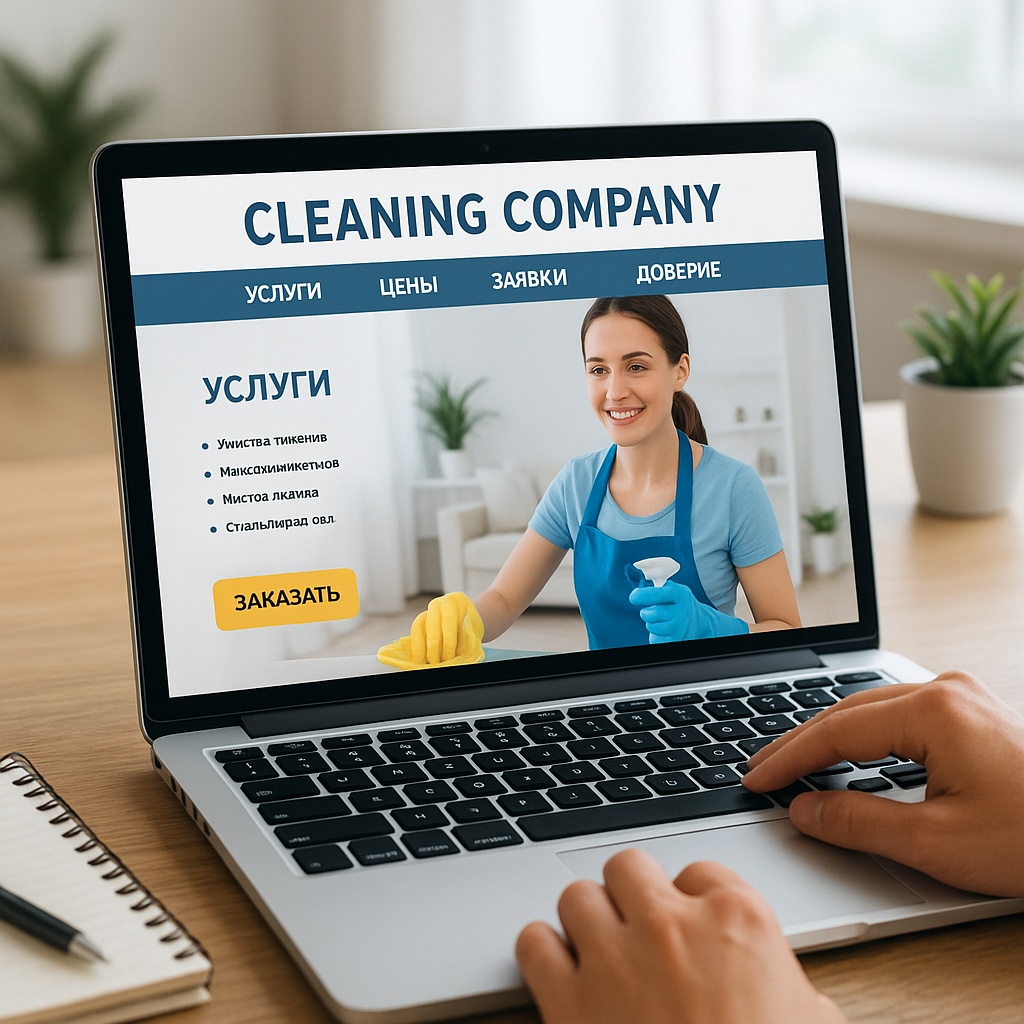
Application Form and Order Path: Fewer Fields Mean More Leads (Without Losing Quality)
The application form is not a "contact form"; it is the final test of the website's adequacy.
You can perfectly package your services, show before and after images, and outline your pricing plans—and still lose half your leads at the final step. In practice, a cleaning company's website most often "leaks" in the application form: too many fields, unclear next steps, no alternatives (messengers or phone calls), and after submitting, silence and a blank screen.
At Web-Raketa, we view form as part of a strategy, not as a "technical must-have." Because the goal is traffic that converts, and not traffic that got tired of filling out the form and went to a competitor.
How to Design a Form: Two Modes – Fast and Accurate
There are two types of clients in the cleaning industry: some need it "urgent and clear," while others want a precise estimate because the project is complex. Therefore, the best option is not one universal 12-field form, but two scenarios on a single page.
1) Quick order (1 screen, 3-4 fields): name, phone number, cleaning type (drop-down list), city/district. Button: "Call back in 5-10 minutes" (if that's how you actually work).
2) Accurate calculation (extended block/second stage): area, number of bathrooms, desired date/time, address (possible without an apartment/entrance in the first stage), additional services, comment.
An option that significantly saves the manager's time: uploading 1-3 photos of the contamination or object. For post-renovation cleaning This is almost a must-have—photos immediately filter out the "wrong volume" and reduce the risk of incorrect pricing.
It's also important to provide clients with a convenient channel: some find it easier to message them on Telegram or Viber, while others prefer to request a call. Don't force them to choose "whatever is most convenient for you"; display the options next to the button, but don't turn the screen into a Christmas garland of icons.
Mistakes from Practice: Why Leads Don't Get Through and How to Fix It
The most common problems we've encountered in cleaning projects in Ukraine:
- Too many steps: Calculator → Registration → Confirmation → Another Form. The client isn't applying for a mortgage.
- There is no clear confirmation: I submitted a request and didn't understand if it was sent. I need the "Request accepted" screen, what happens next, and contact information.
- Unclear processing: The client doesn't know when they'll call back, who's calling, or what needs to be prepared. Provide 2-3 points after sending.
- Hidden surcharge policy: People are afraid of being ripped off. A link to "how the price is formed" next to the form alleviates this anxiety.
The technical side is also part of the conversion process: the form should send data to a CRM/spreadsheet, be duplicated in the manager's email and/or messenger, and phone numbers should be clickable. This is trivial, but we regularly see how a website for a cleaning company loses requests because notifications aren't set up or end up in spam.
The final formula is simple: fewer unnecessary fields, more clarity and control. Then the path to ordering becomes shorter, and traffic starts converting into real orders without unnecessary noise and guesswork.
SEO and Organic Traffic Growth for Cleaning Services: Strategy, Not Chaos
Effective SEO for cleaning starts with the structure: services × city × (district)
When a cleaning company says "we need SEO," they often mean "we want to rank in Google." But Google doesn't promote desires—it promotes clear entities: pages that precisely answer a query. Therefore, a cleaning company's website should be built as a system, not as a single "main landing page" and a three-line "services" section.
The working framework for Ukraine typically looks like this: separate landing pages for key services (maintenance/general/post-renovation, apartments/houses/offices) + separate pages for the cities and districts where you actually work. Not because it's "fashionable," but because that's how people phrase their queries: people are looking for cleaning services nearby and for a specific scenario.
"SEO for cleaning isn't about 10,000-character texts. It's about making sure each service has its own Google address."
It's important not to overdo it with districts: if you can't service half the region, don't draw up a presence map. Locality must align with operational requirements, otherwise you'll get bad reviews and a drop in trust.
Compare approaches for other areas: Auto Repair Shop Website: How to Get Leads from Google
Content that drives sales: not fluff, but answers, case studies, and pricing
Content marketing in the cleaning industry often turns into a blog post about "how to clean an oven with baking soda." It's cute, but it's something else that brings in leads: content that overcomes objections and leads to the order. That is, not "read our article," but "here's how we solve your problem, how much it usually costs, and what happens next."
In practice, the following work best:
- Service pages with checklist: what is included, what is not included, extras, timing.
- Case studies by objects: 42 m² apartment after rent, 180 m² office, "after renovation" with photos and conditions.
- FAQ on the service: “is it possible with animals?”, “what about chemicals?”, “does access to water need to be provided.”
- Prices/Rates Pages with calculation examples (guidelines + fair surcharges).
This kind of content both improves Google's relevance and increases conversions. This is "strategy, not chaos": you write not for the sake of writing, but to increase organic traffic and leads.
Local SEO and technical foundation: speed, mobility, micro-markup, analytics
For cleaning businesses, local search results are critical. Therefore, a Google Business Profile should be filled out as a true sales tool: service categories, description, schedule, service area, photos of work, regular updates, and, most importantly, reviews with responses. In Ukraine, this often generates leads faster than a "perfect blog."
Technical aspects also influence Google visibility: mobile version, loading speed, clear navigation. If a page is "heavy" due to photos before/after — Compress images and use modern formats. Cleaning clients often search on their phones while on the go, so the website needs to be fast.
| Element | What to do | For what |
|---|---|---|
| Micro-markup | LocalBusiness/Service, reviews, FAQ (where applicable) | More trust and rich snippets |
| Speed | Image optimization, caching, and minimal heavy scripting | Fewer rejections, more applications |
| Analytics | GA4/conversions, click events, call tracking | Understand what really sells |
"Without analytics, SEO becomes a matter of faith. And businesses need numbers: traffic, applications, cost per lead."
Bottom line: systematic website promotion in the cleaning industry is a combination of structure, local presence, and technical accuracy. Then website for a cleaning company becomes an asset: organic traffic grows, trust improves, and you get traffic that converts, not just “visits.”

FAQ: Frequently asked questions about a cleaning company website (prices, trust, before/after, reviews, applications)
What is essential for a cleaning service's website to generate leads?
A minimal “skeleton,” without which a website for a cleaning company almost always suffers in conversion: clear service pages (not just “cleaning everything”), a pricing block with terms and conditions and surcharges, real evidence of trust (photos) before/after, cases, reviews), and a normal ordering path (application form + messaging apps + a clear processing flow). Without this, there will be traffic, but fewer leads than could be.
Separately: contacts and geography. For Ukraine, it's critical to immediately show the city, districts/exit routes, and opening hours. The client is choosing not only "who's best," but also "who's actually going to come to me tomorrow."
Do you need a price calculator or is the price list sufficient?
A calculator isn't necessary for everyone. If you offer standardized packages and a manager quickly confirms details, a transparent price list with calculation examples and clear additional options is often sufficient. A calculator makes sense when you're ready to handle more leads and have clear parameters that actually affect the cost (area, cleaning type, number of bathrooms, additional services, and travel).
A typical mistake is using a calculator "for show": it shows a figure that then changes when you call. This undermines trust more than not having a calculator. In such cases, a fair range and the phrase "final price after verification" are better than pseudo-precision.
How many pages should I create for my services, and how should I format the "before/after" sections and reviews?
You should have as many pages as you have different purchasing scenarios. Typically, these are separate landing pages for the type of cleaning (maintenance, deep cleaning, post-renovation, post-rental) and the type of property (apartment, house, office). If you operate in multiple cities or have high demand in specific areas, add local pages, but only for specific geographic areas. Otherwise, you'll experience negative feedback and a reputation hit.
Photo before/after Keep your photos organized: use the same angle, clearly label the photos (type of cleaning, area, city/district, time, team). When the "after" photos are taken with a different phone and in different lighting, people perceive it as manipulation. Reviews Don't collect data "in a vacuum," but tie it to specific services and show details: date, location, what they liked, whether the price matched. The best source is a Google Business Profile, as it's verifiable and increases local visibility on Google.
What fields should be included in the application form and when will leads appear?
The form should collect the bare minimum required for initial contact: name, phone number, service type, and district/city. Anything else (area, date, additional options, address, photos of the stain) should be left as optional or a second step—to avoid losing eager customers who just want to "order." Be sure to show what happens after you submit: when you'll call back, what questions you'll ask, and how the price is determined.
It's important to be honest about lead generation timelines. If you're running ads and your website is already ready to accept requests, the first inquiries may arrive quickly, but quality and stability come after setup, offer testing, and lead processing. SEO is a longer process: organic traffic growth is a systematic effort, not an "instant result." In practice, noticeable growth usually begins after indexing and building trust in the website, and then everything depends on the competition in your city, the quality of your service pages, and the consistency of your work.
What should a cleaning service website look like to generate leads and trust, rather than just "hanging around on the internet"?
A cleaning company's website shouldn't just be a business card with a phone number. Its purpose is practical: to alleviate client concerns, provide clarity on services and pricing, demonstrate quality, and lead to a request without unnecessary obstacles. If the page leaves any unknowns (what's included, how much it will cost, who will be there, what guarantees are there, what's the timeframe), people don't argue—they simply close the tab. And this isn't about "bad clients," but about a healthy response to risk.
A cleaning website that generates inquiries is built as a system. First, there's a logical service package: property (apartment/house/office), type of cleaning (maintenance/deep cleaning/post-renovation), and clear extras. Then, there are transparent rates with terms, minimum bills, and calculation examples to ensure you don't lose margins or provoke conflicts. Then, trust is built in: before/after in the same perspective, cases by objects, reviews with details, plus "boring" but crucial things - check/contract, rules for additional payments, responsibility and the work process.
Application form — this is the finish line. The fewer unnecessary fields and the clearer the "what happens next" is, the more leads you'll get. A quick scenario (call/messenger) should exist alongside a "precise calculation" for complex objects, including the ability to attach a photo. And confirmation of the application and response time expectations are essential. Because traffic loves speed, and clients love control.
Finally, without SEO and analytics, all of this is only half-assed. A structured page structure based on services and geography, a local presence in Google Business Profile, mobile speed, basic microdata, and conversion tracking transform a cleaning company's website into a foundation for digital business growth. We don't promise "instant miracles," but we do promise a clear strategy: less chaos, more predictable leads, and increased Google visibility over time.
If local promotion is important to you, take a look: Local Services Website: Page Structure, Applications, and Google Search Engine Optimization