412
412 1) Determine your website's goals and budget: what exactly are you buying when you plan to buy WordPress hosting?
If you need a quick overview, choosing WordPress hosting is all about speed, stability, and cost of ownership: first, determine the site type and expected load, then determine the minimum resources and a realistic budget. On this page, you'll receive a checklist that links the project format (blog, corporate website, online store) with CPU/RAM, disk, backup, and support requirements—so you can buy WordPress hosting without overpaying and without any surprises after launch.
Below is a quick reference table and explanation of the tradeoffs if you're looking elsewhere. cheap WordPress hostingThis material is for business owners and website administrators who value leads, stability, and growth. It's not suitable for those looking for "the best WordPress hosting forever" without considering their needs and the willingness to occasionally upgrade their plan.
| Site type | What is most important | Basic hosting requirements |
|---|---|---|
| Blog/landing page | Speed, simplicity, price | SSD/NVMe, cache, PHP 8.x, 1 site, backups |
| Corporate website | Stability, mail, security | SSL, account isolation, regular backups, support |
| Online store | Reliability and peak handling | More RAM/CPU, faster disk, staging, monitoring |
First, the project type: it determines how much hosting you actually need.
When planning to buy WordPress hosting, it's important to understand: you're not buying "space for a website," but a set of resources and services that directly impact conversion. Slow page loads mean fewer applications, higher bounce rates, and weaker behavioral signals, making it more difficult to systematically promote your website and improve your Google visibility.
Practical assignments:
- Blog or content projectPage delivery speed and stable backups are critical. High-quality shared hosting with good caching and an up-to-date PHP version is often sufficient.
- Corporate website: In addition to speed, security, antivirus scanning, a user-friendly control panel, and domain-based email (or proper integration with third-party email) are important.
- WooCommerce Online Store: The load is higher due to the shopping cart, filters, and personal account. Here, the "economy plan" quickly turns into a speed drop and lost orders. It's often more logical to start with a more powerful plan or a VPS.
Budget: How much does decent WordPress hosting cost in Ukraine and where are the tradeoffs?
Hosting prices are based on hardware (CPU/RAM/disk), support level, backup, and load limits. For Ukrainian projects, it's also important to consider data center proximity and network quality: latency and connection stability affect the actual website speed.
If needed cheap hosting for WordPress, accept the potential tradeoffs in advance: fewer resources per account, aggressive CPU limits, infrequent backups, and slower support response. This isn't "bad" per se—it's just not suitable for all types of websites.
Mini Pre-Purchase Checklist: Linking Requirements to Numbers
To understand, How to choose hosting for a WordPress website To avoid choosing the wrong plan, ask yourself three questions: how many pages/products, what traffic do you expect in 3-6 months, and which plugins are "heavy" (builder, filters, multilingualism, CRM integrations).
A practical guideline: for a small website, a starting plan with a fast SSD/NVMe is often sufficient, while for a store, you'll need more RAM and CPU. If you're comparing providers, it makes sense See the price of Fornex and compare it not only with “gigabytes,” but also with what’s included in the plan: backup frequency, load limits, availability of staging, and adequacy of support.
Next on the checklist we'll move on to technical criteria (speed, security, backups) so you can How to find hosting for a WordPress website according to your scenario - without unnecessary noise and with control over the result.
2) Technical checklist: how to choose hosting for a WordPress website based on compatibility and performance
Compatibility: PHP, a database, and HTTPS are the bare minimum for a stable WordPress experience.
When you decide, How to choose hosting for a WordPress website, start not with "how many gigabytes," but with compatibility. WordPress and plugins are constantly updated, and outdated PHP/database versions are a common cause of errors, white screens, and unstable admin panels.
What to check in your tariff and panel:
- PHP 8.x with the ability to quickly switch versions (in case of plugin incompatibility) and enable OPcache.
- MySQL 8 or MariaDB 10.4+ (current versions provide better query performance and compatibility).
- HTTPS/SSL (usually Let's Encrypt) with automatic certificate renewal. This is basic hygiene for SEO and user trust.
- Support HTTP/2 (and if there is - HTTP/3) for faster loading on mobile networks.
"If your hosting doesn't allow you to use up-to-date PHP and doesn't provide a proper SSL, that's not saving you money, it's a deferred failure."
This is especially important for Ukrainian projects: speed and stability directly impact conversion rates from organic and paid traffic. Therefore, choosing WordPress hosting is part of a systematic website promotion plan, not a technical exercise for show.
Performance: NVMe/SSD, CPU/RAM, and limits that slow down the admin panel
WordPress's weight isn't due to the core itself, but to the theme, builder, WooCommerce, filters, multi-currency, integrations, and the number of database queries. Therefore, it's important to understand what limits your plan: not disk space, but resources and limits.
Practical performance criteria:
DiskNVMe is preferable (faster than SSD), especially for stores and websites with large catalogs/search engines. The admin panel, product import, and thumbnail generation suffer on a slow drive.
CPU/RAM: Check whether there are guaranteed resources or "up to X, if you're lucky." On shared hosting, CPU-second limits, number of processes, and I/O are critical. On VPS, dedicated cores and memory for PHP-FPM and the database are important.
RestrictionsCheck the limits on concurrent connections, inodes (number of files), and backup size and retention period. Sometimes a site can fit within the megabytes, but is limited by inodes due to cache, media, and plugins.
Hosting type + acceleration: shared/VPS/managed, caching and CDN for organic growth
To understand how to find hosting for a WordPress website to grow organic traffic, choose the hosting type based on the project's growth.
| Option | When it suits | What to look at |
|---|---|---|
| Shared | Startup, blog, small corporate | Strict limits, quality support, fast disk |
| VPS | Store, traffic growth, many integrations | Dedicated resources, Nginx/Apache configuration, security |
| Managed WordPress | We need a focus on business, not administration. | Automatic updates, staging, optimization, backups |
Regardless of the type, check whether there's server-side caching (FastCGI/Varnish), Redis/Memcached support (which speeds up requests), and whether it's easy to connect to a CDN (such as Cloudflare) for static files. This reduces server load and helps withstand peaks—especially when organic traffic is growing and advertising campaigns are running.
3) Reliability and security: uptime, backups, protection, WordPress updates
Uptime and SLA: How Much Downtime Can You Really Afford?
Reliability isn't an abstract "stability," but rather concrete minutes of downtime that translate into lost leads, orders, and trust. For websites that rely on Google traffic, any regular downtime hits them on two fronts: users don't convert, and search engine crawlers may register errors (such as 5xx), which over time leads to a drop in visibility.
Before purchasing, check whether the provider has a formal SLA and how it is compensated. A common phrasing is 99.9% uptime, but it's important to clarify the details: how availability is measured, whether planned maintenance is taken into account, where incidents are published, and whether there is a public status page.
"Uptime isn't a number on a landing page, but a managed process: monitoring, redundancy, and transparent reporting."
In the context of choosing WordPress hosting, this is especially critical for online stores and service websites: even short outages during peak hours can cost more than the difference between plans.
Backups and Recovery: What's Important Beyond "We Have Backups"
Daily backups are essential, but their quality determines how quickly and predictably you can recover. Check:
- How often are backups made (daily/several times a day) and how many days is the history kept?
- Where are the copies stored: on the same server or separately (ideally, a separate storage/node).
- Is there a simple recovery from the panel (on your own) and is it possible to restore individual files/databases, and not “the whole thing”.
- What's included in the backup: website files + database + email (if it's on the same account).
Practical advice: test the recovery on a test domain or staging area before an incident occurs. For WordPress, it's often critical to restore not only the content but also the database (orders, applications, forms), otherwise the business will permanently lose data.
Security and access: WAF, DDoS, account isolation, 2FA, and secure administration
WordPress hosting security is a layer that reduces the risks of hacking, infection, and mass emails, which can lead to domain blacklisting. This impacts your reputation, email deliverability, user trust, and SEO.
Mandatory checklist before purchasing:
WAF/antivirus: the presence of a web firewall and scanning for malicious code (preferably with quarantine and notifications).
DDoS protection: This is especially relevant for stores and public projects. It's important to understand whether they're protecting only the network or also L7 (HTTP flood).
Account isolation: On shared hosting, it is critical that a “neighboring” site cannot affect yours (containerization/rights restriction technologies).
Secure access: SSH/SFTP instead of insecure FTP, ability to restrict access by IP, separate users for developer/content manager.
2FATwo-factor authentication is a must-have for your hosting panel. If your hosting provider doesn't support 2FA, at least compensate with strong passwords and a password manager, but it's best to choose a provider with 2FA.
And most importantly: reliable hosting doesn't prevent you from updating WordPress, themes, and plugins. But it should support a secure update process (staging, backups before updates) so you don't have to choose between "update and break" and "not update and be vulnerable."
4) Location and speed for Ukraine: data centers, ping, hryvnia support, and payment convenience
Why Data Center Location Matters for Ukraine: Ping, TTFB, and Core Web Vitals
For Ukrainian audiences, speed isn't a "nice bonus," but a factor that impacts conversion and Google's quality metrics. The farther the server, the higher the latency (ping), and, as a result, the more often TTFB (time to first byte) suffers. TTFB is the foundation for real user metrics, including Core Web Vitals.
If you are promoting in Ukraine and selling here and now (services, delivery, local stores), Choosing a hosting provider for WordPress It's worth starting with the question: where is the server physically located and how does it reach Ukrainian providers? Sometimes a "European" data center can be fast, but other times, routing can cause unexpected speed drops in certain regions.
“Speed drops are often related not to WordPress, but to the network: the route to the data center and node overload.”
Practical logic: closer to the data center + good network = lower latency = faster processing of dynamic pages (catalog, filters, shopping cart) and a more user-friendly admin panel for the team.
How to Test Your Speed "On the Ground": Routing Tests and Measurements That Make Sense
To understand, How to find hosting for a WordPress website For a Ukrainian audience, don't limit yourself to promises of "fast NVMe." Check the networking system and the actual server response.
What you can do before purchasing or during the trial period:
- Ping/Traceroute/MTR to a server IP from Ukraine (or through online services with Ukrainian nodes). Monitor not only the average ping but also packet loss and latency spikes.
- TTFB on a clean WordPress installation (without “heavy” plugins) - this will show the basic hosting speed.
- Tests from different cities/providers: Kyiv, Lviv, Dnipro, Odesa—sometimes the routes differ significantly.
- Checking support HTTP/2/HTTP/3 and the correct operation of HTTPS - this affects the actual load on mobile networks.
If you use a CDN (such as Cloudflare), static content will be served faster, but dynamic performance (search, shopping cart, account management) still depends on the origin server's response time. Therefore, the data center and network remain important.
Payment and support for Ukraine: hryvnia, documents, convenient methods, and what to compare between providers
For businesses in Ukraine, payment and accounting issues are often just as important as the hardware. Before paying for hosting, check the following:
Is payment in hryvnia supported, or is there a clear conversion method without surprises? What payment methods are available (card, PayPal, cashless), is it possible to obtain documents/certificates (if you need them for accounting purposes), and how quickly does customer support respond in Kyiv time?
As a practical guide it is useful See the price of Fornex, and then compare it with alternatives based on the same parameters: data center location, network metrics, CPU/RAM limits, backups, and SLA terms. This way, you're choosing not "cheaper," but "more beneficial results": a faster website, more stable leads, and less risk of Google visibility drops.
5) Support and migration without downtime: trial period, transfer, domain and mail
How to evaluate support before payment: 24/7 availability, response time, and quality of responses
In practice, choosing a WordPress hosting provider often depends not on the hardware itself, but on how quickly you can get help when something goes wrong: a plugin update breaks your site, email isn't working, your load has increased, or you urgently need to enable caching or restore from a backup. Therefore, it's worth checking out the support service before purchasing.
What is considered a good level of service:
- 24/7 support and clear communication channels (tickets, chat, phone - depending on your work format).
- Transparent reaction time: Are there any SLA support promises, and are they actually met?
- Answers to the point: not “read the manual”, but specific actions, logs, explanation of causes and solution steps.
- Knowledge Base: Instructions on WordPress, SSL, caching, migration, DNS settings - this saves hours on routine work.
A simple test: ask 2-3 practical questions before paying (for example, about PHP 8.x, Redis, backups and restores, CPU limits). Based on their answers, it's easy to tell whether the provider will be a growth partner or just "selling you server space."
“The best support is the one who solves the problem and explains how to avoid it happening again.”
Zero Downtime WordPress Migration: Transfer, Staging, and DNS Switch Plan
Website migration is a time when requests are lost and trust is lost if it's done bluntly. Therefore, evaluate not just the "free WordPress migration" but the process itself: who is responsible for the migration, what is included in the service, and how downtime is minimized.
The optimal scenario is as follows: the provider transfers the files and database to the new server, you test the site on a temporary URL or through the hosts file, then switch the DNS taking into account the TTL, and only after stable operation you close the old hosting. If there is staging (testing environment), this reduces the risk: you can test updates and plugin compatibility before publishing.
Please clarify the details in advance:
Are SSL settings, cache/Redis, cron jobs, file permissions migrated, and does support help with typical WordPress migration issues (mixed content after HTTPS, redirects, media upload size, memory limits)?limit/maxexecution_time).
Domain, DNS, and email: what should be convenient for business, not just for developers
For a business website, not only the functionality of its pages is important, but also the surrounding infrastructure: the domain, DNS records, and mailboxes. If you have email on your domain, migrating the "site" without taking MX/SPF/DKIM/DMARC into account can result in email bounces, which directly affects lead generation.
Check if there is:
DNS management in the panel (or at least clear integration with an external DNS), quick record modification, mailbox support, or correct operation with third-party services. Also important return policy and a trial period: this is your insurance if the speed/stability does not meet expectations.
And most importantly: “best hosting for wordpress" is not an abstract online rating, but a provider that meets your needs: increased organic traffic, stable email, quick support responses, and secure updates without unexpected downtime.
6) FAQ: Frequently asked questions about choosing WordPress hosting
Is it possible to start with shared storage, and when is a VPS needed?
Yes, for a blog, landing page, or small corporate website, starting with shared hosting often makes sense: it's cheaper, easier to administer, and less likely to mess up settings. The key is to choose high-quality WordPress hosting with up-to-date PHP 8.x, a fast drive (SSD/NVMe), reasonable CPU/RAM limits, and daily backups.
A VPS is worth considering if you have WooCommerce, multiple integrations (CRM, warehouse, shipping, payments), high traffic, or regular peak loads. A VPS is also worth considering if you're hitting shared storage limits (processes, CPU seconds, I/O), and the admin panel starts to lag even with a small number of visitors. In Ukraine, this often happens during sales seasons or with active advertising: traffic seems to increase by 20-30%, but the site crashes due to resource constraints.
How do you know if hosting has become a bottleneck, and what's more important—price or resources?
Signs that your hosting is slow include: slow TTFB (especially on the homepage and catalog), a cluttered admin panel (order/product lists take a long time to open), intermittent 502/504 errors, sudden load restrictions, and situations where caching is configured but speed isn't improving. Another indicator is a drop in conversion without any changes to the site: people simply don't wait for the site to load, which impacts leads, quality scores, and Google visibility.
What's more important—price or resources? For businesses, predictable resources and reliability are almost always more important, because downtime and slow loading times are more expensive than the "savings" on the tariff. Cheap WordPress Hosting It may be a good start, but as organic traffic grows, it often becomes a limiter. Therefore Choosing a hosting provider for WordPress It's better to look at it through the lens of payback: how much are you losing due to speed/uptime drops and how much does it cost to switch to a tariff that can handle the load.
How do you check uptime and backups, which caching plugins to choose, and how do you compare plans if you've decided to buy WordPress hosting?
Don't just verbally check uptime, but rather monitor it: connect an external service that pings the site every 1-5 minutes and records availability, and set up instant messaging or email notifications. Two things are important about backups: regularity (preferably daily and with a history) and easy recovery. A good practice is to perform a test recovery on a staging or temporary domain once a quarter to ensure the backup is truly functional.
For WordPress caching, the most common choices are WP Rocket (paid and convenient), W3 Total Cache, or LiteSpeed Cache (if the server is LiteSpeed). However, it's important to remember: a plugin isn't a replacement for a fast hosting database. If your disk is slow or you have strict CPU/RAM limits, caching won't save your admin panel or store performance.
When comparing plans before purchasing WordPress hosting, consider the following: PHP 8.x, disk type (NVMe/SSD), resource guarantees, load limits, backup frequency and storage, HTTP/2/3 support, SLA terms, and real migration assistance. It's helpful to have a reference point. See the price of Fornex and compare it with alternatives based on these parameters, and not just on “gigabytes” and discounts for the first month.
Conclusion: A Final Checklist Before Purchasing WordPress Hosting
Correct Choosing a hosting provider for WordPress This isn't about finding the "cheapest plan," but a manageable solution that maintains speed, requests, and resilience to organic traffic growth. Start with your goals: a blog, a corporate website, or an online store all require different resources and different tolerances for downtime. Then set a budget and honestly define the tradeoffs: cheap hosting for WordPress It may be suitable for the start, but for WooCommerce and active marketing it often quickly becomes a bottleneck.
Next, proceed to technical testing: current versions of PHP 8.x and MySQL/MariaDB, HTTPS/SSL, HTTP/2 (and preferably HTTP/3) support, fast NVMe/SSD, clear CPU/RAM limits, and scalability. Choose the hosting type based on your scenario: shared for simple websites, VPS/managed for when guaranteed resources, control, and stability are important. Don't forget about caching, Redis, and CDN: they help withstand peaks, but don't compensate for weak underlying infrastructure.
A separate section focuses on reliability and security: SLA/uptime, daily backups and easy restores, WAF/antivirus, DDoS protection, account isolation, SSH/SFTP, and 2FA. These features directly reduce the risk of data loss and Google visibility drops due to errors and downtime. Data center location and routing are also important for Ukraine: low ping and stable TTFB improve real-world speed and conversion.
The final check is the service: 24/7 support quality, trial period, refund policy, free WordPress migration with no downtime, staging, convenient DNS and mail management. When in doubt, rely on data: measure ping/TTFB, test the panel and restore from backup. As a guideline, you can See the price of Fornex and compare with alternatives based on the same characteristics, not just cost.
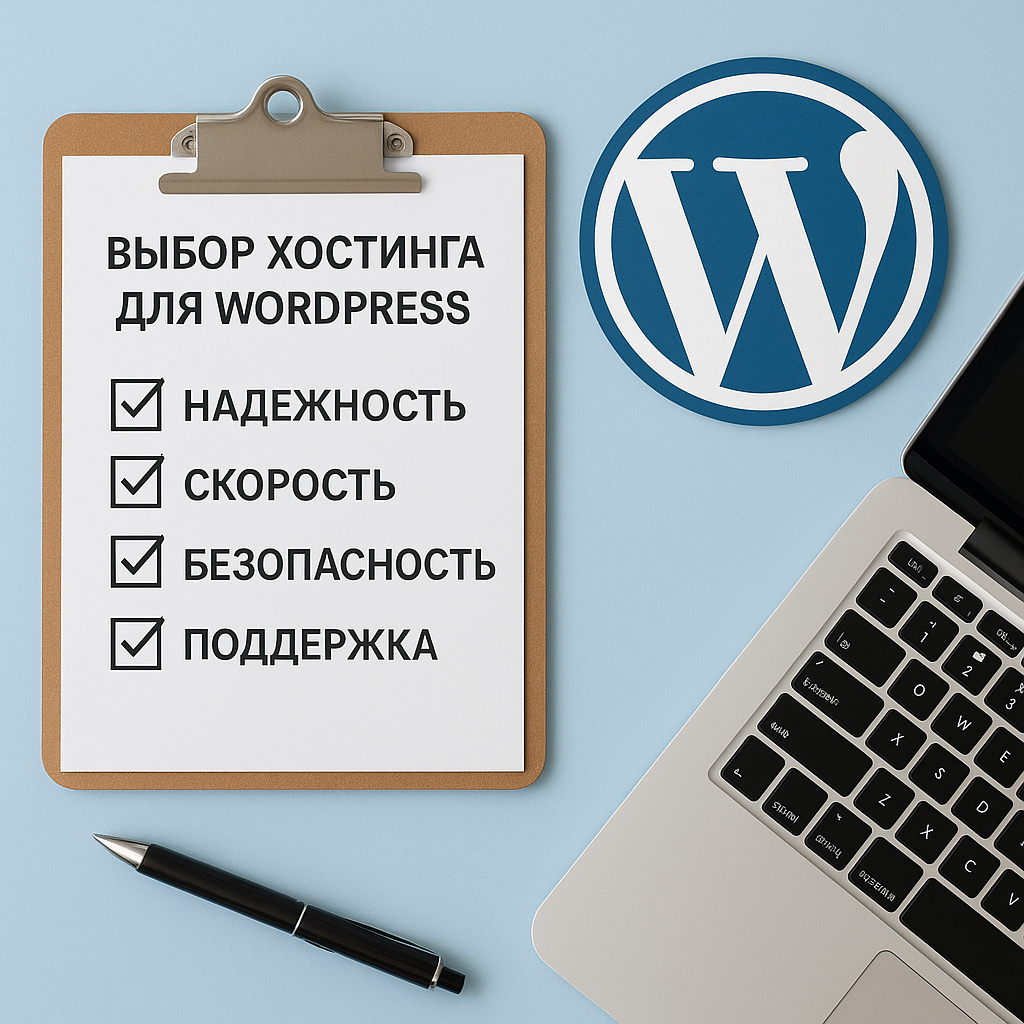
- Describe your goals and expected traffic growth over the next 3-6 months.
- Check compatibility, resources and limits.
- Evaluate security, backups, and SLAs.
- Perform a migration/staging test and check support.
So "best hosting for wordpress"will not be a mythical ranking leader, but a platform that provides control, reduces risks, and supports the systematic development of a website.
If you need it after moving or upgrading WordPress website development for Sumi, plan your task list and priorities in advance to maintain speed and stability.
It is also useful to check the provider's requirements: WordPress-ready hosting: what a good provider should offer will help you not to miss critical points.