1515
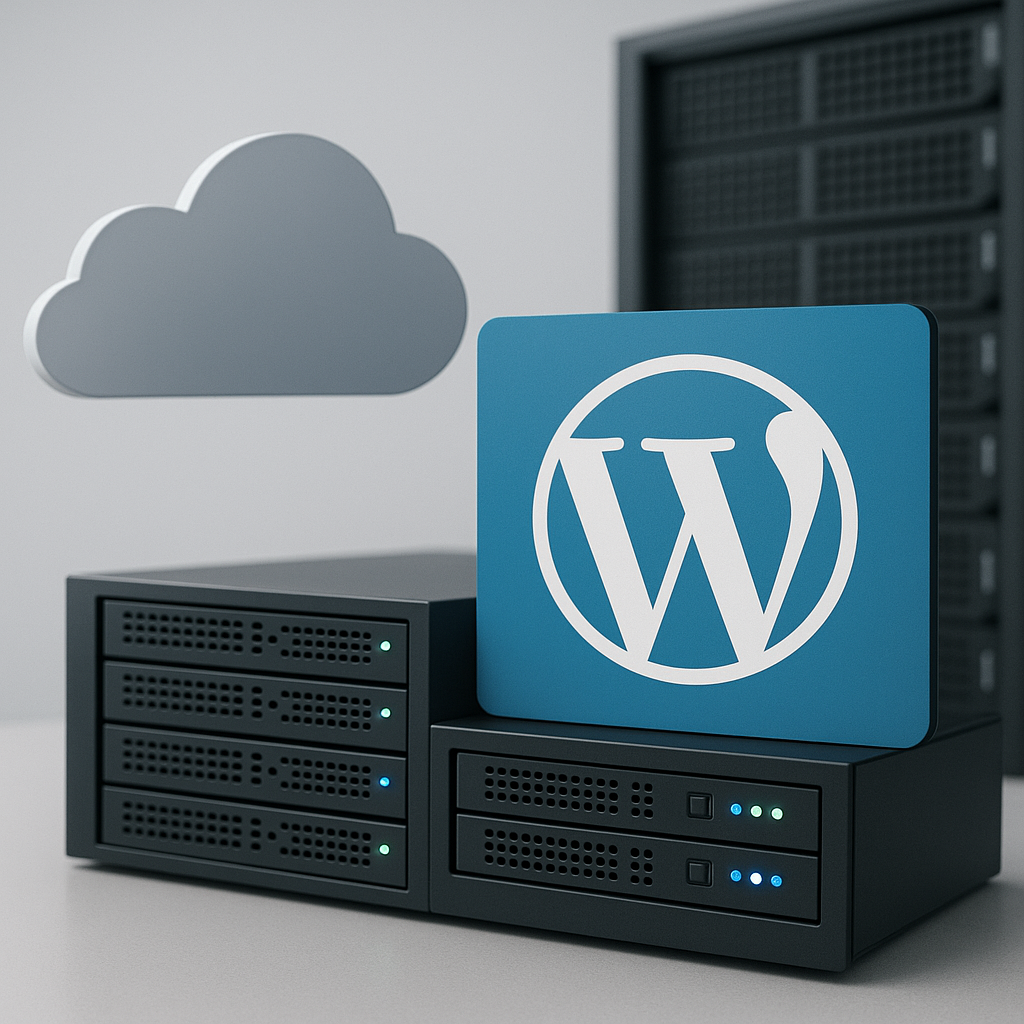
1515 Cloud hosting is a type of hosting where data and applications are hosted on servers located in the cloud. Unlike traditional hosting, where data and applications are stored on a physical server located in a specific location, cloud hosting uses virtualization to divide a single physical server into multiple virtual servers, each of which can be independently configured and used to host data and applications for different clients.
Cloud hosting has a number of advantages, including:
- Economy: Cloud hosting can be more cost-effective than traditional hosting because you only pay for the resources you use.
- Flexibility and scalability: Cloud servers can easily scale up or down depending on your needs, allowing you to easily adapt to changes in your website or application traffic.
- Safety and reliability: Cloud hosting providers usually provide robust protection against various security threats such as DDoS attacks and hacks, and also provide data backup.
- Ease of use: Cloud hosting usually has a user-friendly and easy-to-use interface that makes it easy to manage your data and applications.
Types of Cloud Hosting
There are three main types of cloud hosting:
- Private cloud. A private cloud is a cloud infrastructure used exclusively by a single organization. It can be hosted in the organization's own data center or hosted by a third-party provider.
- Public cloud. A public cloud is a cloud infrastructure that is made available to the general public. Public cloud providers such as Amazon Web Services (AWS), Microsoft Azure, and Google Cloud Platform (GCP) offer a wide range of services, including computing, storage, and networking.
- Hybrid cloud. A hybrid cloud is a combination of private and public clouds. An organization may use a private cloud to host mission-critical data and applications, and a public cloud to host less critical data and applications.
Each type of cloud hosting has its own advantages and disadvantages. A private cloud provides greater security and control, but it is also more expensive. A public cloud is more accessible, but it is less secure and provides less control. A hybrid cloud is a compromise between a private and public cloud.
Benefits of Cloud Hosting
Cloud hosting offers a number of advantages over traditional hosting. Here are some of them:
- Economy: Cloud hosting is often more cost-effective than traditional hosting because you only pay for the resources you use. This is especially beneficial for businesses with sporadic traffic or seasonal fluctuations.
- Flexibility and scalability: Cloud hosting offers greater flexibility and scalability than traditional hosting. You can easily increase or decrease resources such as memory, processor, and storage to suit your needs.
- Safety and reliability: Cloud providers typically have a much more robust infrastructure than individual businesses, reducing the risk of data loss or downtime.
- Ease of use: Cloud platforms usually have a user-friendly interface, making it easy to manage your resources and applications.
| Advantage | Description |
|---|---|
| Economy | Pay only for the resources you use. |
| Flexibility and scalability | Easily increase or decrease resources. |
| Safety and reliability | Reliable provider infrastructure. |
| Ease of use | Convenient interface for managing resources and applications. |
Disadvantages of Cloud Hosting
Despite its many advantages, cloud hosting also has some disadvantages that need to be taken into account when choosing a hosting for your project.
- Internet connection addiction
Since cloud servers are located in a remote data center, accessing and working with them is only possible with a stable and high-speed Internet connection. If the Internet connection is interrupted or slow, this may lead to failures in the operation of the site or application.
- Potential security issues
Since cloud servers are used by multiple clients at the same time, there is a risk that one client's data may be compromised by another client's actions. Additionally, if the cloud hosting provider does not provide adequate security, there is a risk that clients' data may be stolen or used for malicious purposes.
- Lack of full control over data
With cloud hosting, customers do not have full control over their data. Customer data is stored on the cloud hosting provider's servers, and customers have no control over how the provider uses that data. This can be a problem for customers who require a high level of privacy and control over their data.
Cloud Hosting vs Traditional Hosting
Traditional hosting, also known as local hosting, involves hosting a website or application on a physical server located in one location. Cloud hosting, on the other hand, uses a distributed network of servers located in different locations to store and process data. This provides greater reliability and scalability, since if one server fails, its functions will be taken over by other servers in the network.
Comparison table:
| Characteristic | Cloud hosting | Traditional hosting |
|---|---|---|
| Server type | Distributed network of servers | Physical server in one place |
| Reliability | High, because if one server fails, its functions will be taken over by other servers in the network | Low, because a server failure may result in the site or application becoming unavailable |
| Scalability | High because resources can be increased or decreased as needed | Low, because to increase resources you need to purchase a new server |
| Price | Typically higher than traditional hosting, but can be more cost effective for applications with variable loads | Typically lower than cloud hosting, but can be more expensive for high-load applications |
In general, cloud hosting is a more reliable, scalable, and cost-effective option for most applications than traditional hosting. However, traditional hosting may be a better option for low-load applications where reliability and scalability are not critical factors.
Application of cloud hosting
Cloud hosting is used in various areas:
- Business applications: Cloud hosting is used to host business applications such as CRM systems, project management systems, e-commerce applications, etc.
- Data storage and exchange: Cloud hosting is used to store and share data such as photos, videos, documents, etc.
- Software development and testing: Cloud hosting is used for software development and testing, providing developers with access to virtual machines and other resources.
- Launching websites and online stores: Cloud hosting is used to run websites and online stores, providing users with access to a reliable and scalable platform.
- Using cloud games and applications: Cloud hosting is used to provide access to cloud games and applications that can be run on any device with an internet connection.
Choosing a Cloud Provider
When choosing a cloud provider, there are several key factors to consider:
- Reputation and reliability:
Research the supplier to see if they have a positive reputation and a reliable service history.
- Prices and terms of service:
Compare prices and terms of service from different providers and make sure they suit your budget and needs.
- Reviews from other customers:
Read reviews from other customers to learn about their experience with the provider and the level of service provided.
You may also want to consider the following additional factors:
- Data center locations:
If hosting your data in a specific geographic region is important to you, make sure the provider has data centers in that region.
- Customer support level:
Find out what kind of customer support the provider offers and how reliable it is.
- Scalability options:
If you plan to scale your application in the future, make sure the provider offers enough scalability.
- Regulatory Compliance:
If you operate in an industry with specific regulatory requirements, ensure that your supplier meets those requirements.
Setting up cloud hosting
To set up cloud hosting, you need to follow these steps:
- Select the appropriate tariff plan. Choose the plan that best suits your needs for performance, storage, and other resources.
- Create an account. Most cloud hosting providers have a simple account creation process. You will need to provide personal information such as your name, email address, and phone number.
- Follow the supplier's instructions. Once you create your account, you'll be given instructions on how to set up your cloud hosting. Instructions may vary depending on the provider, but they typically include steps like choosing an operating system, creating user accounts, and installing applications.
Once you have completed these steps, your cloud hosting will be ready to use. You can start uploading your files and installing applications.
Cloud Hosting Management
Effective cloud hosting management is critical to maintaining optimal performance and security. Here are the key aspects of cloud hosting management:
Monitoring resource usage
Monitor resource usage such as CPU, memory, and storage to ensure applications are not running low on resources and are running efficiently.
Backup and restore data
Back up your data regularly to protect against accidental failures, data loss, or malware attacks. Make sure you have a solid data recovery plan in case of emergencies.
Access and Security Management
Set up strong access controls, including role-based access control (RBAC), to ensure that only authorized users have access to specific resources and data. Regularly review and update passwords and access keys for additional security.
Cloud Hosting Security
Cloud hosting security is extremely important to protect data and applications from threats and unauthorized access.
Cloud hosting security measures:
- Using strong passwords: Create unique and strong passwords for all accounts and services associated with cloud hosting.
- Enabling two-factor authentication: Enable two-factor authentication (2FA) for all accounts where possible. 2FA adds an extra layer of security by requiring additional login confirmation via a text message or authenticator app.
- Regular software updates: Regularly update cloud-hosted software and applications to patch vulnerabilities and improve security.
Additional tips for securing your cloud hosting:
- Use strong encryption methods to protect data during transmission and storage.
- Regularly monitor and analyze security logs to identify any suspicious activity or hacking attempts.
- Provide security training and awareness to employees who have access to cloud hosting and data.
- Regularly back up your cloud hosted data and applications to ensure you can restore them in the event of a failure or attack.
Remember that cloud hosting security is a shared responsibility between the cloud service provider and the customer. The customer must take the necessary security measures to protect their data and applications, and the cloud service provider must provide reliable infrastructure and security tools to protect customer data.
Troubleshooting Cloud Hosting
If you are experiencing issues with your cloud hosting, follow these troubleshooting steps:
- Check your internet connection. Make sure you have a stable internet connection. Connection problems can cause problems accessing your cloud server.
- Make sure your cloud server is running. Log in to your cloud provider account and make sure your cloud server is running.
- Check your firewall settings. Make sure your cloud server's firewall is configured correctly and allows access to the required ports.
- Update your software. Make sure your cloud server has the latest software updates. Outdated software versions can cause various problems.
- Check your DNS settings. Make sure the DNS settings for your domain are configured correctly and point to your cloud server.
- Please contact your cloud provider's support team. If you can't fix the problem yourself, contact your cloud provider's support team. They can help you diagnose and fix the problem.
Tips for troubleshooting common cloud hosting issues:
- Lost password. If you have lost your cloud server password, please contact your cloud provider's support team. They will help you reset your password.
- Performance issues. If your cloud server is running slowly, try increasing the amount of RAM or disk space. You can also optimize the software and database settings.
- Memory leak. A memory leak can cause your cloud server to run slowly or freeze. Check your software and database settings to fix the memory leak.
- Malware attacks. Malware can infect your cloud server and cause various problems. Update your software regularly and use antivirus software to protect your server from malware.
- Equipment failures. The cloud provider's hardware may fail, which may result in your cloud server becoming unavailable. Choose a cloud provider that offers reliable infrastructure and backup hardware.
Cloud hosting trends and development prospects
Cloud hosting is a rapidly growing sector and is expected to continue to evolve and improve in the coming years.
Here are some trends and prospects for cloud hosting development:
- Hybrid Cloud: A hybrid cloud combines elements of both private and public clouds. This allows companies to leverage the benefits of both types of cloud and provide a more flexible and reliable infrastructure.
- Multi-cloud: Multicloud is the use of two or more cloud platforms from different providers. This allows companies to diversify their cloud risks and take advantage of the benefits of different cloud services.
- Serverless computing: Serverless computing is a cloud computing model in which the cloud service provider manages the infrastructure and operating system, and developers can focus on developing and deploying applications without having to worry about managing servers.
- Artificial Intelligence and Machine Learning: Artificial intelligence and machine learning are used to automate many cloud hosting tasks, such as performance monitoring, troubleshooting, and security.
- Increasing use of cloud hosting for IoT applications: Cloud hosting is becoming increasingly popular for hosting Internet of Things (IoT) applications because it provides the scalability, reliability, and security required to run these applications.
These trends and outlook for cloud hosting indicate that cloud computing continues to evolve and improve, providing businesses and organizations with more opportunities and benefits.
Cloud Hosting for Business
Cloud hosting offers a number of benefits for businesses, including:
- Economy: Cloud hosting can be more cost-effective than traditional hosting because businesses only pay for the resources they use.
- Flexibility and scalability: Cloud hosting allows businesses to easily scale their resources as their business grows. This means that businesses can quickly add or remove resources as needed, without having to invest in additional hardware.
- Safety and reliability: Cloud hosting providers usually offer a high level of security and reliability. This means that business data will be protected from unauthorized access, and websites and applications will always be available.
- Ease of use: Cloud hosting is generally easy to use and manage, meaning businesses can focus on their core business without worrying about managing servers and software.
Cloud hosting is suitable for businesses of all sizes, from small businesses to large corporations. It can be used to host various types of websites and applications, including:
- E-commerce websites: Cloud hosting can help businesses create and manage e-commerce websites that can handle large numbers of orders and visitors.
- Business applications: Cloud hosting can be used to host business applications such as customer relationship management (CRM) systems, enterprise resource planning (ERP) systems, and project management systems.
- Databases: Cloud hosting can be used to host databases that can store and manage large amounts of data.
- Collaboration apps: Cloud hosting can be used to host collaboration applications such as email, calendars, and chats that can help employees work together more effectively.
Cloud hosting for individuals
Cloud hosting for individuals is a service that allows individuals to host their websites, applications, and data in the cloud. It is a convenient and affordable way to create and host your own website or online application, without having to purchase and maintain your own server.
Individuals can use cloud hosting for a variety of purposes, including:
- Creation and hosting of personal websites
- Application development and testing
- File storage and sharing
- Backup data
- Using Cloud Games and Apps
Cloud hosting for individuals has a number of advantages:
- Economy: Cloud hosting is a more cost-effective solution than purchasing and maintaining your own server.
- Flexibility and scalability: Cloud hosting allows you to easily scale resources to meet the needs of your site or application.
- Safety and reliability: Cloud providers provide a high level of security and reliability, including regular data backups and protection against cyber attacks.
- Ease of use: Cloud hosting is easy to use, even for people without technical knowledge.
When choosing a cloud provider for an individual, the following factors should be considered:
- Supplier reputation and reliability
- Prices and terms of service
- Reviews from other clients
- Security level
- Availability of technical support
Some popular cloud providers for individuals include:
- Google Cloud Platform
- Amazon Web Services (AWS)
- Microsoft Azure
- DigitalOcean
- Linode
Summary and Conclusion
Cloud hosting has become a popular choice for businesses and individuals looking to host their websites and applications in a secure and scalable environment. With benefits such as cost-effectiveness, flexibility, security, and ease of use, cloud hosting has quickly become the standard solution for today's digital world.
As the amount of data and applications that need to be hosted online grows, cloud hosting will continue to play an increasingly important role in providing reliable and flexible infrastructure for businesses and individuals around the world.
In conclusion, cloud hosting offers a number of benefits that make it an attractive choice for a wide range of users. It is cost-effective, flexible, secure, easy to use, and allows businesses and individuals to quickly and easily scale their websites and applications as needed. In addition, cloud hosting provides users with access to the latest technologies and innovations in data storage and processing.
If you are looking for a reliable and flexible solution to host your website or application, cloud hosting may be the perfect choice for you.