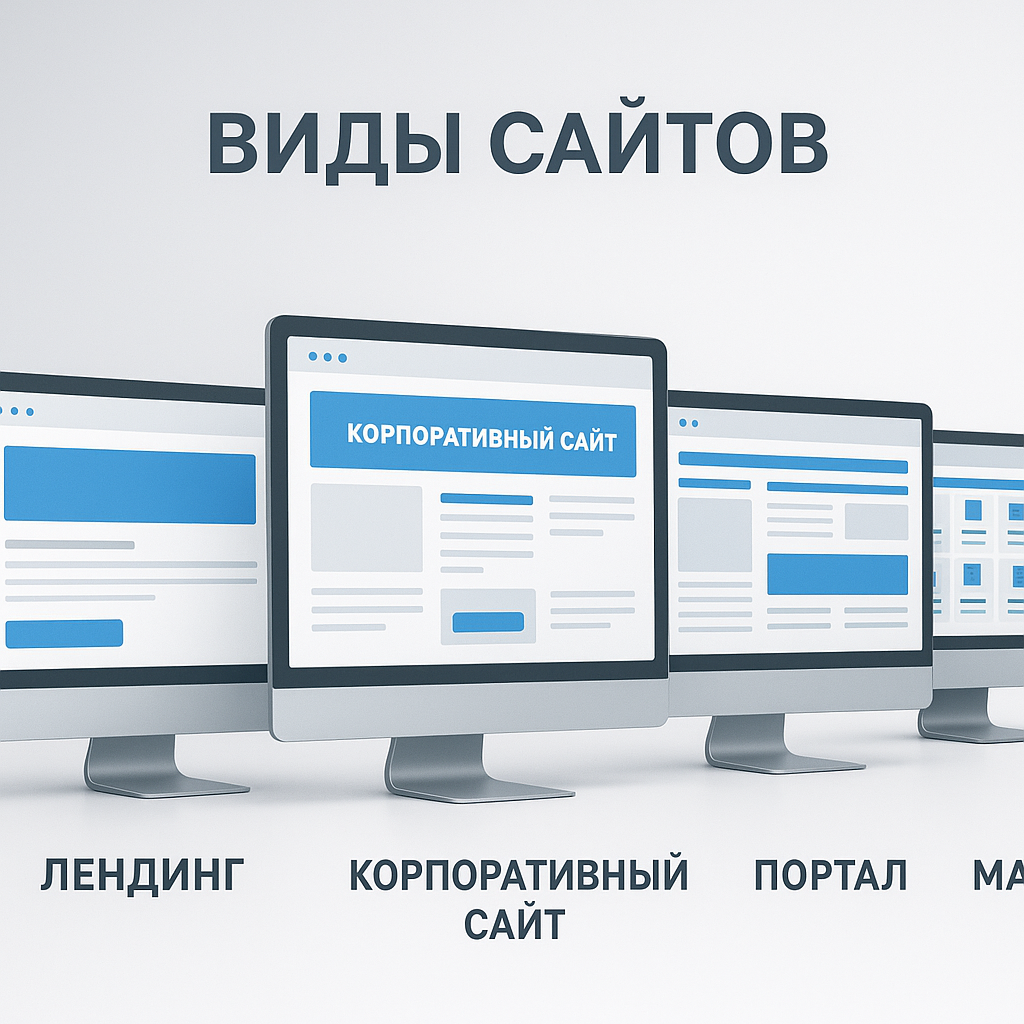
28
28 PHP vs. Laravel: What to Choose for a Project in Ukraine and Why It's Not a Religion
If you're from Ukraine and choosing between "pure" PHP and Laravel website development, here's a quick answer: for a typical business website/custom account/marketplace, Laravel is faster and more streamlined. Manual PHP website development is justified when the project is very small, the requirements are simple, and the budget and deadline are as simple as the old saying goes: "ready yesterday and no money." Below, I'll break down the choice by criteria (startup speed, budget, team, support)—without religion and with practice.
| Criterion | PHP "manually" | Laravel |
|---|---|---|
| MVP Speed | Fast, if very simple | Consistently fast thanks to ready-made components |
| Support and scaling | Depends on the quality of the architecture | It's easier to maintain order and team development |
| Hiring developers in Ukraine | You need to get into the code style | It's easier to find people with similar practices |
Fits: projects that require predictable results, consistency, increased functionality, a robust admin panel, and integrations (payments, CRM, Nova Poshta, etc.).
Not suitable: If you want "just a page" without logic and without future development, then sometimes a CMS/constructor is more reasonable than any framework.
When is manual PHP development really appropriate?
I've seen projects where "pure PHP" was a lifesaver: a landing page with a single form, a microservice for uploads, or an internal page for the sales department. Two conditions are crucial here: simple logic and a disciplined developer. Otherwise, "quick" turns into "quickly broken."
- Very limited budget and short launch time.
- Minimum roles and access rights, minimum integrations.
- The project does not plan to actively develop in the next 6-12 months.
When Laravel Makes More Sense: Speed Without Chaos
Developing a website with Laravel isn't about being trendy, it's about structure. The framework provides routing, security, migrations, queues, convenient database management, and testing. In Ukrainian realities, this means building an MVP faster, easier to onboard a new developer, and easier to predict support timelines.
My practical conclusion for the Ukrainian market
If you're a business and need applications, stability, and continued systematic website promotion (SEO, content, integrations), choose Laravel. If it's a one-off task and you need it "to get things working" without plans for growth, you can website development in PHP "Manually," but only with clear boundaries and simple requirements. This is strategy, not chaos: we choose the tool according to the goal, not the team's mood.
PHP Website Development: Where It Really Wins (and Where It Becomes a "Homemade Quest")
Where PHP website development really benefits
Manually developing a website in PHP is appropriate when you clearly understand the scope and aren't trying to grow a country-wide ERP from a "simple" project. In Ukraine, this is often a matter of a quick launch: you need to build a mini-service, test demand, enable a couple of integrations, and not burn through the budget on a spaceport-level architecture.
Practical scenarios where PHP without the "heavy artillery" can be rational:
- Small corporate websites with an application form and a basic admin panel (without complex roles and processes).
- Microservices: document generation, upload/import, simple APIs for internal use.
- Custom integrations, where it's easier to write a thin layer of logic than to "integrate" into a ready-made ecosystem.
- MVP for the start: when it's more important to test a hypothesis than a perfect codebase.
How I phrase it to the team:
“If the task is small, let the code be small too.”
This helps to resist the temptation to build a “great self-written platform” from three pages.
Where it turns into a "self-written quest"
Problems arise when "we'll throw it together quickly" becomes the standard rather than the exception. Home-made solutions often fail not at launch, but rather three to six months later: new features are added more slowly, bugs surface more suddenly, and security depends on whether the developer has had time to sleep.
Typical risks include technical debt, unclear architecture, lack of testing, manual dependency management, and weak protection against common attacks (XSS/CSRF/SQL injection). And the most painful for businesses is the difficulty of support: a new developer views a project like a subway map without a legend.
At such moments, a sad truth comes to mind:
“Self-writing is when you pay twice: first for speed, then for understanding.”
How to manage risks if you still need PHP "manually"
To avoid compromising on support and security, stay on top of the process. A minimal set of "safety nets" is quite feasible even on a small budget: document requirements, describe the project structure, implement basic tests for critical scenarios, set up logging, dependency updates, and a security checklist. If you see the project starting to grow (roles, payments, complex dashboards, queues), consider switching to a framework: Website development on Laravel at this point it often turns out to be cheaper than endlessly patching up homemade “holes”.
 Website development in PHP using Laravel” title=”Laravel: Pros and Cons of Development” />
Developing a Website with Laravel: When a Framework Saves Money, Not Makes Life More Complicated
Why Laravel website development is often cheaper in the long run
Laravel "saves money" not because it's magical, but because it's systemic. When you're building a business website in Ukraine (an online store, a service with a personal account, a B2B portal), the cost of an error is usually higher than the price of a proper structure: lost requests, payment failures, manual order processing instead of automation.
A framework provides a predictable framework: routes, controllers, database migrations, queues, authorization, and validation. This reduces the likelihood of a project becoming a "every file does everything" mess. It's easier for the team to agree on rules, which directly impacts development speed and the cost of changes.
I often repeat to my clients a thought that sounds boring, but saves budgets:
What exactly speeds up development and improves stability?
When a business asks for a faster launch, a framework usually wins thanks to its ready-made solutions and ecosystem. Yes, the initial setup may take time, but then features are added more smoothly and with fewer surprises in production.
- Security by default: CSRF protection, convenient authentication, careful handling of requests and data.
- Scalability: email/notification queues, background tasks, caching—no DIY fixes.
- Ecosystem: packages for payments, APIs, admin panels, logging, and monitoring—everything connects faster and more transparently.
- Testability: it's easier to test critical scenarios (registration, ordering, payment), which means fewer "nighttime crashes."
This leads to business metrics: shorter time to launch (due to repeatable decisions), higher stability (fewer bugs in typical places), lower cost of changes (the architecture does not resist every new requirement).
When Laravel Really Makes Life Complicated – and How to Avoid It
Laravel complicates life when a team tries to use it as a one-size-fits-all solution to any problem, including a "one-page contact form." Or when the project lacks discipline: code is written "as is," and the framework becomes a decoration.
For Laravel website development to function as a strategy rather than chaos, simple rules are needed: clear MVP requirements, agreed-upon module structure, code reviews, and minimal testing for revenue/orders/leads. Then another practical observation applies:
“A framework doesn’t make a project complex—it makes complexity visible and manageable.”
Architecture, Security, and Performance: How to Make Your Website Handle Traffic That Converts
Architecture for load: preventing traffic growth from turning into increased pain
When the site starts to receive traffic that converts, it suddenly ceases to be "just a website" and becomes part of the business's operating system: applications, payments, personal accounts, search, filters. And here, it's important not to guess whether it will hold up, but to lay out the basics upfront. In PHP projects, this is done manually and with discipline; in Laravel website development, many practices are easier to standardize, but the responsibility still lies with the team.
My rule from practice is simple: Therefore, it is architecturally critical to separate: what is calculated on the fly, what is cached, and what goes into the background.
Caching, Queues, and Database: Three Keys to Speed and SEO Potential
For SEO, speed isn't a "nice bonus." Slow pages are less indexed, have higher bounce rates, and lower conversion rates. To maintain organic traffic growth and improve Google visibility, I'd focus on three things:
- CachingHTTP cache for public pages, query/widget cache, Redis/Memcached for hot data (categories, filters, popular products). The key is a strategy for invalidation, otherwise you'll end up with "fast, but not true."
- Queues: emails, SMS, webhooks, price list generation, import/export – all in the background. In Laravel, this is typically done through queue workers; in pure PHP, it's also possible, but more often than not, it becomes a DIY project.
- Base: indexes for real queries, pagination without offsets on large tables, accurate N+1 processing, and slow query profiling. This ensures predictable response times.
Security and Logging: To Keep Growth from Ending in Incidents
A well-ranked website attracts not only customers but also bots with "interests." Therefore, the bare minimum is form security (CSRF), input data validation, rate limiting, proper access rights, and secure file handling. Observability is also a plus: structural logs, 500-point alerts, queue and response time monitoring.
And one more practical conclusion: This is especially important for systematic website promotion: SEO and content will provide an influx, and the architecture must withstand this influx without any drops in speed and conversion.

SEO, content, and integrations: a website should be convenient not only for the developer, but also for Google
Technical SEO starts during the development phase, not after launch.
If a website is designed to be convenient only for the developer, Google won't be impressed. For effective SEO, basic technical details are essential: correct status codes, canonicals, robots.txt, sitemap.xml, clean indexing, and no duplicates. And it's easier to address these issues upfront than to dig up the problem later when organic traffic has already dropped.
I like to repeat one unpleasant but honest thought to my team:
“Google doesn’t read your excuses—it reads HTML.”
That's why, in development (whether it's PHP or Laravel website development), we focus on the end result: fast pages, predictable URLs, correct header structure, micro-markup, and manageable metadata.
Content, Admin, and Metadata: Making SEO a System, Not a Heroic Affair
Content that drives sales almost always requires a proper admin panel: editing titles/descriptions, H1s, text, page blocks, image alt text, interlinking, and FAQ sections. Without this, SEO becomes akin to "assigning a developer a task for every comma"—expensive and slow.
What we are laying down at a minimum for Ukrainian projects:
- URL structure: logical hierarchy, human-readable slugs, 301 on changes, no chaos with parameters.
- Generating metadata: templates + manual override for priority pages (categories, services, cities).
- Multilingualism: Ukrainian version as the main one, correct hreflang (uk/ru, sometimes en), separate URLs, uniform translation rules.
- Micro-markup: Organization/LocalBusiness, Product, BreadcrumbList, FAQPage - to increase visibility in Google.
And yes, these aren't "fine words," but strategy, not chaos: when the rules are clear, the content team works faster, and SEO becomes a manageable process.
Integrations and speed: analytics, events, and results monitoring
SEO without analytics is like running an ad without tracking: traffic seems to be there, but what it's doing is unknown. Therefore, integration with GA4, Google Tag Manager, Search Console, and server-side events (where needed) is part of the development process. Plus, basic speed: image optimization, critical CSS, caching, correct pagination, and filters without indexing junk.
In practice, this delivers the most important thing: traffic that converts. And here's another principle that saves budgets:
“If an action can’t be measured, it can’t be improved.”
At Web-Raketa, we build digital business growth precisely this way: through a transparent approach to promotion, where development supports SEO rather than hinders it.
FAQ: Website Development with PHP and Laravel – Quick Answers to Business Questions
Timeframes and costs: what they depend on and how to avoid falling into "eternal development"
The question of "how much does it cost and how long will it take" honestly boils down to what exactly you want to launch and how you'll manage it. A corporate website with a form and a basic admin panel is one thing, while an online store with payment processing, shipping, CRM integration, and multilingual support is another. In practice, the timeframe and budget depend most on the completeness of the requirements, the number of integrations, and how well the page structure and content logic are agreed upon in advance.
To avoid overspending, define your MVP: what should be in the first version, what metrics we consider success (leads, orders, applications), and what improvements will be included in the second wave. This is how we formulate this within projects: This reduces the risk of "eternal development," when tasks arise as they go along, and deadlines take on a life of their own.
How to choose a stack: PHP "manually" or website development with Laravel?
If the project is small and lacks complex business logic, a neat PHP solution with minimal dependencies is sometimes sufficient. But if there are user accounts, roles, payments, queues, active development, and a team larger than one person, developing a website in Laravel typically provides more predictable support and lower cost of changes. This isn't a religion; it's risk management: structure, security, and process repeatability.
Another criterion is hiring and project handoff. The Laravel approach is easier to standardize, so it's often easier to onboard new developers and scale the team without "diving into the proprietary style."
Migration, Support, Security, and Hosting (Ukraine/Europe): What's Important for Business
Migrating from a custom PHP framework to Laravel is possible, but it's almost never a good idea to "rewrite everything at once." A phased migration strategy works best: we select modules (e.g., catalog, dashboard, checkout), implement an API, migrate critical scenarios, and simultaneously clean up technical debt. In support, the key is a defined process: how updates are deployed, where the logs are, how backups are taken, who is responsible for incidents. Security isn't a single issue, but a set of practices: dependency updates, access rights, form protection, vulnerability auditing, and monitoring.
When it comes to hosting for Ukrainian projects, European data centers are often chosen for stability and latency, but what's more important than geography is configuration: PHP-FPM, HTTP/2/3, SSL, Redis, queues, backups, and the ability to quickly scale. As trivial as it may sound, the truth is:
If you want to avoid overpaying, ask the team for a transparent plan: what we're doing in the first version, how we'll measure results, what risks and limitations there are, and how much support costs per month. This way, you maintain control, and the project grows as a business tool, not as a never-ending experiment.
 Website development with Laravel” />
Conclusion: My conclusion is that we choose a stack based on a growth strategy, not a fashion trend.
My conclusion is simple and perhaps a little offensive to the fans of “holy wars” in the comments: the choice between website development in PHP Developing a website with Laravel isn't about taste or fashion. It's about growth strategy and the cost of mistakes. If the project is small, the logic is primitive, and the goal is to quickly test a hypothesis without plans for active development, a neat, hand-crafted PHP implementation can provide the best time-to-market. But as soon as dashboards, roles, payments, queues, integrations, multilingual support for the Ukrainian audience, and regular changes are added, the framework begins to save money not on the development side, but on support, improvements, and failure costs.
From a business perspective, what matters most isn't the technology itself, but rather metrics like time to launch, stability under load, cost of changing functionality, security, and the site's readiness to support organic traffic growth. That's why at Web-Raketa, we constantly discuss architecture, speed, caching, queues, database, logging, and the SEO-readiness of the admin panel: a website should be user-friendly not only for the developer, but also for Google—and ultimately, for the client.
"A stack is a tool. Strategy is what makes the tool profitable."
The next step for the project owner: define the MVP and revenue-generating scenarios (lead, order, application), compile a list of integrations and content/SEO requirements, and then ask the team to propose two plans—"quick launch" and "scaling over 6-12 months"—with clear support costs. If the plans align, go with Laravel. If not, and the project is truly small, go with PHP, but with discipline and boundaries. This way, you're choosing a stack for digital business growth, not just the latest trend.
 Website development with Laravel” />