1740
1740 ACF WordPress: What It Is and Why All the Buzz (Without the "Magic")
If you need your WordPress website to stop relying on "quickly tweaked templates" and start working as a managed system, ACF WordPress is one of the most practical tools. It allows you to add clear content fields (prices, features, blocks, CTAs, documents, deadlines, branch addresses) and display them in the design without messy code and endless "where do I edit this?" questions. Below, briefly and to the point: what it is, how it differs from "simple custom fields," and why it often saves time, money, and stress for business websites in Ukraine.
| Question | Short answer |
|---|---|
| What's happened ACF WordPress? | A plugin that adds convenient custom fields and field groups to posts, pages, products, taxonomies, and more. |
| How is it different from standard fields? | Provides structure, interface, field types, display rules, and convenient management—not a “text field for everything.” |
| Why does business need it? | Simplifies content management, reduces the risk of errors, accelerates scaling, and supports systematic website promotion. |
Who is it suitable for: Online store owners, service companies, local businesses (multiple locations), startups, and content projects where converting traffic and predictable website support are important.
Who is not suitable: landing pages "for a week" and sites where the content never changes (then ACF may be an unnecessary layer of complexity).
What is ACF WordPress in simple terms?
Advanced Custom Fields is a WordPress plugin that helps you create structured data In the admin panel. Not "add text to the field and pray," but normal types: text, number, image, gallery, repeating blocks, links, files, select from a list, date, Google Map, etc.
Instead of asking the developer to "solder one more line into the template" every time, you get a set of fields that can be edited like a designer. For businesses, this means fewer manual edits to the code, fewer errors, and more control over what changes and where.
How is ACF different from "just custom fields" in WordPress?
WordPress has basic custom fields, but they look and work like a tool from the "insert value and we'll figure it out" era. In real-world projects, this quickly becomes a mess: different keys, different formats, no one remembers what's used where, and the content manager is afraid to touch anything unnecessarily.
ACF WordPress adds what the standard approach lacks:
- clear interface for the editor: fields are labeled, grouped, with tooltips;
- field types for the task (number is a number, link is a link, file is a file);
- display logic: show fields only for the required pages/templates/categories;
- Repeatable blocks and flexible content—when sections on a page can be assembled like LEGO, but without the "magic."
Why is this often more profitable for business websites in Ukraine than chaotic edits?
From project experience: a typical situation is a Kyiv-based service website or online store where you need to quickly change prices, add documents, update delivery terms, and publish case studies. If this is all baked into a template, every little detail becomes a matter of "contact the developer, wait, pay." And that's where strategy, not chaos, begins: time is spent on routine tasks, not on increasing organic traffic and improving Google visibility.
When content changes faster than the template can keep up, the site develops not “flexibility,” but technical debt.
With ACF, you design your content structure once and then scale it up: add new pages, affiliates, services, trust blocks, and FAQs—without rewriting half the content. This is especially useful when you need to maintain a transparent approach to promotion: content that drives sales is easier to maintain, test, and improve.
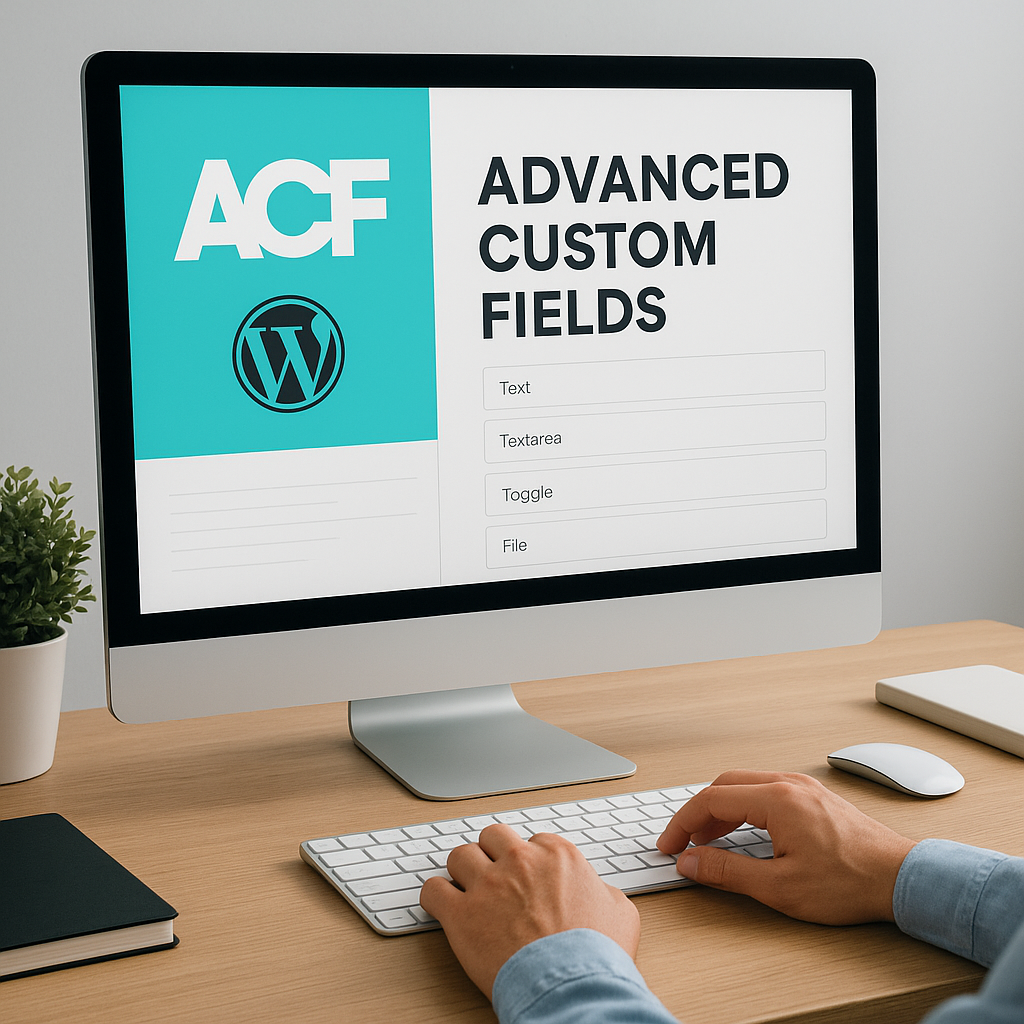
What are custom fields for? When "text in the editor" doesn't cut it anymore
Scenarios where "text in the editor" starts to hurt
As long as you have one "About Us" page and an application form, the visual editor is tolerable. But as soon as the site becomes a sales and SEO tool, the content stops being just paragraphs. It needs structure: where is the price, where are the specifications, where are the documents, where are the business hours, where is the CTA, and what to show on the service/product card. And that's where ACF WordPress transforms chaos into a manageable system.
We've seen the same scenario on projects in Ukraine many times: the price is in the text, the specifications are in a table, the documents are attached somewhere in the media, and the manager is copying and pasting the blocks by hand each time. Technically, the website works, but any update carries the risk of breaking the layout, losing its meaning, and causing the content to become cluttered.
Custom fields are needed exactly where the data should be:
- structured (price, currency, term, guarantee, address, opening hours);
- repeatable (list of benefits, stages of work, FAQ, tariff table);
- reusable (the same “Delivery/Payment” block on dozens of pages);
- controlled (so that the editor does not accidentally delete an important element of the page).
What exactly do fields structure: from prices to documents and graphs
In business websites, one thing is often the most common problem: data changes, but the page must remain neat, clear, and logically consistent. ACF WordPress You put key entities into fields: number - into a numeric field, file - into a file field, graph - into separate fields by day or into a repeater.
Typical examples we've implemented in services and e-commerce:
1) Service card: "Price from," completion date, online/offline format, included/excluded list, trust blocks (certificates, licenses). The manager only updates the field value—the design and output logic remain intact.
2) Documents and files: price lists, contracts, instructions. A file in the field means the link is correct, with the correct name, and the "Download documents" block can be automatically displayed only where the file is actually completed.
3) Hours and contact information: This is especially important for local businesses in Ukraine (multiple locations). Instead of "Monday-Friday 9am-6pm" in the text, use a structure that can be displayed in the template, footer, branch page, and microdata.
| Task | What does it look like without borders? | What does it look like with ACF? |
|---|---|---|
| Prices/tariffs | manual text editing, risk of errors | numeric fields + tariff repeater |
| Characteristics | The table in the editor "floats" on mobile. | parameter-value pairs in fields |
| Documents | files are scattered in the media | file field + automatic block output |
How this helps SEO and content organization (and why it's about strategy, not chaos)
Custom fields aren't just for the admin panel's aesthetics, but for stability: consistent pages, consistent blocks, predictable updates. A unified structure makes it easier to scale content, A/B test offers, and keep data up-to-date—all of which directly impact conversion and the quality of search pages.
In practice, it looks like this: you launch new landing pages faster, carefully develop internal linking, don't forget important elements (prices, terms, proof), and get traffic that converts. ACF WordPress is a disciplined tool here: content is edited according to rules, and the site grows systematically, without endless "urgently fix the template."
My Experience: How ACF WordPress Turns Content Chaos into a Manageable System
Before ACF: What Content Chaos Looks Like in Real-World Projects
On client websites, we most often encounter not "bad design," but poor management. Everything works technically, but every update turns into a mini-stress. A classic case: a service website (multiple services, multiple landing pages) or an online store with live prices and promotions. The editor makes a change in the visual editor, and the layout moves along. Managers confuse blocks because, "Here you need to insert a table, and there a list, just don't touch the header."
An example from our practice: on one project, a manager added a "short list of benefits" to the service description, but did so by copy-pasting it from Google Docs. As a result, the code included unnecessary styles, indents, and odd tags—and on mobile, the block swelled to half the screen. The page didn't crash, but conversion dropped: the request button became simply invisible without excessive scrolling. And yes, this is a typical scenario: the website grows, but the process doesn't.
SEO data and page structure are a particular pain point. When important elements (price, unique selling proposition, guarantee, FAQ section) are hidden "in the text," they disappear during editing or are moved to the wrong place. As a result, search engines see the page differently each time, and the team wastes time wondering "why did that section disappear again" rather than growing organic traffic.
After implementing ACF WordPress: what changed during the process and why it became more peaceful
When we implement ACF WordPress, we first "repackage" the page into a structure: what should be a number, what a list, what a repeatable block, what a file, what a show/hide switch. The editor no longer "draws the page" but fills in the fields based on context. It's similar to a CRM: no matter who enters the data, the system prompts where and what.
The most noticeable effect is the elimination of accidental errors. A manager can't "accidentally delete" a benefits block because it's derived from a template. They can only update the values. The second effect is speed. Once the structure is in place, new pages are created not by copying old ones "as is," but using a clear template.
We usually take out into the fields:
- prices, terms, conditions, guarantees (including for promotions);
- tabular characteristics (parameter → value);
- documents/certificates (files + signatures);
- FAQ and typical trust blocks (repeaters);
- SEO utility elements that shouldn't get lost.
Measurable effect: fewer errors, faster updates, more stable indexing
In numbers, this usually looks like this: the time it takes to update a typical page is reduced because the manager works from a field checklist rather than searching for "where it was." The number of edits to "fix the layout after the content" decreases—and this is immediately reflected in the maintenance budget.
We don't promise "magic," but we see repeatable results: pages become more structured, important elements don't disappear, and content is updated more quickly. This also indirectly impacts SEO: when the structure is stable, it's easier to maintain quality, internal linking, and the relevance of information—without surprises for crawlers and users.
“ACF doesn't do SEO for you, but it does remove the clutter that prevents SEO from working.”
In short, ACF WordPress In our projects, it's about "strategy, not chaos": less manual creativity in the editor, more systematic website promotion and control over how content lives, changes, and generates leads.
ACF WordPress and SEO for Business: Structure, Snippets, and Content That Drives Sales
Page structure = predictable SEO (and less “self-initiative” in the editor)
For effective SEO, not only texts and links are important, but also How The page is structured: headings, blocks, repeating elements, content logic. When each landing page is assembled "by inspiration" in a visual editor, you end up with chaos rather than strategy: different H-blocks, different table formats, different placements for the unique selling proposition and CTA. It's harder for search engines to understand what's important, and for users to make decisions more quickly.
ACF WordPress helps establish a unified page model: what's required for each service/product, what's optional, which blocks are repeated, and in what order. And most importantly, it's manageable without having to tinker with the template every time you make a change.
A practical example: we often create manageable sections for "Benefits," "Work Stages," "Documents," "FAQ," "Reviews," and "Prices/Rates." This isn't just pretty—it helps us scale pages to new categories/cities/services while maintaining quality and readability. This means it's easier to maintain increased visibility in Google across all pages, not just your favorites.
Snippets, FAQs, and Reviews: Where Fields Really Affect Visibility and CTR
A Google snippet isn't a lottery, but it's also not a "make it pretty" button. It depends on the content structure, microdata, and how clearly the page answers the query. When FAQs, ratings, prices, or features are structured, the chances of getting featured features are higher, and CTR often increases even without changing rankings.
ACF WordPress is useful here because it allows you to store data separately from the “pretty layout” and display it consistently:
- FAQ as repeatable question-answer pairs (convenient for both the editor and the template);
- reviews: name, rating, text, date (instead of a “screenshot” in the content);
- tables of characteristics/parameters without manual formatting;
- Prices and tariffs are given in numbers, not as “approximately from…” in the text.
Important: ACF itself doesn't "enable" rich snippets. However, it does prepare the data for correct markup and stable output, which is the foundation upon which technical SEO can be built.
Schema.org Readiness with Fields: Fewer Errors, More Control, Better Conversion
Schema.org microdata often breaks not because the developer "doesn't know how," but because the data is taken from chaotic content. Today, a manager changes a heading, tomorrow, deletes a chunk of text, and the day after, inserts an emoji into a price—and the markup either becomes incorrect or no longer matches the page.
When key entities are stored in fields (e.g., price, currency, availability, address, business hours, list of questions), they are easier to validate and output consistently. This reduces the risk of markup "shifting" and simplifies maintenance.
“Structured data is about managing the information, not hoping the editor doesn’t screw it up.”
And most importantly, structure influences conversion. Users see prices, terms, deadlines, and responses to objections more quickly. This is content that drives sales: it's clear, verifiable, and repeatable. This is especially relevant for SEO for businesses in Ukraine, as competition is growing, and the winning sites are those that maintain quality at scale—systematically, rather than "on a whim."

ACF WordPress Examples: Online Store, Services, Real Estate, B2B Catalog
Online store: price, availability, and delivery across Ukraine without manual "acrobatics"
The most common scenario in Ukrainian e-commerce is that product range changes rapidly, delivery and payment terms are updated, and managers work on a "what-if" basis. If all the information is hidden in the product description, you're faced with endless errors: someone forgot to update the price, someone didn't change the delivery time, or somewhere else the delivery time is still listed as "the old one."
With ACF WordPress, it's logical to include fields that need to be precise and repeatable: price, old price, availability, product code, warranty, shipping times, return policies, and payment methods. Shipping within Ukraine is a separate field: this is often not a single text, but a set of parameters that need to be displayed in the right places (product card, FAQ, category pages).
From our experience: we created the "Delivery" block as a set of radio buttons and fields (services, deadlines, cost, free delivery depending on the total). This speeds up content operations: instead of rewriting paragraphs, the manager changes values, and the template displays everything with the same neatness.
Services and local businesses: cities, unique selling propositions, terms, and documents
For services (especially local ones), a typical task is multiple landing pages for destinations and cities: Kyiv, Lviv, Dnipro, Odesa, Kharkiv, etc. And here, consistency is important: the same page structure, but different values (prices, terms, addresses, departure zones, conditions).
In ACF WordPress we usually take out:
- USP and offer: “what the client will receive” + short bullets;
- prices (from/fixed), terms, work format (on-site/online);
- cities/service areas (as a list, not a text canvas);
- documents: licenses, certificates, contracts (file + signature);
- FAQ about the service and the “how we work” block (repeating elements).
This way, you avoid copy-pasting "template sheets," where it's easy to lose important details. Plus, it's easier to maintain SEO: the page always has its basic blocks, and the content that drives sales doesn't disappear after the next edit.
Real Estate and B2B Catalog: Features, Filters, and Managed Cards
Real estate and B2B catalogs are a world of parameters: area, floor, class, location, availability, rental terms, delivery times, MOQs, certificates, technical data sheets. When these parameters are stored in text, you can't create proper filters, comparisons, or a unified conclusion.
ACF WordPress It helps organize entities into individual fields: separate fields for characteristics, repeaters for configurations/variants, fields for documents and media. And then you can:
1) display the same information on the card (the table of characteristics does not break),
2) use for filtering/selection (via a link with taxonomies and queries),
3) update in bulk and safely.
| Site type | What to take out into the fields | What is accelerating? |
|---|---|---|
| Real estate | price, area, address, status, layout, documents | updating objects, displaying statuses, single card |
| B2B catalog | SKU, MOQ, lead times, certificates, specifications, prices | Product range update, block generation, fewer errors |
That's exactly it ACF WordPress Transforms content operations into a process: faster launch of new cards, less manual work, and more control over the data that actually impacts leads and sales.
Where ACF WordPress is often misused: "field for the sake of field" and other joys
Mistake #1: "A field for the sake of a field" and an admin panel that's scary to breathe in
ACF WordPress is easy It's easy to love for its flexibility—and just as easy to turn into a museum of pointless fields. We've seen admin panels where a service page had 60+ fields, half of which were unused and the other half duplicated. Ultimately, the manager opens the page and feels like a pilot: there are so many buttons, and no one knows where to click.
The main symptom of poor implementation is that fields don't speed up work, but slow it down. When filling out a form takes longer than writing the text, the system isn't helping, but hindering.
“If ACF makes it difficult to update content, it’s not a system – it’s bureaucracy.”
The smart way to do it: start with the business objective (what impacts sales/conversion/SEO), not with the fantasy of "let's put everything into fields." Fields are needed for structured data and repeatable blocks, not for every paragraph "just because."
Mistake #2: Data duplication and lack of rules lead to the eternal “where is the truth?”
The second common issue is duplication. The price is stored both in the field and in the text. The business hours are on the contact page, in the footer, and also "in a separate field just in case." Delivery within Ukraine is described in three different places. Then the customer asks, "Why is the price on the product page 1990 UAH, but the delivery section says 2090 UAH?" and a search for the truth begins throughout the site.
Another silent killer is the lack of naming conventions and structure. Fields are named haphazardly: price, Price2, price, priceua, and the groups are scattered across different types of posts without any logic. After six months, no one remembers what's what, and any modification becomes "archaeology in the admin panel."
What helps:
- one source of truth for each entity (price is either a field or an automatic output, but not three places);
- uniform naming rules (prefixes, language, format: for example, servicepricefrom, serviceterms);
- descriptions and hints for fields so that the manager doesn’t have to guess;
- display rules (show fields only where they are really needed).
Mistake #3: Mixing Content and Logic (and How to Maintain a "Transparent Approach")
Sometimes ACF WordPress They're used as a crutch for logic: "If you check a box, the calculation algorithm will change," "If you fill in a field, the filter will work differently." This isn't always a bad thing, but it often leads to situations where the content manager accidentally affects the site's functionality.
Rule of thumb: the editor controls the data and display, while the logic remains in the code and settings. If you want switchable sections, fine. If you want to change business rules, do so through clear settings, access roles, and testing, not through a "secret field at the bottom of the page."
The bottom line is simple: ACF is a powerful tool, but its value is only realized with a systematic approach. Minimal unnecessary details, maximum repeatability, a single source of truth, and an admin panel that helps generate traffic that converts, not strain the team's patience.
ACF WordPress vs. Alternatives: Gutenberg Blocks, Custom Post Types, Metaboxes, Elementor
Gutenberg Blocks and Templates: When Enough Is Enough
To be honest, ACF WordPress isn't always necessary. WordPress already includes Gutenberg, and for many websites, it's more than enough: build a landing page, create a service page, add "Text/Image/CTA/Reviews" blocks—and you're good to go. This is especially true if the content is limited and the page structure doesn't require strict repetitiveness.
Gutenberg wins in terms of speed of launch: the content team sees a "visual assembly"; there's no need to create dozens of fields; standard templates and a limited set of blocks are sufficient. For small businesses in Ukraine (typically 10-20 pages of services), this is often the most cost-effective option in terms of budget and support.
But as soon as "structure as data" (prices, deadlines, specifications, branches, documents) appears, the blocks begin to transform into a manual constructor, where everyone assembles them in their own way. At this point, the demand for a system emerges, not for "creative editing."
Custom Post Types (CPTs), Metaboxes, and Elementor: What They Offer and Where They Break Down
Custom post types aren't an alternative to WordPress's ACF, but rather a foundation for a structure: "Products," "Services," "Objects," "Manufacturers," and "Cases." The next question is: how to populate these entities? You can code metaboxes manually, use builders, or integrate ACF. Manual metaboxes provide control, but are more expensive to develop and more difficult to maintain: any new field requires developer work, testing, and release.
Elementor and other page builders are often chosen for their design speed. Initially, this really speeds up launches. But then comes the cost of maintenance: more "layout within content," a higher risk of pages drifting apart, and greater difficulty enforcing consistent rules. We've seen projects where changing a single Elementor template "opened a Pandora's box": some pages updated, others didn't, because someone "made a few manual adjustments."
If you have a content team of several people and regular updates, the question becomes not “how to get it done quickly,” but “how to maintain it stably.”
"The tool is good as long as it speeds up your work. When it starts creating exceptions, you pay for it every month."
A Balanced Choice: When ACF WordPress is Best, and When It's Overkill
I would formulate it like this: ACF WordPress is the best A choice when you want systematic website promotion and content management at scale. This means data is repeated, must be accurate, and must be displayed consistently across dozens or hundreds of pages.
And when can you do without it? When the site is small, the structure is simple, and changes are infrequent. In this case, Gutenberg, neat templates, and disciplined editors will provide a better "speed/cost" ratio at the start.
| Criterion | Gutenberg/Elementor | ACF WordPress |
|---|---|---|
| Speed of implementation | fast at the start | faster after setting up the structure |
| Cost of support | grows due to manual exceptions | predictable with proper architecture |
| Scalability | average: depends on the discipline | high: the structure is fixed |
| Content team convenience | visually, but it's easy to mess up | less freedom, more control and order |
Final opinion: ACF is not a "must-have SEO plugin," but a tool that makes content manageable. If your goal is converting traffic and stable scaling, ACF is usually worth it. If your goal is to quickly launch a couple of pages and keep things simple, then keep it simple.
How to Implement ACF WordPress "Strategy, Not Chaos": A Checklist for Website Owners
Steps 1–3: Content audit and prototype – meaning first, fields second
Proper implementation of ACF WordPress doesn't start with "let's throw in some fields," but with an audit: which pages drive traffic, which convert, where data changes most frequently, and where the team constantly breaks the layout. For a website owner, this is a simple question: What do we update every week/month and what can't be wrong?
Next, we create a prototype of the structure. Not in code, but on paper or in a Google Doc: which sections of the service/product page are required, which are optional, and what is repeated. For example: "Price," "Delivery Time," "Delivery Terms in Ukraine," "Documents," "FAQ," "Reviews," "CTA." It's important to define where the data is (number/file/switch) and where the content is (description, case studies).
At this stage, it's helpful to immediately establish the principle: one source of truth. If the price is stored in a field, it shouldn't exist concurrently "in the text" on the same page. Otherwise, you'll be implementing not a system, but error duplicators.
Step 4-7: Naming Rules, Roles, Testbed, and Template Integration
Next comes “order engineering.” To ACF WordPress hasn't turned into a zoo, naming rules are needed: prefixes by type (service, product, location), clear slugs, a uniform language and format. It's boring until you're trying to find the "price2" field six months later.final_new”.
The next element is editor roles. In Ukrainian businesses, content is often edited by several people: a sales manager, a marketer, and a store administrator. Specify who can edit the structure (usually no one except the administrator/developer), and who can only edit field values and text.
A test rig is essential: implementation and data migration are not done on production. On staging, you test the template, display logic, responsiveness, speed, and form validity. Only then do you migrate to the production site.
Template integration is key: fields must be displayed neatly and with validation (if a field is blank, the block is not shown; if it is, it is shown with the correct units, currency, and caption). This also establishes a "transparent approach to promotion": the page structure becomes predictable, and the content team works according to clear rules.
Steps 8–10: Quality Control, Documentation, and Support Plan
After implementation, it's important to perform quality control: test scripts, check for empty values, validations (price = number, link = URL, file = required format), and display testing across browsers and mobile devices. If the website is about SEO for businesses, we also check the headers, FAQ/review sections, template correctness, and the absence of duplicates.
And finally, documentation. Not a 200-page tome, but a short guide: which fields do what, where to edit what, what's required, and what common errors to avoid. This dramatically reduces dependence on a specific person on the team and speeds up onboarding.
If we were to put everything together in a short checklist for a website owner, it would look like this:
- audit of pages and content operations “pains”;
- prototype of block and data structure;
- naming rules + one source of truth;
- roles and restrictions for editors;
- staging, template integration, tests;
- QA, documentation and support plan.
So, ACF WordPress becomes not just a “plugin,” but part of a strategy: systematic website promotion, predictable support, and traffic that converts, without unnecessary noise.
Frequently Asked Questions (FAQ) about ACF WordPress
Do you need ACF Pro and when is the free version sufficient?
The free version of ACF WordPress covers basic scenarios: simple fields (text, number, image, file, link, select), field groups, and display rules. If you have a small service website or are just starting to organize your content, this is often sufficient.
ACF Pro is usually justified when more advanced features are needed: repeatable blocks (Repeater), flexible content (Flexible Content) for creating pages from sections, more convenient galleries, and advanced settings. In practice, Pro pays off in applications where content is frequently updated and there are many pages: online stores, catalogs, branch networks, and projects with regular promotions and pricing. It's important to understand: Pro isn't about "better SEO per se," but rather about speed of implementation and ease of support.
Does ACF WordPress affect site speed and how to avoid problems?
ACF itself rarely causes slowdowns. Load occurs when fields and output are poorly organized: too many queries, complex loops, arbitrary field selections without caching, or displaying huge repeating data on a single page. If everything is done systematically, ACF is simply a data layer, and performance is limited by the theme, hosting, cache, images, and code quality.
What typically helps keep performance under control: limiting the amount of data displayed on the page, not using all fields at once, using caching, ensuring that repeatable blocks don't become endless, and testing changes in staging. If the project is based on WooCommerce, it's important not to mix "product data" and "content fields" into one mess: WooCommerce has its own entities and API, and ACF is best used for extensions where needed.
Migration, multilingualism (Ukrainian/Russian), WooCommerce, and the question: who should do the setup?
Field migration is possible and often goes smoothly if you've planned the architecture in advance. ACF allows you to export/import groups of fields (via built-in tools), and the data is stored as post meta fields. When migrating between sites, it's important to synchronize not only the fields but also the templates that display them; otherwise, you'll end up with "the fields are there, but the page is empty." For large amounts of content, it's best to plan the migration as a mini-project: a test migration, display checks, test pages, and then a full launch.
ACF generally handles multilingualism (Ukrainian/Russian) well, but much depends on the chosen translation solution (e.g., WPML/Polylang) and how you organize the structure: what is translated as text, what remains common (numbers, prices, characteristics), where separate fields are needed for different languages, and where a translation of the record itself is sufficient. This is especially important in Ukrainian projects: often, some data is the same, while others need to be localized, and here, structure helps prevent confusion.
With WooCommerce, ACF is most often used for additional product fields: additional specifications, size charts, warranty/shipping/payment blocks, documents, and SEO-friendly content sections. The key is to avoid duplicating what WooCommerce already stores (price, availability, SKU) and not replacing standard functionality with "parallel" fields unless absolutely necessary.
Who should set it up? Typically, it's a team effort: the developer is responsible for the correct structure and output in the template, while the SEO specialist/marketer sets the page structure requirements (H-blocks, FAQs, reviews, content logic, conversion elements). If ACF only sets up SEO without the developer, it often ends up being "the fields are there, but the output is gone." If it's just the developer without the SEO, the fields may be technically perfect, but they won't help increase organic traffic and conversions.
Conclusion: When ACF WordPress really helps growth, and when it's an unnecessary add-on
ACF WordPress really It promotes growth not because it's "fashionable," but because it transforms the site into a manageable system: data is separated from layout, pages are compiled according to rules, and the content team updates values rather than risking breaking the template. For businesses in Ukraine, this is especially practical in areas with many similar pages (services by city, catalog, real estate, B2B items), where prices/terms/documents frequently change, and where it's important to maintain a transparent approach to promotion—one with control, not the constant "oh, where can I edit this?"
But ACF WordPress isn't a must-have add-on. If you have a small site with little content that's updated infrequently, Gutenberg templates or neat blocks may be easier and less expensive to maintain. Once you achieve scale and repeatability, ACF starts to pay off: fewer errors, faster updates, a more stable page structure, and easier maintenance of effective SEO and content that drives sales.
The decision criteria can be summarized in a short checklist:
- Do you have any data that must be accurate (prices, availability, terms, schedule, delivery conditions in Ukraine, certificates)?
- Are you scaling pages and want a single standard structure?
- Content is edited by different people, and protection from “accidental breakages” is important?
- Do you need systematic website promotion, where the structure helps SEO, not hinders it?
If the answer to these questions is mostly "yes," then ACF is a strategy, not chaos. A realistic expectation is that it won't drive traffic on its own and won't replace SEO, advertising, or link building. However, it does remove the operational clutter that hinders growth: duplicates, poorly executed edits, inconsistent structure, and the developer's constant "minor" edits.
"ACF doesn't promise miracles—it provides control. And in digital, control usually equals growth."
This is how ACF WordPress supports traffic that converts: through data organization, predictable support, and the ability to scale content without losing quality.