

 298
298 What is website creation and how is it different from website development?
Website creation It's not about "designing a couple of pretty pages and pushing a big green button." It's a process that helps businesses create a user-friendly digital tool: for applications, sales, service presentations, customer support, or organic traffic growth. This material is useful for business owners, startups, online stores, and anyone who wants to understand where to start. website development, what goes into the process, and why strategy is more important than a chaotic set of pages.
| Fits | Not suitable |
|---|---|
| For businesses that need a website for a specific purpose: leads, sales, trust, SEO | For those who are looking for something “just to have” without understanding the task |
| For companies looking for systematic website promotion and increased visibility in Google | For those who expect instant results without analytics, content, or work |
| For entrepreneurs who value structure, conversion, and further development | For those who choose a site solely based on the principle of "where it's cheaper" |
What does website creation mean in practice?
Simply put, website creation is the entire process from concept to a functioning web resource. It includes analyzing the site's purpose, understanding the business objective, researching the target audience, developing the structure, designing, layout, programming, filling it with content, testing, and launching. Sometimes, basic SEO preparation, analytics, and integration with CRM, payment systems, or delivery services are also included.
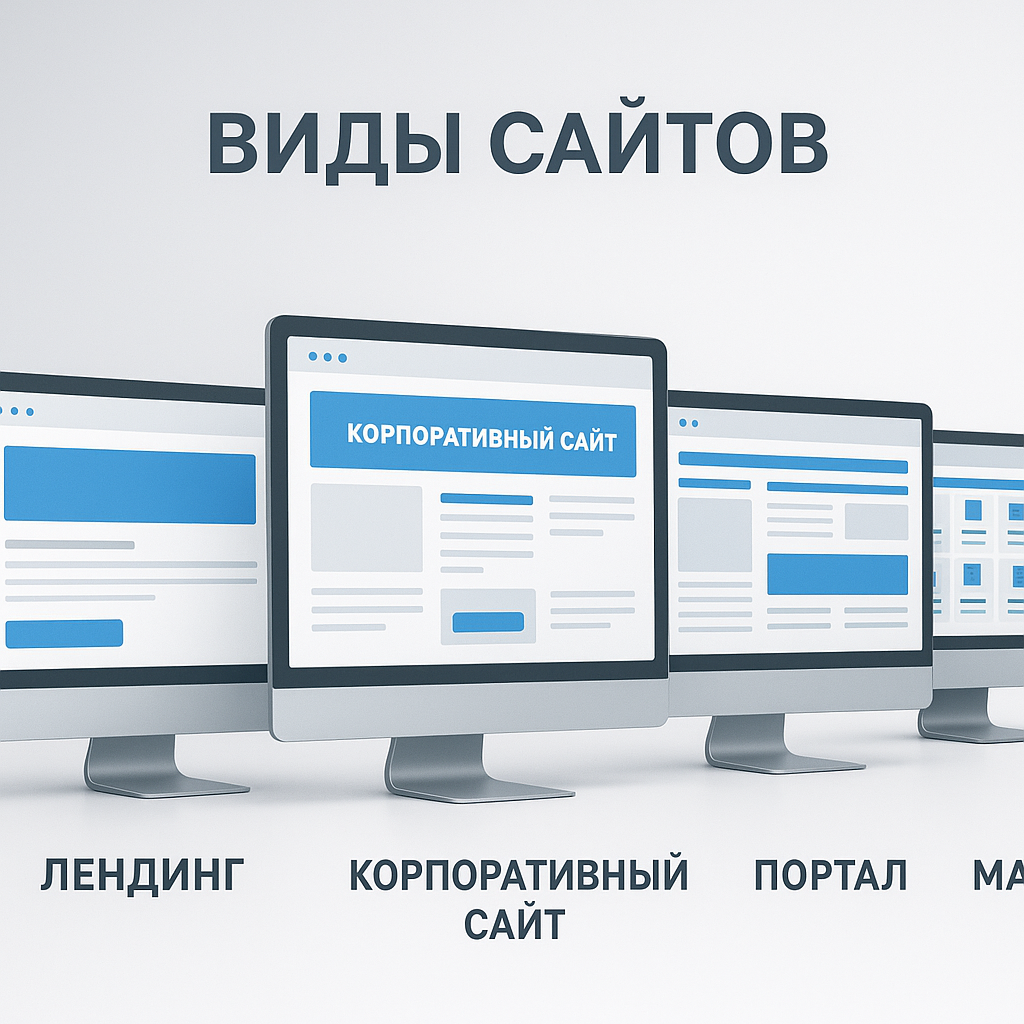
A website can take many forms: a landing page, a business card site, a corporate website, an online store, a catalog site, a blog, a portal, a marketplace, a web service, or an informational site. But in any format, it must answer the fundamental question: why does a business need it? If it doesn't, the site risks becoming a digital brochure, beloved by the owner but unavailable to customers. In Web-Raketa's practice, this happens frequently: businesses come "for the website," when in reality, they need leads, trust, a clear sales funnel, and traffic that converts.
A good website doesn't start with an "order" button, but with an answer to the question: what problem should it solve for the business and the user?
Website Creation vs. Website Development: What's the Difference?
The terms "website creation", "website development"Website development" and "website development" are often used interchangeably. In casual conversation, this is normal: no one would stop a meeting and immediately ask to call the terminology police. But for a project, the distinction is crucial.
Website creation Usually broader. This is the entire complex of work: from strategy and structure to design, copy, technical implementation, and launch. And website development Most often, it refers to the technical part: frontend, backend, CMS setup, API integrations, personal account, forms, filters, shopping cart, admin panel, security, and loading speed.
- Website creation is the complete process of transforming a business idea into a functioning online tool.
- Website development is the technical implementation of logic, interface, and functionality.
- Developing a modern website involves more than just code: it also includes adaptability, speed, SEO support, user friendliness, and scalability.
Why a website is a tool, not just pretty pages
Beautiful design is important, but it alone doesn't sell. A custom design can look impressive, a ready-made theme or template can launch quickly, a no-code platform can save money, and a CMS like WordPress, OpenCart, or Shopify can simplify management. But the choice of website creation method shouldn't be based on current trends, but on the intended purpose. For an MVP, a no-code or template might be sufficient. An online store with integrations, a warehouse, and a user account will require more serious custom development.
A business website should be grounded in reality: who the buyer is, what their pain points are, how they make decisions, what pages are needed, what content drives sales, and how the website will be developed and promoted after launch. That's why professional website development is a strategy, not a mess. First comes the goal, the business objective, and the target audience. Then comes the structure, website creation technologies, design, and development. This transparent approach to promotion and launch gives businesses control, rather than hoping for "something to work out."
Why a business needs a website: leads, sales, trust, and organic traffic growth
A website as a growth point, not a "business card for show"
For businesses in Ukraine, a website has long ceased to be a decorative element, along the lines of "our competitors have it, so we need it too." Today, it's a workspace where users learn about the company, compare offers, submit requests, purchase products, read expert content, and return again. When implemented systematically, website development becomes not just an expense on design and buttons, but an investment in the digital growth of the business.
This is especially important for small and medium-sized businesses, local companies, online stores, service niches, B2B projects, and startups. A customer might see an ad on Google, click through organic search results, find a company on a map, read a blog article, or receive a referral from a friend. But the final decision is often made on the website. And if it's unclear what you offer, who you help, and why they can trust you, the user leaves. No drama, no goodbye email. They simply close the tab—and all the analytics sigh sadly.
What business tasks does the website solve?
Effective website development for a business begins with the question: what purpose should it serve? For one project, it might be consultation requests, for another, online sales, for a third, a presentation of a complex service, for a fourth, SEO support and organic traffic generation. There's no one-size-fits-all approach, but there's a clear logic: the website should help users make decisions, and the business should measure results.
- Receiving applications. Forms, quizzes, contact buttons, messengers, clear offers, and service pages help convert visitors into leads.
- Online sales. An online store, catalog website, or marketplace allows you to sell products without being tied to a physical location.
- Brand trust. Case studies, testimonials, portfolios, team, certificates, and transparent terms and conditions reduce client anxiety.
- Advertising support. Even strong advertising loses its effectiveness if it leads to a weak page without logic, speed, or conversion.
- Growth of organic traffic. An SEO structure, blog, landing pages, and content that drives sales will improve your visibility in Google.
This is especially relevant for the Ukrainian market: search competition is growing, users have become more attentive to detail, and businesses need to get not just visits, but traffic that converts. website creation should take into account not only the appearance, but also the future promotion strategy.
When a website becomes an investment
A website becomes an investment when it has a goal, analytics, and clear performance criteria. For example: increasing the number of Google requests, reducing dependence on marketplaces, improving advertising traffic conversion, building a database of expert content, launching a new product through an MVP, or expanding a local service to several cities in Ukraine.
At Web-Raketa, we often see differences between approaches. In the first case, a business says, "We need a beautiful website like our competitors." In the second, it's, "We need a website that will generate leads, support SEO, explain the value of the service, and scale." Guess which approach is more likely to lead to effective SEO and systematic website promotion? Hint: it's not the one where the main strategy is "make it beautiful and then we'll see."
That's why professional website development for a business should be integrated with advertising, SEO, content, analytics, and ongoing development. It's not a standalone file online, but part of a system: a user finds you on Google, understands your offer, trusts the evidence, and takes action, while the business sees the numbers and makes decisions. This transparent approach to promotion gives you control over the process and turns the website into a practical growth tool.
Main types of websites: from landing pages to marketplaces
The website format should be based on the task, not on imagination.
One common mistake at the start is choosing a website type based on the principle of "I want it like the big brands." As a result, a local appliance repair service orders a portal-like design, a startup tries to build a marketplace right away, and a business offering a single service is offered a 300-page structure. It looks impressive, but the budget is in tatters, the team is exhausted, and the user still has no idea where to click.
Proper website creation begins with a business objective: to receive applications, present the company, sell products, build an audience through content, automate a service, or test an MVP. Only then is the format chosen. The website shouldn't be "big," but precise. Sometimes a single strong landing page sells better than a multi-page resource where the user gets lost between an "About Us" section, three catalogs, and a brand philosophy spread across 12 screens.
The main types of websites and what tasks they are suitable for
Each format solves its own problem. Below is a practical map that helps you understand what type of project your business needs at a given stage.
| Site view | What is it suitable for? | When to choose |
|---|---|---|
| Landing | Selling a single service, product, event, or MVP | When you need a focal page for an advertisement, application, or product launch |
| Business card website | A brief presentation of a company, expert, or local business | When it's important to quickly explain who you are, what you do, and how to get in touch |
| Corporate website | Presentation of the company, services, cases, team, advantages | When a business needs trust, structure, and SEO development |
| Online store | Online sales of goods with a shopping cart, payment, and delivery | When the product range needs to be sold directly through the website |
| Catalog site | Displaying goods or services without full online payment | When a purchasing decision requires consultation or calculation |
| Blog / information site | Content, expertise, and organic traffic growth | When SEO, trust, and regular audience engagement matter |
| Portal | A large volume of materials, sections, users and functions | When a project really requires a complex structure |
| Marketplace | A platform for sellers and buyers | When there is a model with multiple participants, commissions and personal accounts |
| Web service | Online tool, SaaS, personal account, process automation | When the site is the product itself, not just a showcase |
How to avoid overpaying for unnecessary complexity
The website format influences everything: cost, timeframe, technology, content requirements, SEO structure, and ongoing support. A landing page can be launched faster than an online store. A corporate website is simpler than a portal. A marketplace is more complex than a typical catalog, as it involves sellers, buyers, moderation, commissions, personal accounts, and integrations. A web service or SaaS often requires not just page development, but a full-fledged product logic.
To avoid ordering a "spaceship" when your business needs a reliable bike with good brakes, it's worth answering a few questions:
- What is the main purpose of the website: application, sales, presentation, content, automation, or idea testing?
- Who is the target audience and what action should they take?
- Do you need a shopping cart, online payment, filters, a personal account, or API integrations?
- Do you plan to implement SEO and increase organic traffic in Google?
- Do you need a project “for now” or a basis for scaling in a year?
Professional website development is a strategy, not a mess. If the goal is to test demand, a landing page or MVP is often sufficient. If the goal is systematic website promotion and increased visibility in Google, a well-designed corporate website, blog, or catalog is needed. If a business sells products throughout Ukraine, an online store is the logical choice. The key is to choose a format not based on ambitions, but on economics, audience, and the actual use case.
What you need to create a website: goals, audience, structure, and content
What needs to be prepared before starting development
Before starting to create a website, it's important to gather specific project inputs, not just "everything in a folder on your desktop." A website doesn't just appear out of thin air: it needs a purpose, logic, content, and user understanding. Otherwise, development turns into a TV series with endless episodes: "Let's just tweak the structure a bit more," "Let's add a section," "Photos will come later," "We'll write the texts as we go." Spoiler alert: usually, only urgent messages are written as we go.
The basis should be the answer to three questions: what purpose of the site, what business task he decides and who is his target audienceFor an online store, the goal might be online sales. For a corporate website, it might be trust and leads. For a landing page, it might be promoting a single service or testing an MVP. For a blog or informational site, it might be increasing organic traffic and improving Google visibility.
Basic list of materials and solutions
To ensure the website creation process proceeds smoothly, it's a good idea to prepare the basic materials beforehand. This doesn't mean a business should come up with a perfect 80-page technical specification. But basic clarity saves weeks of work, budget, and stress for everyone involved—especially the project manager, who's seen it all before.
- Purpose of the site: Applications, sales, service presentation, product catalog, SEO support, new product launch.
- Business challenge: What exactly should the website change? Increase conversions, reduce dependence on marketplaces, improve advertising conversion, and demonstrate expertise.
- Target audience: Who are these people, how do they choose, what questions do they ask, what prevents them from buying or leaving an order.
- Offer and USP: Why should a client choose you and not the next tab on Google?
- Structure: What pages are needed: home page, services, catalog, about the company, cases, blog, contacts, FAQ.
- Content: Texts, photos, videos, product specifications, service descriptions, prices, delivery and payment terms.
- Legal information: Privacy policy, public offer, return policy, payment details, and online payment documents.
- Analytics: What actions to track: applications, calls, clicks on messengers, purchases, form submissions.
The future SEO structure should be carefully considered. If effective SEO is planned, pages can't be assembled simply based on "we like it that way." Google demand, product categories, services, geography, commercial queries, and content that drives sales must be considered.
Why “let’s start and then we’ll figure it out” stretches out the deadlines
From experience, I can say that the phrase "let's start and then figure it out" almost always means that the process will take longer and be more expensive. When there's no structure, the designer draws on assumptions. When there's no text, the blocks become abstract. When the products or services aren't ready, the catalog is compiled twice. When legal pages are remembered before the launch, the launch is quietly pushed off to the following week—sometimes more than one.
This doesn't mean you need to know every single detail before launching. In a normal process, an agency helps formulate a structure, refine the offer, prepare prototypes, ask the right questions, and turn raw ideas into practical solutions for growth. But the more precise the initial data, the faster website creation moves from discussions to results.
A transparent approach to promotion and development begins even before design and code. First comes strategy, then structure, then content, visuals, technical implementation, and analytics. This is how a website becomes more than just a collection of pages, but a manageable tool for digital business growth.

Website creation methods: builder, CMS, SaaS, no-code, or custom development
Basic Website Creation Methods: From Quick Start to Flexible Development
Today, there are many ways to create a website: build it with a website builder, launch it on a no-code platform, use a SaaS service, choose a CMS with a ready-made theme, or commission custom development. The good news is, there are plenty of options. The bad news is, if you choose the wrong one, your website will quickly start acting like a suitcase without a handle: you've already invested, but it's difficult to scale.
The choice depends not on what's "hottest," but on the business objective, budget, timeframe, SEO requirements, integrations, design, and future growth. For a small local business, a simple CMS or no-code website may be sufficient. For a startup, at the hypothesis testing stage, it's logical to launch an MVP quickly and without unnecessary engineering flair. For an online store, a catalog, payment, delivery, filters, and a user-friendly admin panel are essential. A complex web service, marketplace, or SaaS product, however, often requires a custom architecture.
“The right technology is not the most expensive or the newest, but the one that solves the business problem without unnecessary technical circus.”
Comparison of approaches: advantages, limitations, and risks
| Way | When it suits | Restrictions |
|---|---|---|
| No-code / constructor | Landing page, business card website, quick MVP, offer test | Limited flexibility, platform dependency, difficulties with non-standard logic and SEO |
| SaaS platform | Online store, booking, online service with standard functionality | Subscription fee, customization restrictions, dependence on service rules |
| CMS | Corporate website, blog, catalog, store, content project | Need configuration, support, security and quality control of modules |
| Ready-made solution / template | Get started quickly on a budget | Generic design, redundant code, limited uniqueness, potential speed issues |
| Custom development | Marketplace, web service, personal account, complex API integrations | Higher costs, longer lead times, and a strong team and technical planning are required. |
How to choose the right method for your business needs
No-code and website builders are convenient when you need to quickly test an idea, launch a landing page for advertising, or put together a simple service presentation. But if a business plans active SEO, a complex structure, integration with CRM, payment, warehouse, or personal account systems, limitations can quickly become apparent. And usually just when the project has already begun to grow. The law of the digital sandwich: limitations fall on the "needs urgent improvement" side.
A CMS is one of the most balanced options for many companies. WordPress is often chosen for corporate websites, blogs, information projects, and small catalogs. OpenCart is suitable for online stores where products, categories, filters, and order management are important. Shopify is convenient for e-commerce, especially when a stable SaaS infrastructure and a quick sales launch are needed. However, any CMS needs to be properly configured: speed, security, SEO structure, clean URLs, meta tags, microdata, and easy content management don't just happen.
- For local businesses: a business card website, landing page, or corporate website on a CMS.
- For a startup: no-code MVP or custom development if the product is built around unique logic.
- For an online store: OpenCart, Shopify, WooCommerce, or a custom solution for a complex model.
- For a portal, marketplace, or web service: custom development with a well-designed frontend, backend, and API.
Professional website development isn't a debate between CMS and custom, but rather choosing the right tool for the job. A transparent approach to promotion begins with understanding the future workload, traffic channels, content requirements, SEO, and scalability. If the goal is digital business growth, technology shouldn't limit strategy, but rather support it.
Popular platforms and CMS: WordPress, OpenCart, Shopify, and other solutions
Why platform choice affects more than just development
A website platform isn't just "what to build it on." It determines launch speed, ease of administration, SEO capabilities, security, support costs, design flexibility, integrations, and future scalability. Therefore, it's best to start building a website not by asking "which CMS is most popular," but by asking "which system will support our business model in a year or two."
This is especially important for Ukrainian businesses: many companies simultaneously use a website, Google Ads, SEO, marketplaces, CRM, delivery services, online payment, and analytics. If the platform doesn't handle integrations well or limits the page structure, promotion becomes a game of "find a hack." And hacks, as we know, are rarely part of a business's digital growth strategy.
WordPress, OpenCart, Shopify: Which Solution is Right for Which?
WordPress WordPress is one of the most widely used CMSs in the world. According to W3Techs, WordPress holds the largest share of all content management systems. It's often chosen for corporate websites, blogs, information projects, service sites, expert media, and small directories. The platform is flexible, with a large number of themes, plugins, and specialists on the market. WordPress is SEO-friendly if you properly configure its structure, loading speed, metadata, schema markup, indexing, and security.
OpenCart OpenCart is most often used for online stores. This solution is suitable for those who need categories, product cards, filters, a shopping cart, checkout, payment and shipping modules. For Ukrainian e-commerce projects, OpenCart can be a practical option due to its developer accessibility and a large number of ready-made modules. However, it's important not to overload it with unnecessary extensions: sometimes one "useful module" adds so many problems, it's as if you've decided to open your own branch of admin chaos.
Shopify — A SaaS platform for e-commerce. It's well-suited for quickly launching an online store, especially if the business values a stable infrastructure, a ready-made admin panel, templates, apps, and a clear sales management process. However, Shopify operates on a subscription model, and deep customization and some integrations may require additional costs. The platform offers basic SEO capabilities, but the limitations of a SaaS environment must be taken into account.
| Platform | Better suited for | What to consider |
|---|---|---|
| WordPress | Corporate websites, blogs, content projects, services | Theme quality, plugins, security, speed, SEO settings |
| OpenCart | Online stores, product catalogs | Modules, filters, integrations, and performance as product range grows |
| Shopify | Quickly launch e-commerce in SaaS format | Subscription, fees, customization limitations, app pricing |
Other CMS and the cost of website ownership
Besides WordPress, OpenCart, and Shopify, there are other CMS, frameworks, and specialized systems: solutions for portals, marketplaces, educational platforms, booking systems, B2B dashboards, SaaS products, and web services. Sometimes a ready-made theme is sufficient for a business, sometimes custom development is required, and sometimes a combination of a CMS and custom modules via an API is optimal.
It's important to consider not only the launch cost but also the cost of ownership. This includes hosting, domain, licenses, subscriptions, updates, technical support, customizations, security, backups, speed optimization, SEO support, and content. A cheap start can become expensive if, after six months, it turns out the site is difficult to promote, impossible to scale properly, or every edit requires developer intervention.
Professional website development takes into account not only the current budget but also future growth in organic traffic, advertising support, structure expansion, and team convenience. Therefore, the platform is chosen as part of the strategy, not as a random, "someone told me it's okay" approach.
Template, ready-made theme, or custom design: what should a business choose?
Template, ready-made theme, and custom design: what's the difference?
When discussing website design, people often lump everything together: templates, ready-made themes, and custom designs—"Well, it's just the look." In practice, the difference is significant. A template is a pre-prepared structure of pages or blocks that is customized for the project. A ready-made theme is a more comprehensive solution for a CMS or platform: complete with design, styles, and sometimes built-in modules and settings. A custom design is created from scratch for a specific brand, audience, structure, and business objective.
It's important for businesses to understand that design isn't decoration, but rather an interface for sales, trust, and navigation. Users don't evaluate a website like the judges of a beauty contest. They think more simply: "Did I understand what they're offering me? Do I trust this company? Is it convenient for me to submit an application or buy?" If the answer is "no," even the most fashionable visual design turns into an expensive postcard.
“A website’s design shouldn’t just please the owner, but help the user make a decision.”
When a template saves money, and when it hinders growth
A template or ready-made theme can be a good solution if you need to quickly launch a landing page, business card website, MVP, small blog, or simple corporate website. This reduces costs and timelines, especially when a business is just testing a niche, service, or advertising channel. For small businesses in Ukraine, this approach often makes sense: it's better to quickly launch a Google search and start collecting data than to spend six months coordinating the perfect button color.
But templates have limitations. They weren't created for your target audience, your offer, or your sales structure. Sometimes a ready-made theme is overloaded with unnecessary effects, scripts, and blocks that look "rich" but slow down the site, degrade the mobile experience, and hinder SEO. Furthermore, a template can dictate the page's logic: it's not the business that decides how to guide the customer to the application, but the theme that suggests, "Here we have a beautiful slider, be patient."
| Option | Pros | Restrictions |
|---|---|---|
| Sample | Fast, cheaper, suitable for simple projects | Less flexibility, standard structure, harder to stand out |
| Ready-made theme | There is a design, settings, and sometimes ready-made modules. | Extra code, dependency on theme developers, risk of poor performance |
| Custom design | Based on brand, audience, conversion, SEO structure, and scaling | More expensive and longer, requires analytics and strong design |
When a business needs a custom design
A custom design is worth choosing when a website needs to solve a strategic rather than a standard problem: building brand trust, selling a complex service, targeting multiple audience segments, supporting effective SEO, guiding users through a well-designed funnel, and generating traffic that converts. This is especially important for corporate websites, online stores with unique logic, B2B projects, SaaS, marketplaces, portals, and web services.
With a customized approach, the structure is first designed: which pages are needed, which blocks address objections, where to place the unique selling proposition, how to display case studies, reviews, prices, products, or services. Then, a visual system is created that does not conflict with the content and technical requirements. website creation becomes part of the strategy, and not a chaos of pretty pictures.
The practical conclusion is simple: a template is good when speed and reasonable cost savings are needed. A ready-made theme is suitable if it can be adapted without sacrificing speed, SEO, or usability. A custom design is needed when a website should be a business asset, not a temporary placeholder. And yes, sometimes the best design isn't the one with the most animation, but the one that makes the client understand the offer in 10 seconds and submits a request. Boring? Perhaps. But it works.
How Websites Are Created: A Complete Step-by-Step Website Creation Process
The website creation process: from idea to working tool
Professional website creation This isn't a situation where the designer has "sketched something beautiful," the developer has "almost everything hooked up," and the business, three months into the project, is still trying to figure out when to launch. A healthy process is structured in stages, with clear objectives, responsibilities, and milestones. Otherwise, the project quickly devolves into creative chaos, where the most common phrase is "almost done." From experience, I can tell you: "almost done" without a specific list of tasks sometimes lasts longer than some startups.
At the start, the team must understand the website's purpose, business objectives, target audience, competitive environment, and future traffic channels. If SEO is planned for a business, this is important to consider even before design: the page structure, categories, landing pages for services, blog, commercial queries, and linking logic are all established in advance. This way, the website becomes the foundation for organic traffic growth, not just a pretty layout that's difficult to promote later.
The main stages of website development
The process may differ depending on the type of project: landing page, corporate website, online store, portal, marketplace, or web service. However, the basic logic is generally the same. The more complex the website, the more important documentation, technical planning, and testing are.
| Stage | What's happening | Result |
|---|---|---|
| Briefing | Goals, objectives, audience, requirements, examples, and constraints are collected | Understanding the project and business expectations |
| Analytics | Competitors, demand, SEO potential, and user behavior are studied | Strategy, not chaos |
| Prototype | The page structure, blocks, and user scenarios are designed | Website logic before design |
| Design | A visual system, adaptive layouts, and interface are being created | Clear and user-friendly appearance |
| Frontend | Layouts are converted into responsive pages for the browser | The website's working interface |
| Backend | Logic, CMS, admin panel, database, and personal account are configured. | Functional technical part |
| Integrations | CRM, payments, delivery, analytics, API, and email services are connected | The site is related to business processes |
| Testing | We check forms, speed, mobile version, errors, and security. | Ready to launch |
| Filling and launching | Texts, products, photos, metadata are added, the site is transferred to the domain | Published website |
Why milestones are more important than promises of "everything will be beautiful"
Managed website development The project is built on interim approvals. First, the structure is approved, then the prototype, then the design, technical implementation, content, and testing. This protects the project from a situation where, at the final stage, it suddenly becomes clear: "But we thought there would be a catalog, a calculator, three languages, and CRM integration." Such discoveries are best made at the briefing stage, not the day before launch.
- After the briefing, it is clear what exactly we are creating and why.
- After the prototype, you can see how the user will move around the site.
- After the design, it is clear how the project will look on different devices.
- After development, you can test functionality, speed, and integration.
- After launch, support, analytics, and systematic website promotion begin.
This transparent approach to promotion and development helps businesses maintain control over the process. A website shouldn't be born in a fog of "we're working on it" and "we'll show you soon." It should follow a clear path: task, structure, design, code, testing, launch, and support. Then, website creation becomes a practical solution for growth, not a gamble with a pretty presentation.
What's included in website development: design, frontend, backend, API, and personal account
Website development is not just about design
When a business says, "We need a website," an image often comes to mind: a home page, beautiful blocks, a "Submit a request" button, and photos of happy people who've clearly already bought everything. But technically website development Much broader. It includes UI/UX design, responsive layout, frontend, backend, databases, API integrations, admin panel, security, analytics, and sometimes a personal account, payment systems, and CRM.
That's why the cost of a website can't be accurately calculated simply by saying "build us a modern website." What does "modern" mean? A multi-screen landing page? An online store with payment and delivery? A portal with user registration? A SaaS service with subscriptions? The scope of features determines the timeframe, team, architecture, and ongoing support.
“The more business logic a website has, the less it resembles a web page and the more it resembles a full-fledged digital product.”
Key technical elements of development
To understand what goes into website development, it's helpful to break the project down into its main technical components. Each element has its own role: some are responsible for visual perception, others for functional functionality, and still others for connecting the website to business processes.
| Element | What does it include? | What does it affect? |
|---|---|---|
| UI/UX design | Interface, user scenarios, block structure, ease of use | Conversion, trust, website clarity |
| Frontend | Responsive layout, animations, interactive elements, browser display | Speed, mobile version, user experience |
| Backend | Server logic, databases, application processing, products, orders, users | Functionality, scalability, stability |
| CMS / admin panel | Manage pages, products, blog, media, settings | Ease of support and content updates |
| API integrations | CRM, payments, delivery, warehouse, email, messengers, analytics | Automate processes and reduce manual work |
| Personal account | Registration, authorization, order history, subscriptions, user data | Project complexity, security, customer retention |
| Safety | SSL, form security, access roles, updates, backups | Website reliability and data protection |
How does functionality affect cost, timeframes, and SEO?
The more features, the higher the planning requirements. A simple application form and service catalog are one level. An online store with filters, payment, delivery, promo codes, and CRM integration is another. A web service with a personal account, subscriptions, API, and complex logic is a third. And yes, the phrase "just add one button" sometimes means hours of backend development, testing, and script verification. Buttons on the internet are tricky.
The technical side of things directly impacts promotion. Loading speed, responsiveness, a clean URL structure, correct redirects, microdata, indexing, the absence of duplicates, server stability, and a user-friendly CMS help SEO specialists work systematically. If these factors aren't taken into account at the outset, website promotion can become like mid-flight repairs: possible, but stressful and expensive.
- A complex frontend increases the time required for layout and testing, especially on mobile devices.
- Backend and databases require a well-thought-out architecture to ensure the site doesn't "stop thinking" when traffic increases.
- API integrations reduce manual work, but require verification of data exchange stability.
- A personal account increases the value of the service, but adds security requirements and role logic.
- The admin panel affects whether the business team can quickly update content without a developer.
Professional website development is a balance between design, technology, business objectives, and future growth. When the technical architecture is thought out in advance, the site is easier to maintain, develop, and use as a tool for digital business growth.
MVP for a startup and a new online project: how to launch without extra costs
What is an MVP and why a startup doesn't always need a "perfect website"
An MVP is a minimum viable version of a product or website that helps test a hypothesis before committing to major investments. This is especially important for a startup or new online project: first, you need to understand whether there's demand, who the real target audience is, which offer works, which channels generate leads, and whether users are willing to pay. Only then can you build a full-fledged system with a user account, a sophisticated backend, an API, subscriptions, and beautiful animations that make a designer quietly glow.
Full-scale development of a modern website requires a well-thought-out architecture, scalability, in-depth UI/UX, custom design, technical optimization, SEO structure, and integrations. An MVP works differently: it doesn't try to cover every possible scenario. Its goal is to quickly enter the market, collect data, and demonstrate whether the idea is worth developing further. It's not a "raw website," but a focused tool for testing a business hypothesis.
When is an MVP suitable for a new online project?
An MVP is especially useful if a business is launching a new product, online service, SaaS, marketplace, educational platform, subscription model, unconventional online store, or local service in a new region of Ukraine. Such projects are fraught with uncertainty: users may behave differently than expected, advertising hypotheses may fail, and an "obvious" feature may prove unnecessary. The internet generally loves to test our confidence.
The minimum version can be implemented in a variety of ways: a landing page with an application form, a no-code prototype, a CMS website, a simple SaaS page, a catalog without complex automation, or a web service with basic functionality. The key is to determine in advance which hypothesis we're testing. For example, will users submit applications, pre-order, register, use a personal account, choose a plan, or request a demo?
| Full-fledged website | MVP |
|---|---|
| Designed for long-term scalability | Designed for rapid hypothesis testing |
| Includes advanced functionality and integrations | Contains only critical functions |
| Requires more time and budget | Allows you to enter the market faster |
| Based on an already understood business model | Helps to test this model |
How to launch without unnecessary expenses and not lose your strategy
Skimping on an MVP doesn't mean chaos. Even a minimal version should have a website purpose, a clear structure, a strong offer, basic analytics, and measurable actions: applications, registrations, clicks, purchases, consultation requests. Launching a page without analytics isn't an experiment, it's like reading tea leaves. And even after the coffee has been drunk, there are still no conclusions.
- Identify one main hypothesis: demand, price, audience, traffic channel, or feature value.
- Leave only the minimum necessary functionality: a form, payment, registration, a catalog, or demo access.
- Use a no-code CMS or a ready-made theme if it speeds up launch without critical limitations.
- Connect analytics: events, goals, traffic sources, conversion, user behavior.
- Gather feedback and develop the site based on data, not just the team's personal feelings.
For a startup, creating a website in MVP format is a practical solution for growth: it reduces unnecessary startup costs, accelerates market penetration, and improves the future strategy. If the hypothesis is confirmed, the project can be further developed: strengthening the frontend, building the backend, connecting the API, adding a user account, and launching SEO and advertising. This way, digital business growth is built not on guesswork, but on real user behavior.
The cost of creating a website in Ukraine: what determines the budget
Why isn't the price of a website calculated "by eye"?
Price website creation In Ukraine, the cost of a website doesn't depend on a single magic parameter, but on a range of decisions: what type of project is needed, how many pages will there be, what design is used, what features are required, whether a CMS or custom development is needed, and whether integrations with CRM, payment, delivery, warehouse, analytics, or APIs will be needed. Therefore, the question "How much does a website cost?" is similar to "How much does a renovation cost?"—it can only be answered after understanding the scale. Otherwise, the answer ranges from "painting a wall" to "remodeling a house and accidentally adding a swimming pool."
For businesses, it's important to distinguish between the cost of development and the value of the result. An advertising landing page, a business card website, a corporate website, an online store, a portal, a marketplace, or a web service all require different amounts of work. If the project needs to do more than just look modern, but also support SEO, collect leads, sell products, and scale, the budget should be viewed as an investment in the business's digital growth, not as a one-time purchase of "web pages."
“A cheap website becomes expensive when it cannot be properly promoted, updated, or scaled.”
The main factors that shape the budget
The final cost isn't just affected by the number of screens or pages. Sometimes a small website with a user account and integrations is more complex than a large information resource with standard pages. Therefore, the estimate should consider both the visual and technical aspects of the project.
| Factor | How does it affect the cost? |
|---|---|
| Site type | A landing page is usually cheaper than a corporate website, online store, portal, or marketplace. |
| Design | A template and a ready-made theme reduce the budget, while a custom design takes more time. |
| Functional | Forms, filters, shopping cart, personal account, subscriptions and calculations increase complexity |
| Platform | A CMS may be faster to launch, while custom development is more expensive but more flexible for complex tasks. |
| Integrations | CRM, payment systems, delivery, warehouse, API, and analytics require setup and testing. |
| Content | Texts, photos, product cards, service structure and legal information affect the terms |
| SEO preparation | Structure, metadata, speed, micro-markup and technical optimization are important for promotion |
| Support | Updates, security, backups, and upgrades contribute to the cost of ownership. |
Budget Guidelines and Cost of Ownership
Generally speaking for the Ukrainian market, simple landing pages and business card websites can cost less than multi-page corporate websites. Online stores are usually more expensive due to the catalog, shopping cart, payment, delivery, filters, and admin panel. Web services, SaaS, marketplaces, and projects with user accounts require individual evaluation, as business logic, backend, and integrations play a key role.
But the launch cost is only part of the picture. There's also the cost of website ownership: the domain, hosting, SSL, licenses, paid plugins or apps, SaaS platform subscriptions, technical support, CMS updates, security, backups, content, SEO, and advertising. For example, a website with a ready-made theme may be cheaper to start, but if it's slow, poorly optimized for SEO, and requires constant editing, the final costs will skyrocket.
- For a quick test of an idea, an MVP, template, or no-code solution is suitable.
- For small businesses, a CMS-based website with a well-thought-out structure and SEO base is often optimal.
- For an online store, it is important to budget for a catalog, integrations, and support.
- For a complex web service, it is better to plan custom development and a separate design stage.
A transparent approach to promotion and development means an honest assessment: not promising "cheap and forever," but showing what the budget is based on and what decisions influence the outcome. Then website development becomes a manageable investment, not a surprise with extra charges at every turn.
Requirements for a modern website: speed, responsiveness, SEO, and security
A modern website should be user-friendly, fast and understandable.
Development of a modern website It's not just a fresh design and neat buttons. A business in Ukraine needs a website that loads quickly, works correctly on smartphones, is user-friendly, secure, and Google-ready. If these factors aren't met, even a beautiful interface won't save the day: visitors won't wait for the page to load as patiently as we might wait for a courier on a Friday night.
Professional website creation The design should take into account real-world user scenarios: some are accessing from a mobile web browser, others are comparing products across multiple tabs, and others want to quickly find a price, delivery options, contact information, or an application form. The less friction there is in taking action, the higher the chance of getting traffic that converts.
Checklist of requirements for the result
To ensure a website isn't just published but ready for production, it's important to test it across several areas: user experience, technical foundation, SEO, security, analytics, and legal compliance. This is especially important if the project plans to be developed through advertising, content marketing, and effective SEO.
| Requirement | What to check | Why does business need it? |
|---|---|---|
| Mobile adaptation | Correct display on smartphones and tablets | Most users search for goods and services from their phones. |
| Loading speed | Optimization of images, code, caching, and hosting | Reduces bounce rates and improves user experience |
| Clear structure | Logical menu, categories, service pages, navigation | Helps users and search engines understand the site |
| Technical SEO | Meta tags, robots.txt, sitemap.xml, CNC, micro markup, canonical | Creates a foundation for organic traffic growth |
| Correct indexing | The necessary pages are opened, service and duplicate ones are closed | Google should see important content, not technical garbage. |
| Safety | SSL, form security, CMS updates, access roles, backups | Protects your website, user data, and company reputation |
| Analytics | GA4, Google Search Console, events, conversions, calls, forms | Allows you to measure the effectiveness of advertising, SEO and content |
| Admin panel | Convenient management of pages, products, blog, and requests | The team can update the site without constant dependence on the developer. |
| Legal information | Privacy Policy, Offer, Terms of Payment, Delivery, and Returns | Increases trust and helps meet online trading requirements |
How website requirements relate to SEO and traffic growth
Organic traffic growth doesn't start after launch, but during the design phase. If a website's structure is haphazard, pages are duplicated, filters create technical garbage, and important sections are blocked from indexing, an SEO specialist is forced to save it rather than promote it. This is work, but the joy is about the same as finding one broken plugin among twenty installed ones.
A technical foundation influences how Google crawls, understands, and ranks a website. Fast loading, responsiveness, clean URLs, unique meta tags, structured data, high-quality content, and internal linking help improve visibility in Google. For local businesses, pages for cities and districts, accurate contact information, a map, reviews, and a Google Business Profile are also important.
- Speed, conversion pages, and accurate analytics are important for advertising.
- For SEO, the structure, indexing, content, technical clarity, and the ability to scale pages are important.
- Trust, a clear offer, and a quick path to an application or purchase are important for sales.
- Security, updates, backups, and a user-friendly CMS are essential for support.
That's why website creation The process shouldn't simply end with the phrase "the site is launched," but rather with a verification of the required results. This transparent approach to promotion gives the business control: the site is ready to receive users, collect data, support advertising, and gradually develop organic visibility.
Website Creation and Promotion: Why SEO Should Be Considered Before Launch
SEO starts before design, not after launch
One of the most expensive mistakes in website development is creating a website first and then calling in an SEO specialist with the phrase, "See what you can improve." Usually, it can be improved, but before that, you have to rework the structure, URLs, headings, content, filters, meta tags, and sometimes half the site's logic. It's like building a store and then discovering that the entrance is located in the warehouse. You can get in, but for some reason, customers aren't thrilled.
Website creation SEO and website promotion should be integrated into a single strategy. If a business plans to increase organic traffic from Google, SEO should be considered from the analytics and design stage. This is especially important for online stores, corporate websites, service websites, catalogs, portals, and information projects in Ukraine, where search competition is increasing and users compare multiple options before placing an order or making a purchase.
What should be included in a website for future promotion?
Effective SEO begins with understanding demand. It's essential to gather semantic data: what queries the target audience enters, how they search for services, products, brands, categories, comparisons, prices, delivery, and local offers. Based on this data, the website structure is formed: which pages are needed, which sections should be included in the menu, where landing pages for services, cities, categories, or informational materials are needed.
| SEO element | What is important to consider when creating a website | Why does business need this? |
|---|---|---|
| Semantics | Commercial, informational, brand and local queries | Understanding what demand to create pages for |
| URL structure | Logical, readable addresses without chaos and duplicates | Simplifies indexing and structure development |
| Meta tags | Title, description, H1, templates for categories and products | Helps Google and the user understand the page |
| Content | Service texts, category descriptions, blog, FAQ, commercial blocks | Builds trust and maintains traffic that converts |
| Interlinking | Relationships between services, products, articles and categories | Distributes page weight and improves navigation |
| Technical optimization | Speed, responsiveness, sitemap.xml, robots.txt, canonical, microdata | Creates a foundation for increased visibility in Google |
| Analytics | GA4, Search Console, events, requests, calls, purchases | Allows you to measure the result, rather than guessing based on sensations |
The Web-Raketa Approach: Strategy, Content, and Link Building Without the Frills
At Web-Raketa, we view a website as part of a digital business growth system. Strategy comes first, not chaos: niche analysis, semantics, structure, technical requirements, content priorities, and future growth points. Then comes design and development. This transparent approach to promotion helps avoid reworking the site immediately after launch and allows for a more rapid transition to systematic organic search engine management.
Content shouldn't just be "for SEO." It should explain the value of the offer, answer user questions, help with selection, and drive sales. For a service website, these include pages with directions, case studies, FAQs, and expert materials. For an online store, these include categories, filters, product cards, instructions, comparisons, and reviews. For a local business, these include pages for geography, services, reviews, contact information, and trust features.
- Semantics helps you understand which pages are needed right from the start.
- An SEO structure reduces the risk of post-launch rework.
- Technical optimization facilitates indexing and accelerates organic traffic growth.
- Content that drives sales increases trust and conversion.
- Link building, without unnecessary noise, gradually and safely increases a site's authority.
Preparation for link building also begins not with link acquisition, but with the quality of the website itself: clear landing pages, expert content, proper indexing, technical clarity, and robust analytics are essential. Then, links strengthen the project rather than trying to build up a weak base. This is how website creation becomes the foundation for effective SEO, not a separate task to be remembered "someday."
How to choose a contractor to develop a business website
The contractor must understand the business, not just pixels.
Choosing a contractor to develop a business website isn't a competition for the most beautiful landing page. A good contractor must understand how the website will attract traffic, convert visitors, support advertising, develop SEO, and recoup investment. Because a beautiful website without leads is like an expensive sign in the desert: it looks impressive, but for some reason, it's difficult for clients to get to.
Professional website development begins with questions about the business: who the target audience is, what the business objective is, what services or products are a priority, what promotion channels are planned, are there any competitors in Google, and how the results will be measured. If the contractor immediately says "we'll make it look beautiful" without asking about goals, analytics, and future organic traffic growth, be wary.
"A business website should be designed not to suit the contractor's tastes, but to suit the user's path to application, purchase, or trust."
Criteria for selecting a performer
A reliable contractor is identified not only by their portfolio but also by their process. It's important for the team to be able to explain the stages of the work, formalize agreements, assess risks, propose realistic deadlines, and demonstrate how communication will work. The less specificity at the outset, the higher the chance that the project will end up in "almost done, but there's a catch" mode.
| Criterion | What to check | Why is it important? |
|---|---|---|
| Experience and portfolio | Projects in similar niches, website types, and implementation quality | Shows whether the team can solve problems at your level |
| A clear process | Briefing, analytics, prototype, design, frontend, backend, testing, launch | Reduces chaos and helps control deadlines |
| Agreement and terms of reference | Scope of work, deadlines, stages, rights, revision procedure, responsibility | Protects both parties and sets expectations |
| Communication | Who leads the project, how often are reports submitted, and where are tasks assigned? | Without transparent communication, even a strong team struggles. |
| SEO thinking | Do they take into account structure, meta tags, speed, indexing, analytics? | Helps avoid having to redesign the site before promotion |
| Post-launch support | Updates, security, improvements, analytics, development | The website requires maintenance, especially if it is related to sales. |
What questions to ask before starting a project
Before choosing a contractor, it's worth conducting a short "adequacy check." I don't mean interrogating them, but rather understanding how they think: in terms of pages or results. A good team will calmly explain why they're offering a CMS, template, custom design, or custom development, what limitations they have, and what will impact the cost and timeline.
- How do you determine the site structure and take SEO into account before launch?
- What exactly is included in development: design, layout, backend, CMS, integrations, testing?
- Will there be a technical specification and what checkpoints are provided?
- Who prepares the content, photos, products, texts, and legal pages?
- How is analytics connected and what actions will be tracked?
- What happens after launch: support, fixes, development, promotion?
It's important to avoid contractors who promise the impossible: instant results, fantastic deadlines with no introduction, promotion without content or technical support, a "one-size-fits-all solution for any business." A realistic contractor doesn't scare you with jargon, but honestly explains what influences results: traffic, conversion, ROI, structure, content, technical quality, and systematic website promotion.
Web-Raketa's approach views a website as part of a marketing system. Therefore, the contractor must consider not only how it looks, but also how the project will be featured in Google, engage users, collect applications, and develop after launch. It is this transparent approach to promotion that transforms website creation into a practical solution for growth, not just a pretty line item in the budget.

FAQ: Frequently asked questions about creating your own website
How long does it take to create your own website?
The timeframe depends on the project type, number of pages, content readiness, design complexity, and functionality. A simple landing page or business card website can take anywhere from a few days to a few weeks, provided the site's purpose, text, photos, and structure are clearly defined. A corporate website typically requires more time: it requires elaboration of services, case studies, trust pages, SEO structure, responsive design, and analytics. An online store, portal, marketplace, or web service takes longer to develop because they include a catalog, filters, shopping cart, payment, delivery, a personal account, CRM integration, and other technical features.
In practice, deadlines are often stretched not because of the code, but because of uncertainty: missing text, unapproved products, changing structure, legal information "coming later," and photos still languishing somewhere in the director's phone. Therefore, website creation proceeds more quickly when the business objective, target audience, offer, structure, and basic content are prepared beforehand.
Is it possible to build a website without a programmer, and what should you choose: CMS or custom development?
Yes, you can build a website without a developer if the task is simple: a landing page, a business card website, an MVP, a small blog, or a service presentation. No-code website builders, SaaS platforms, a ready-made theme, or a CMS template are all suitable for this. This option allows you to quickly launch and test your hypothesis without major investments. However, it's important to understand the limitations: custom logic, complex SEO, integrations via API, a personal account, a marketplace, or a SaaS product usually require the involvement of developers.
A CMS is suitable when a business needs to manage pages, a blog, products, or services without constant involvement of a developer. WordPress is often chosen for corporate websites, blogs, and content projects. OpenCart is suitable for online stores. Shopify is convenient as a SaaS solution for e-commerce, especially when a quick launch is essential. Custom development is needed when a project has complex business logic, non-standard integrations, high scalability requirements, or a unique user scenario.
| Question | Short answer |
|---|---|
| Is it possible to do without a programmer? | Yes, for a simple website, MVP, or landing page on no-code, SaaS, or CMS |
| When to choose a CMS? | When you need a managed website with content, services, a blog, or products |
| When is custom development needed? | When there is a complex backend, API, personal account, marketplace, or web service |
Do you need an SEO specialist before launching, and how much does website support cost?
An SEO specialist is essential before launch if you plan to increase organic traffic from Google. They help establish semantics, URL structure, meta tags, technical SEO, internal linking, proper indexing, and content requirements. If you implement SEO after launch, you often have to rework existing pages. This isn't a disaster, but it's like renovating after renovation: it seems possible, but why make life so difficult?
The cost of support depends on the platform, website complexity, and scope of work. Support may include CMS updates, backups, security monitoring, error fixes, page refinements, form validation, product updates, technical SEO support, analytics, and consultations. For a simple website, costs are minimal; for an online store or web service, support is usually regular, as the site is linked to sales, orders, and user data.
A landing page is a good choice when you need to promote a single service, product, or event, or quickly test demand. A catalog website is suitable when you have a large number of products or services, but purchasing requires a consultation, calculation, or a customized offer. An online store is necessary when a business is ready to accept orders online: with a shopping cart, payment, delivery, product cards, and order management. In any case, website development should begin not with the format, but with the goal: what actions should the user take and what result the business desires.
Conclusion: A website as a system for digital business growth
The main conclusion: a website starts not with a design, but with a task
Website creation for business It shouldn't start with choosing a button color, font, or asking, "Can we do it like our competitors, only better?" All of that is important, but it comes later. First, you need to understand the website's purpose, business objective, target audience, sales model, traffic channels, and performance criteria. Otherwise, the project risks becoming a beautiful but weak tool: it looks nice, but the applications are sadly lost in a parallel universe.
A business website isn't a standalone page on the internet, but rather part of a system. It must receive advertising traffic, enhance visibility in Google, help users make decisions, collect inquiries, sell products or services, maintain brand trust, and provide data for further decisions. Therefore, a professional website website development for business always goes beyond the framework of “drawn – laid out – launched”.
What do professional website creations have in common?
A high-quality website emerges from the intersection of several areas: technology, content, UX, SEO, and analytics. Eliminating even one element weakens the system. You can create a beautiful design, but without an SEO structure, it will be difficult to promote. You can write a lot of text, but without easy navigation, users won't reach the application. You can integrate analytics, but without goals and events, a business won't understand what's working.
- Strategy answers the question of why a website exists and what results it should bring.
- UX and structure help the user quickly understand the offer and perform the desired action.
- Content explains value, resolves objections and works towards sales.
- Technologies provide speed, security, adaptability, integrations and scalability.
- SEO creates a foundation for growing organic traffic and increasing visibility in Google.
- Analytics shows which channels, pages and actions are actually producing results.
This approach transforms a website into a practical solution for growth, not just a digital brochure. For a small business, this could be a clear service website or landing page. For an online store, it could be a user-friendly platform with a catalog, payment, delivery, and SEO database. For a startup, it could be an MVP that helps test a hypothesis. For a complex project, it could be custom development with a well-designed frontend, backend, API, and user account.
The Website as a System for Digital Business Growth
To sum it up, website creation It's a managed process where every decision must be tied to a goal. It's not "let's set a ready-made theme and then see," but "we choose a solution because it fits the task, budget, timeframe, and future growth." It's not "we'll write the texts later," but "we'll immediately create content that drives sales." It's not "we'll integrate SEO someday," but "we'll lay out the structure and technical foundation before launch."
Web-Raketa's approach views a website as the foundation for a business's digital growth. It's a strategy, not a mess: a transparent approach to promotion, effective SEO, clear analytics, strong content, uncluttered link building, and a technical foundation that doesn't require rescuing a month after release.
A good website doesn't promise miracles. It does something more important: it systematically helps a business be visible, understandable, and compelling to its audience. Then comes the work of driving traffic, conversion, ROI, and long-term growth.




 Russian
  English
  Ukrainian
  German